Property Listing
Property>Listing
How to send individual room microsite links?
Looking to share a specific room’s microsite link? The Listing feature makes it simple. You can generate and send microsite links for any room directly from the app, allowing potential tenants to view room details and facilities online quickly and easily.
Follow these steps to send a room’s microsite link:
- Step 1: Open the Listing section Tap the Property icon in the bottom navigation menu, then select Listing.
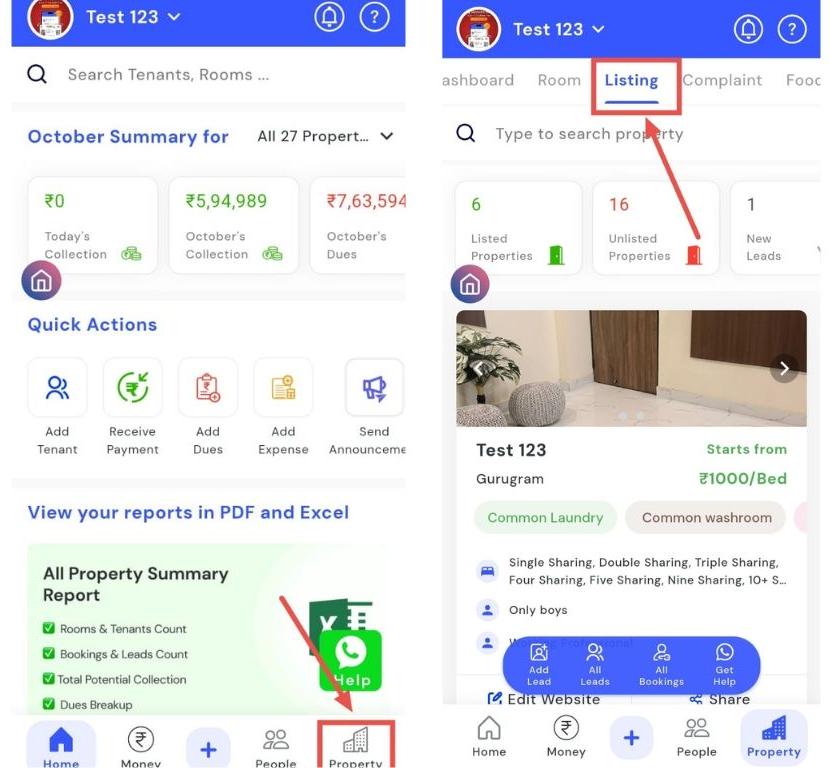
- Step 2: Go to your property Navigate to the property for which you want the microsite link.
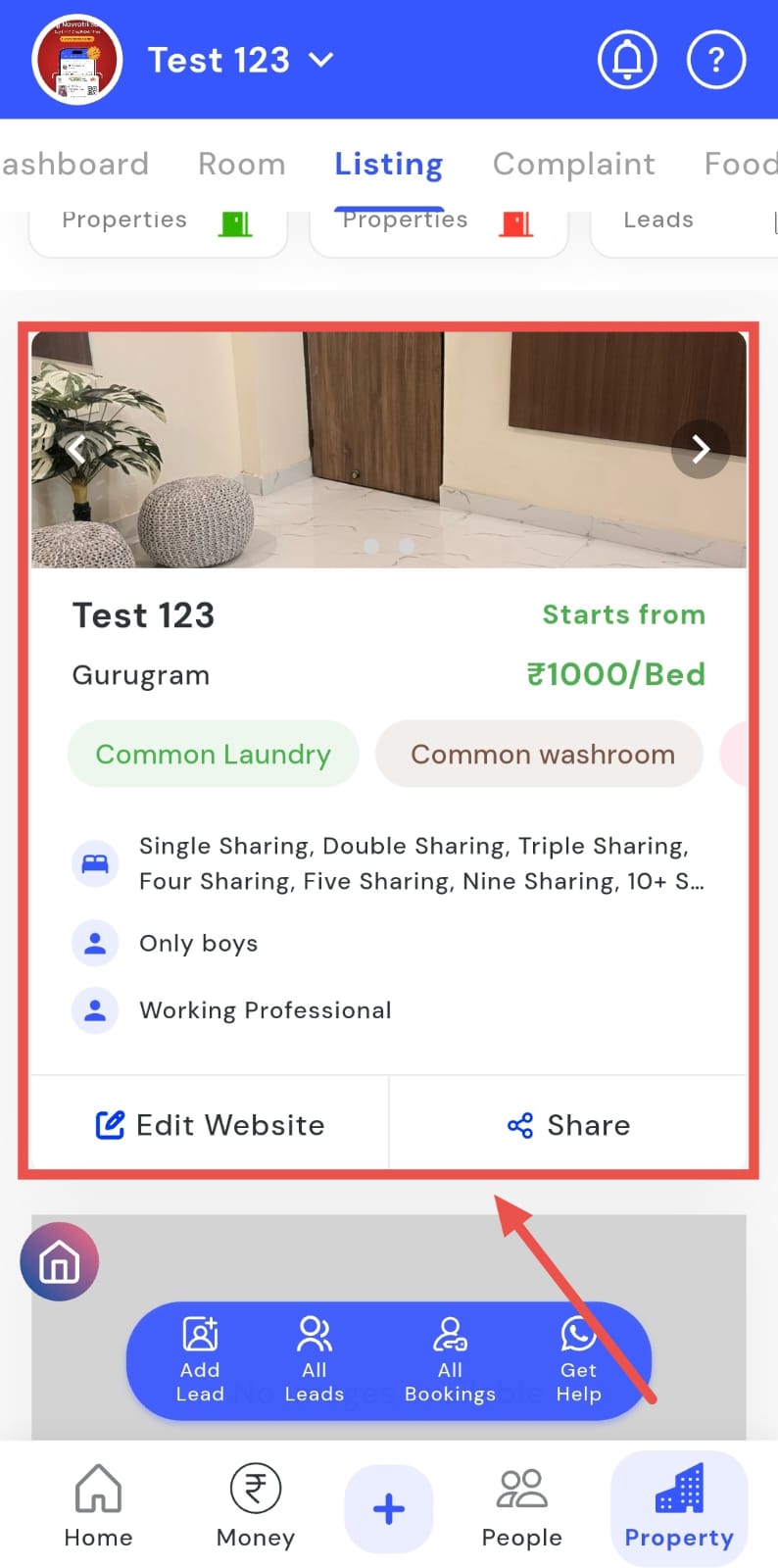
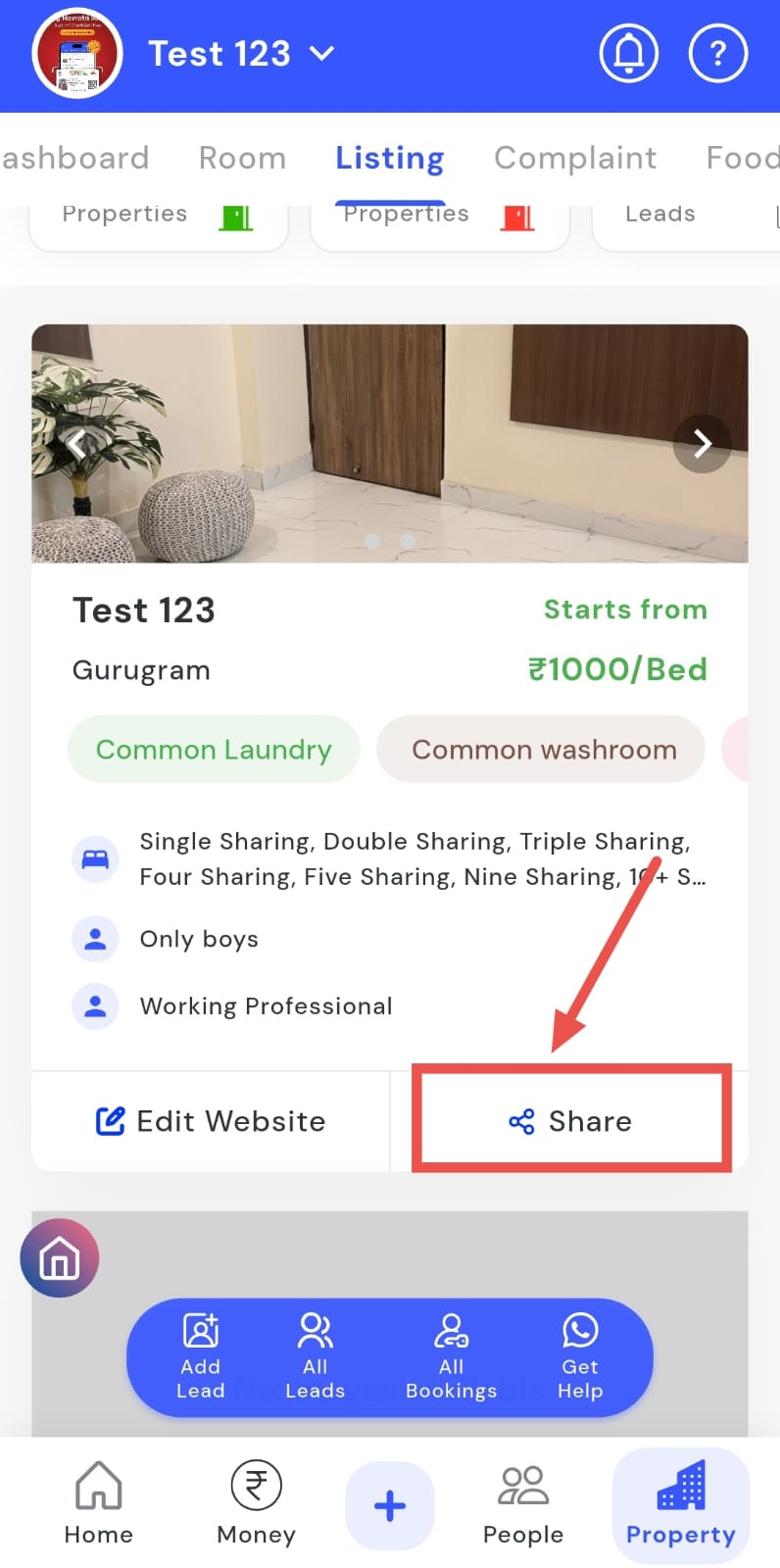
- Step 3: Share the link Tap Share on the property card.
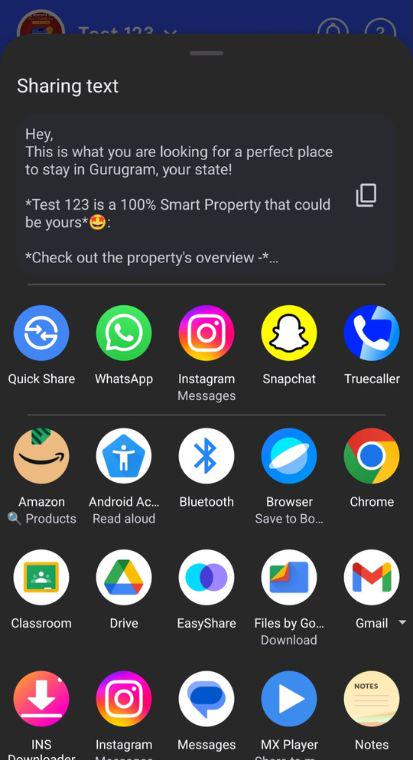
- Step 4: Choose how to share Either copy the link or share it directly via WhatsApp or other available options.
How to get help regarding the website?
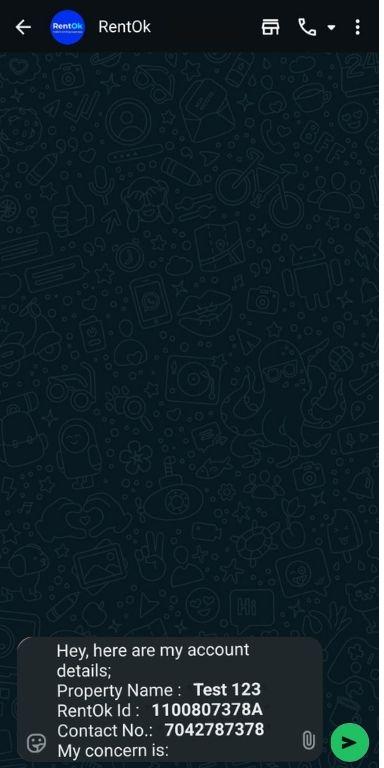
The Get Help option allows you to quickly get assistance for your listing website. By sending your concerns through the app, you can resolve website queries efficiently and receive guidance directly via WhatsApp. This makes it easy to get support for your property website or listings without any hassle.
Follow these steps to use the Get Help feature:
- Step 1: Open the Listing section Tap the Property icon in the bottom navigation menu, then select Listing.
- Step 2: Access Get Help Click on the Get Help option.
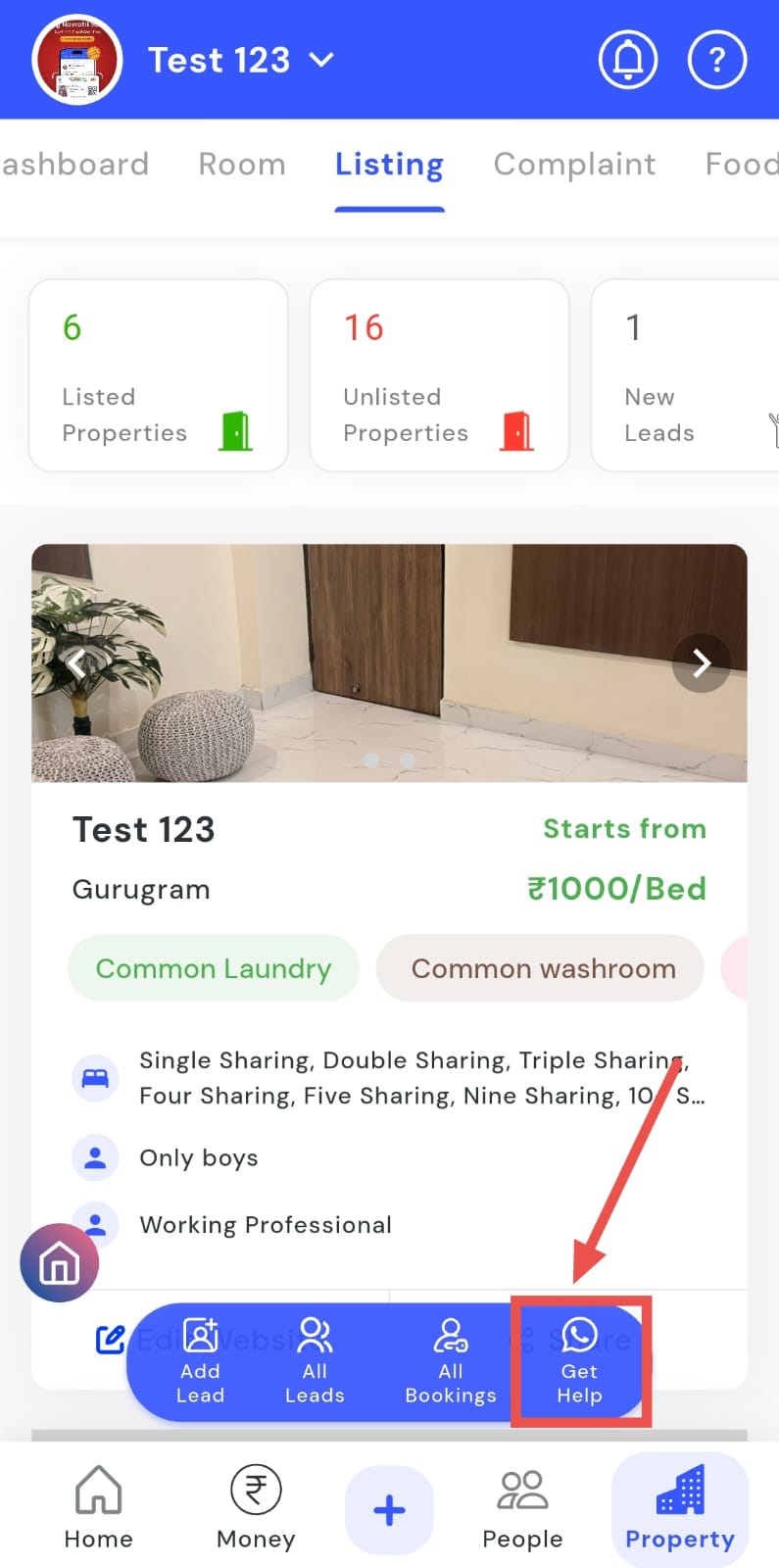
- Step 3: Send your concern A WhatsApp message screen will open. Write your concern and tap Send to contact support.
How to raise a request regarding website activation?
You can easily raise a website activation request through the Listing section. The app allows you to activate your website quickly by filling in the required details on the WebApp page. This process helps you publish your property details online and make your listing visible to potential tenants, ensuring better reach and visibility.
Follow these steps to raise a website activation request:
- Step 1: Open Listing Tap the Property icon in the bottom navigation menu, then select the Listing option.
-
Step 2: Locate your property Scroll to find the property card you want to activate.
-
Step 3: Activate Website Tap the Activate Website option on the property card.
-
Step 4: Fill in details You’ll be redirected to the WebApp page, and fill in all the required details as prompted.
-
Step 5: Publish Once all details are filled, tap the Publish button to raise your activation request.