Owner Profile
How do I view my owner profile?
Your owner profile is where you can check your personal details, manage property access, and review your activity in one place. You can open it anytime directly from the home screen in just a couple of taps.
To open your profile, follow these steps:
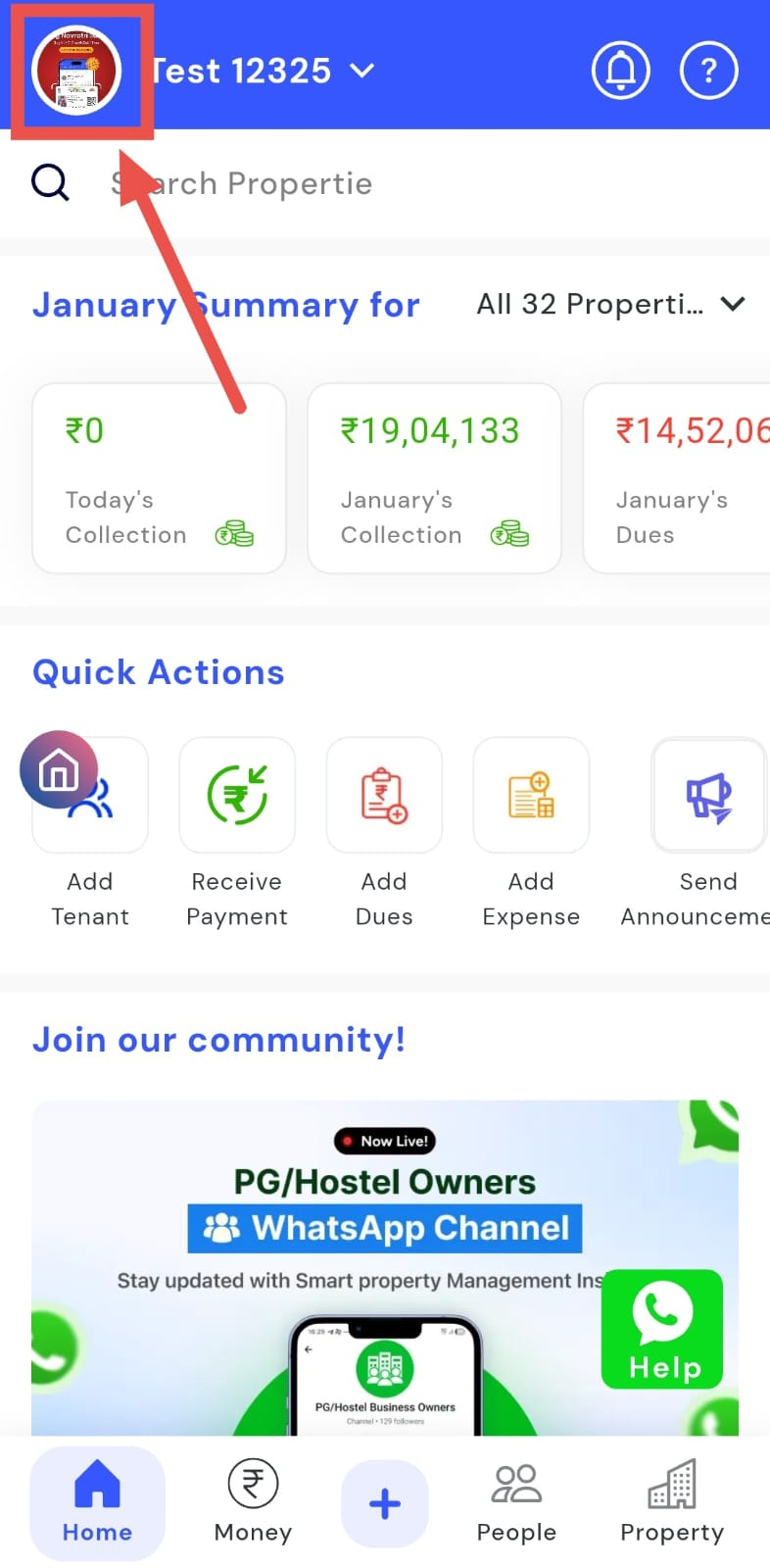
- Step 1: Open your profile Tap on your profile picture in the top-left corner of the screen to open your settings.
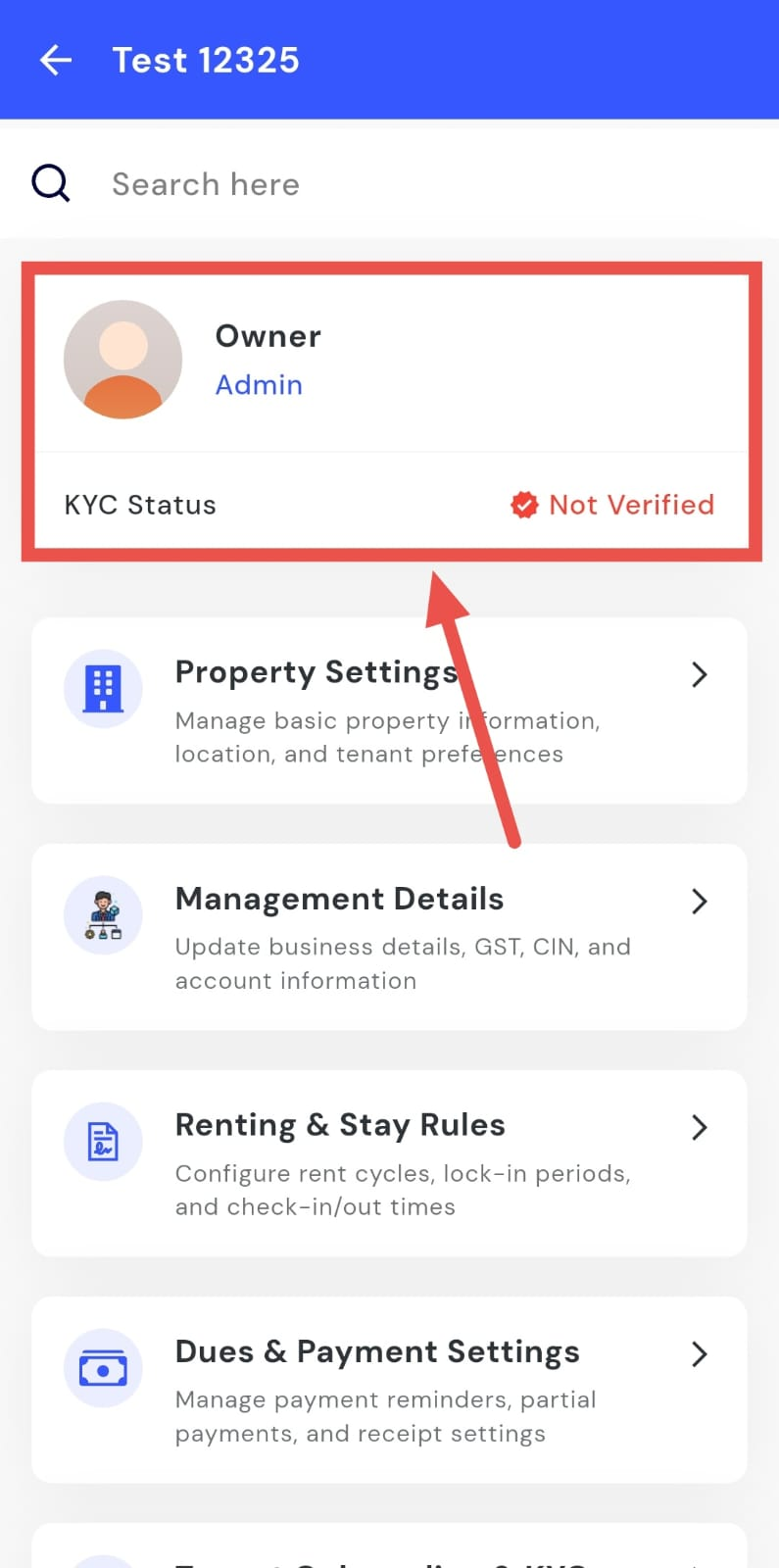
- Step 2: Open owner profile From here, tap on Owner Profile to go to your account details page.
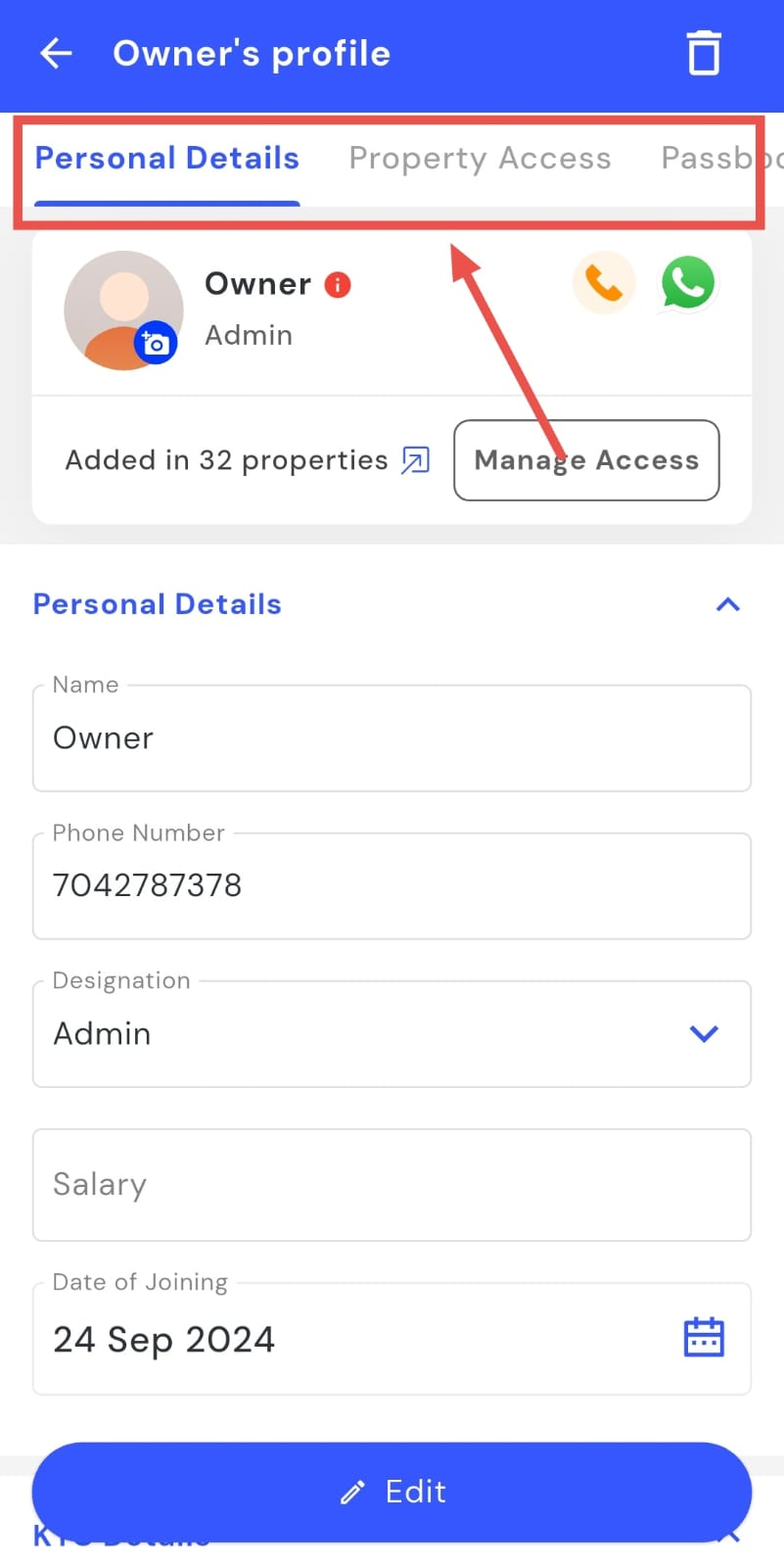
- Step 3: View your details Your owner profile will open, where you can see your personal details, property access, passbook, and activity log.
How do I edit my personal details?
Your profile lets you keep your personal information up to date, such as your name and other basic details. You can edit these details anytime from your owner profile.
To update your details, follow these steps:
- Step 1: Open your profile Tap on your profile picture in the top-left corner of the screen to open your settings.
- Step 2: Open owner profile From here, tap on Owner Profile to go to your account details page.
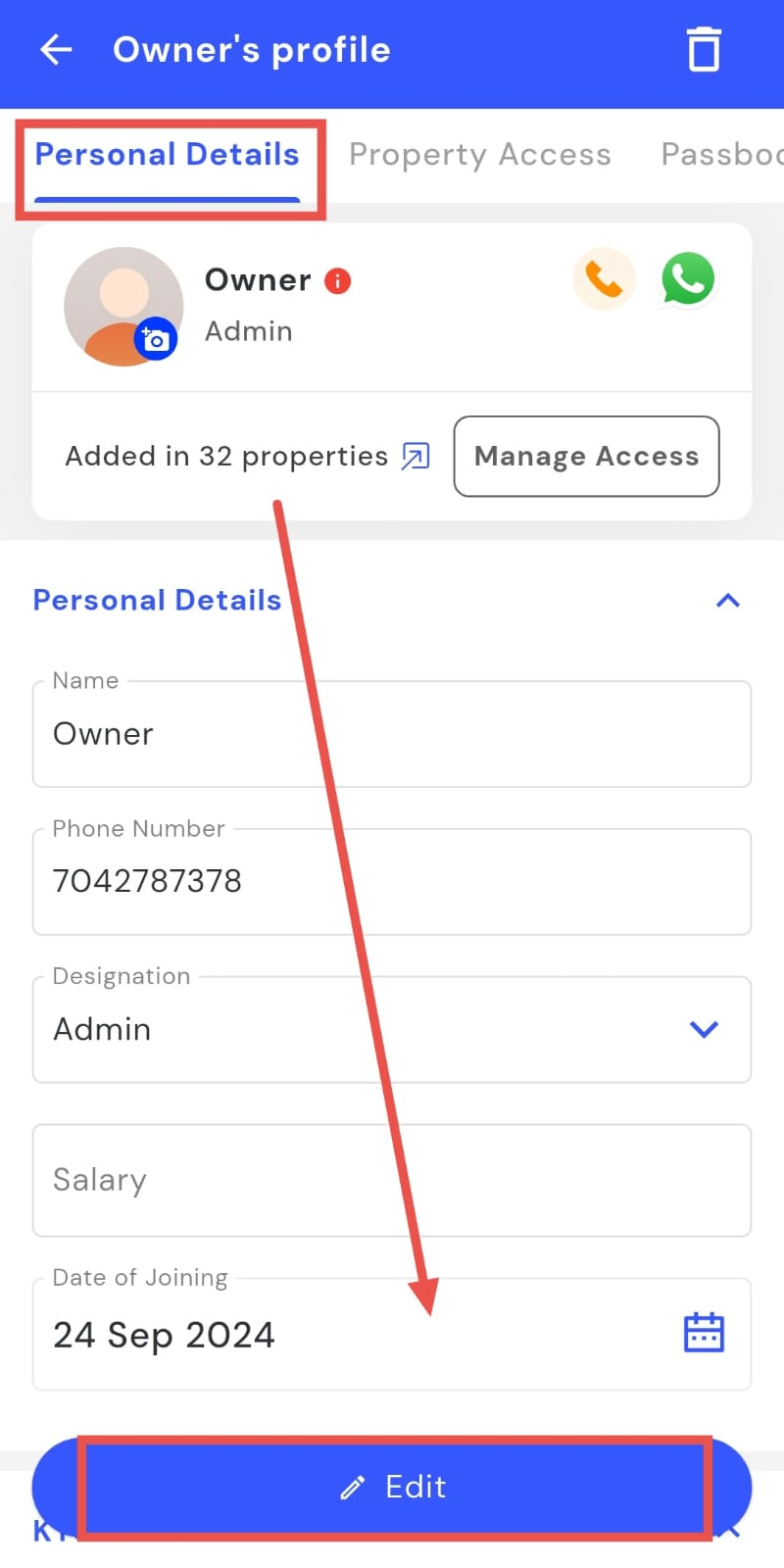
- Step 3: Edit your details From here, you can update and save your personal details.
How do I check my property access?
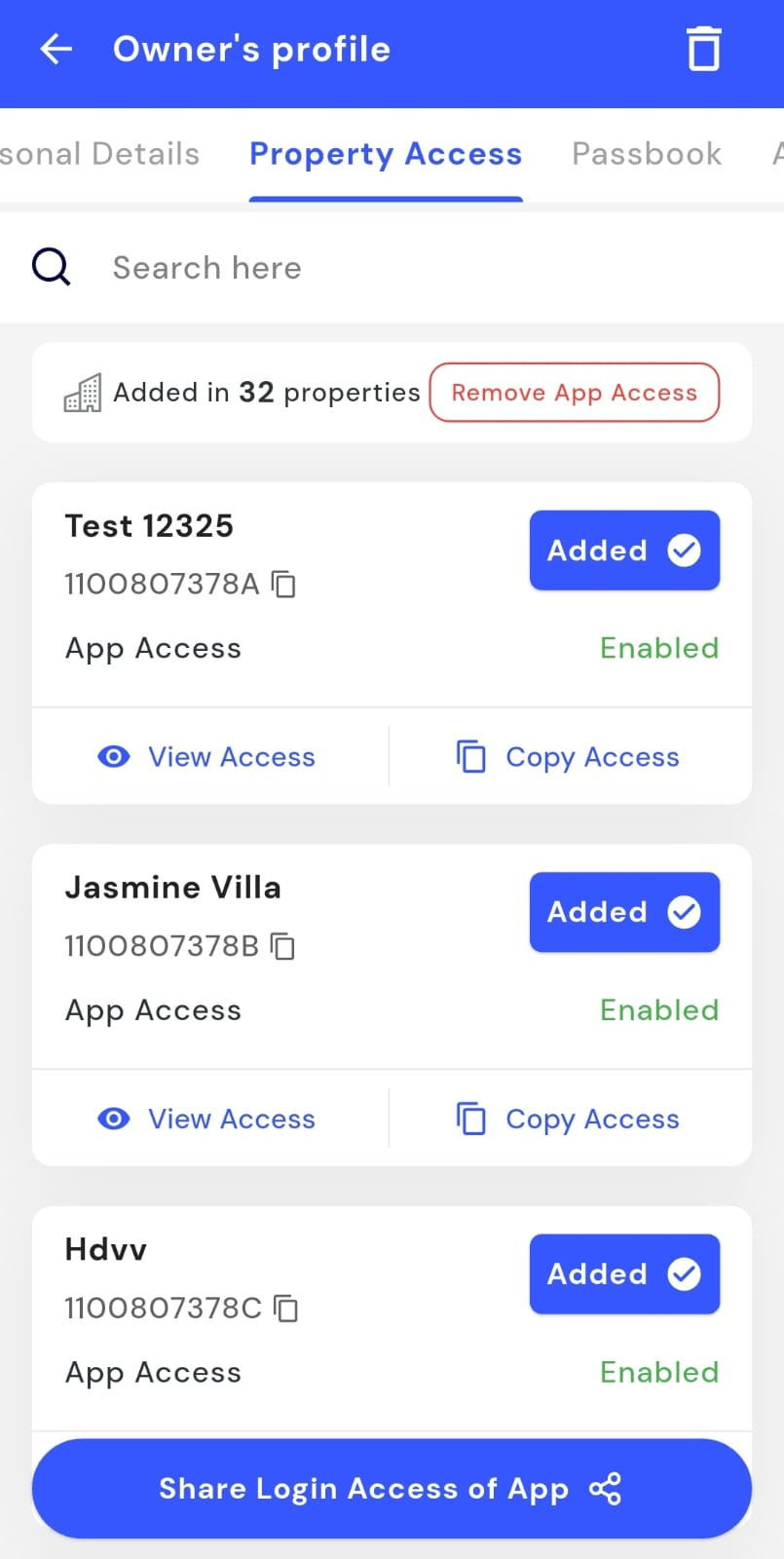
Property access helps you see all the properties you’ve been added to and currently have access to. This makes it easy to keep track of which properties you can view and manage from your account.
To check your property access, follow these steps:
- Step 1: Open your profile Tap on your profile picture in the top-left corner of the screen to open your settings.
- Step 2: Open owner profile From here, tap on Owner Profile to go to your account details page.
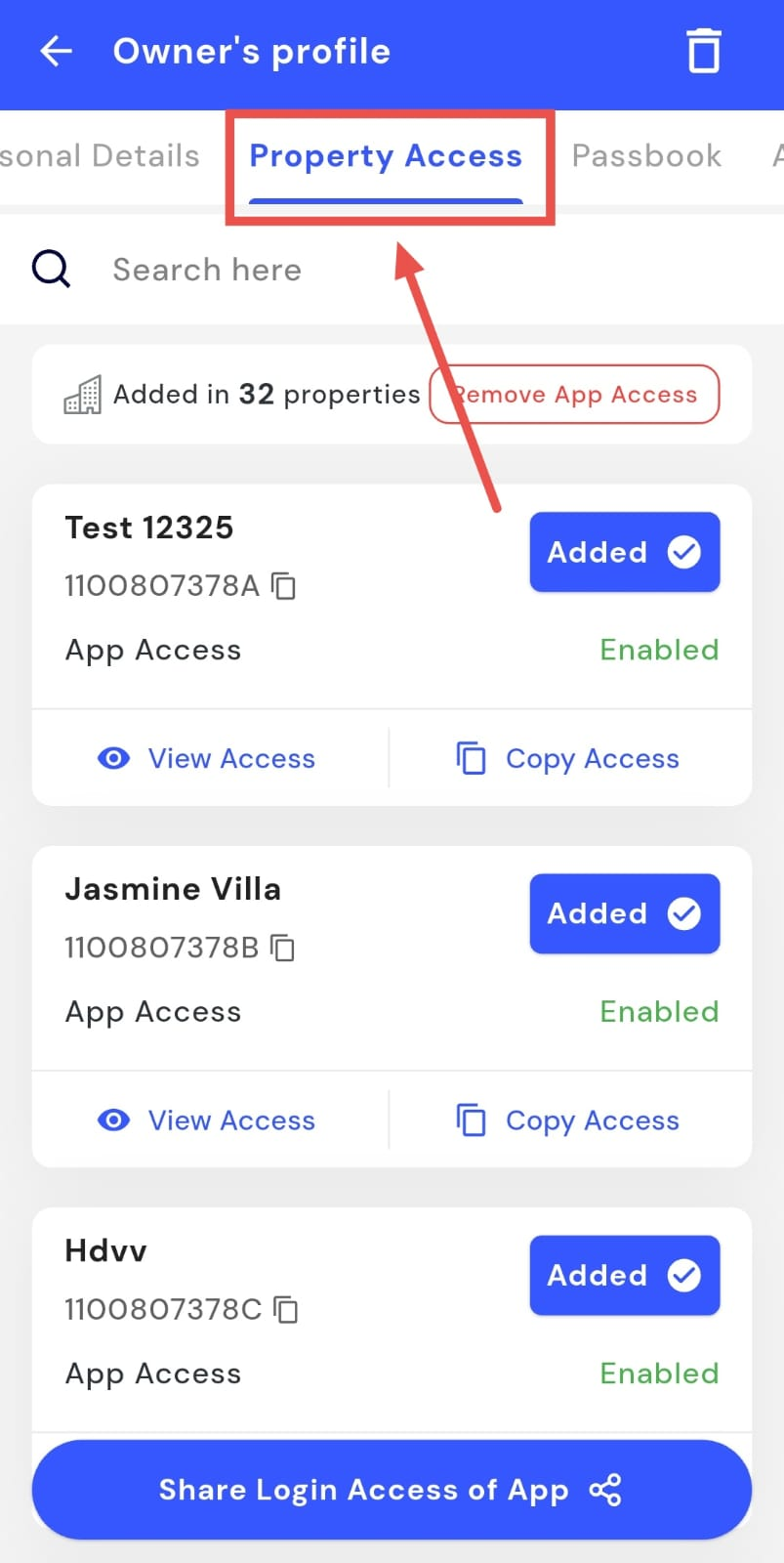
- Step 3: Open Property Access At the top of the profile screen, tap on the Property Access section.
- Step 4: View your properties You will now see the list of all properties you have access to.
How do I view my passbook?
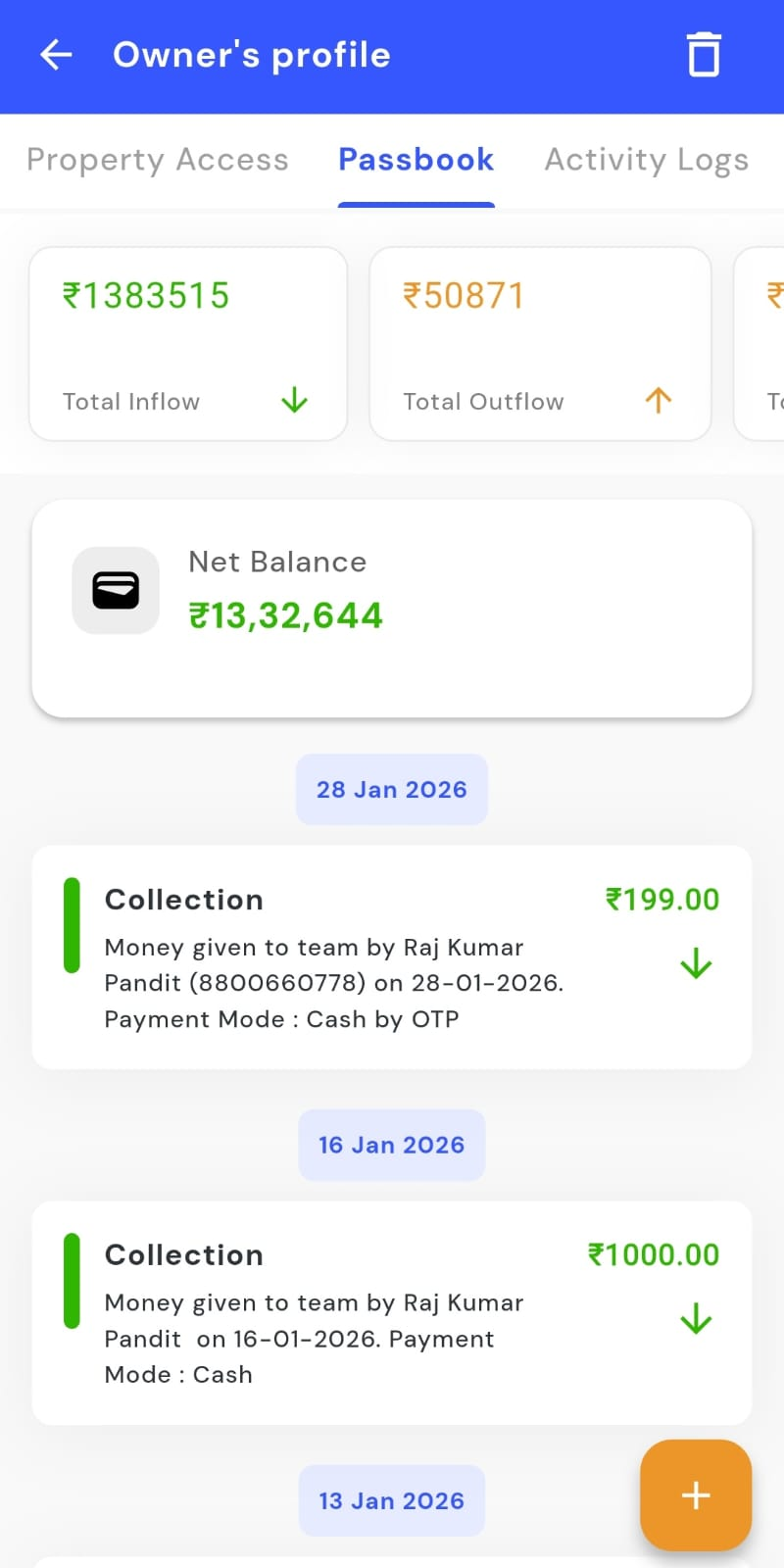
The passbook shows you all the financial records related to your property in one place. You can use it to quickly check past entries and keep track of all transactions linked to your account.
To view your passbook, follow these steps:
- Step 1: Open your profile Tap on your profile picture in the top-left corner of the screen to open your settings.
- Step 2: Open owner profile From here, tap on Owner Profile to go to your account details page.
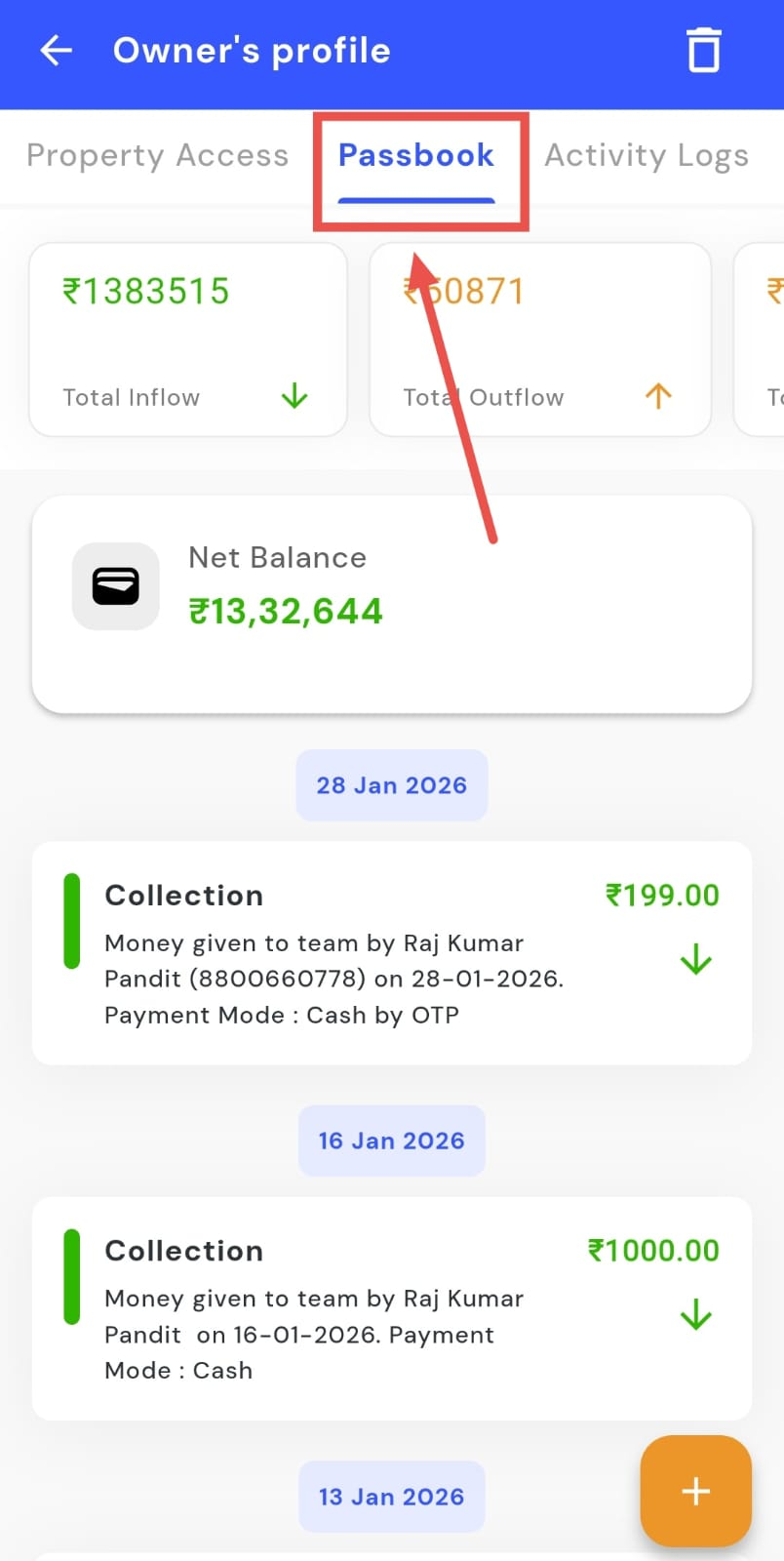
- Step 3: Open Passbook At the top of the profile screen, tap on the Passbook option.
- Step 4: View your records Your passbook will open, showing all the records related to your property.
How do I check activity logs?
Activity logs show you a history of actions taken on your account, such as changes to settings, updates to your profile and etc. This helps you keep track of what has been changed and when.
To check your activity logs, follow these steps:
- Step 1: Open your profile Tap on your profile picture in the top-left corner of the screen to open your settings.
- Step 2: Open owner profile From here, tap on Owner Profile to go to your account details page.
- Step 3: Open Activity Logs At the top of the profile screen, tap on the Activity Logs option.
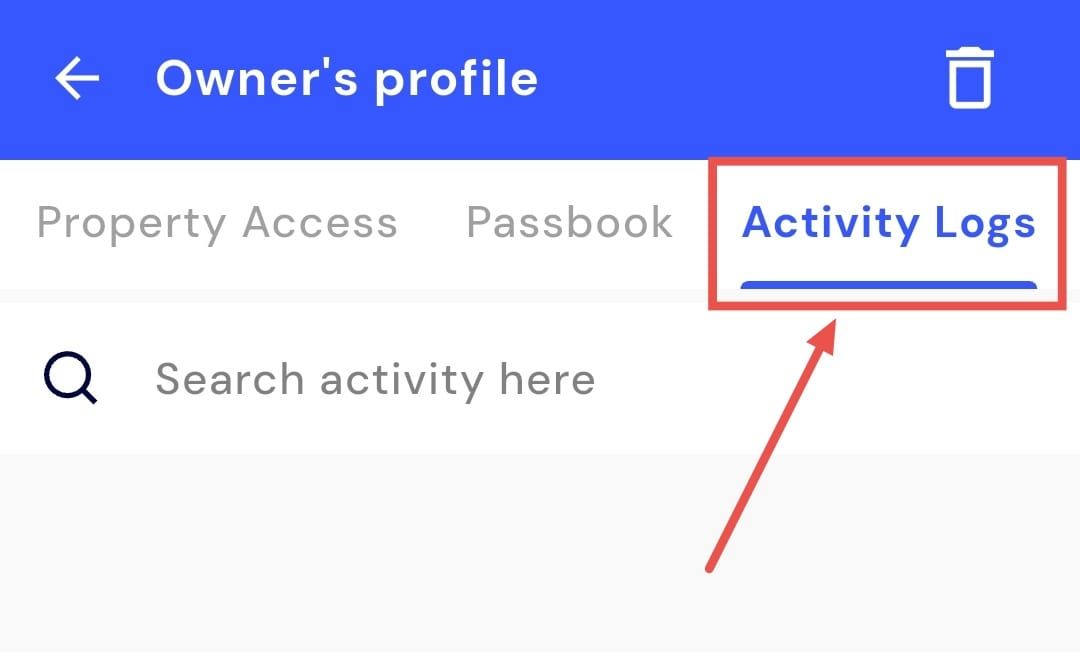
- Step 4: View the history You will now see a list of all actions and changes made on your account.