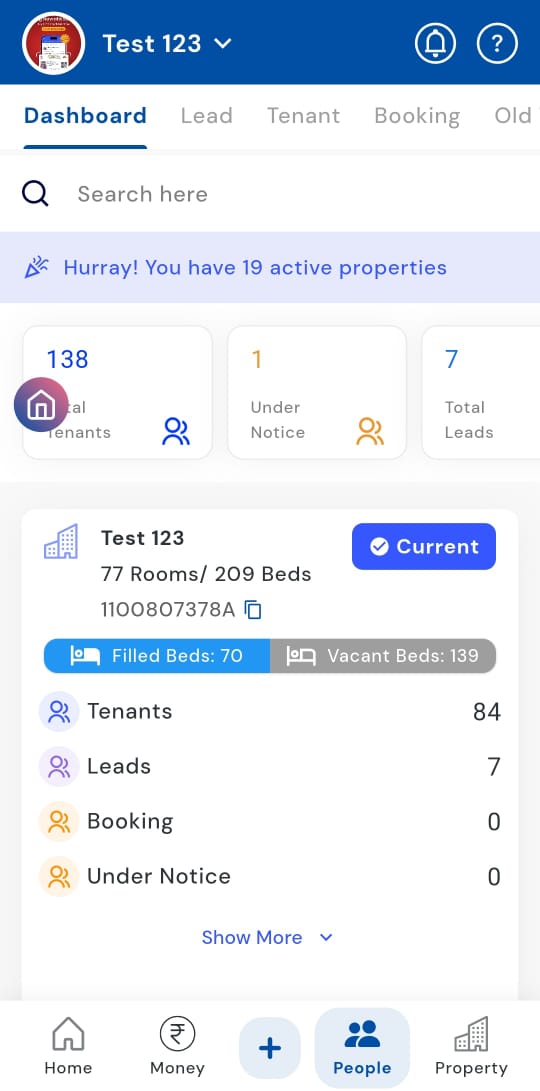
People > Dashboard
- **How can I view the people dashboard for all months on one screen? **
Need a complete overview of all tenants or occupants? The People dashboard makes it effortless to scroll through all months and review each property individually in a single view. Without switching screens or applying multiple filters, you can easily track tenants, monitor performance, or conduct audits, all in one place.
Follow these steps:
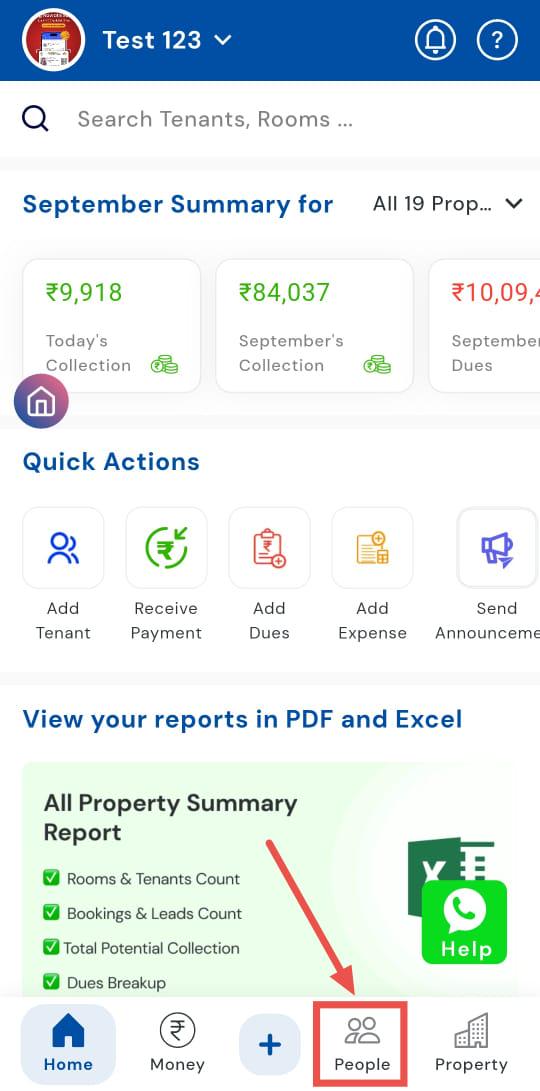
- Step 1: Open the People section Tap the People icon in the bottom navigation menu to access the list of properties and occupants.
- Step 2: Open the Dashboard Click on the Dashboard option. Here, you’ll see all properties listed.
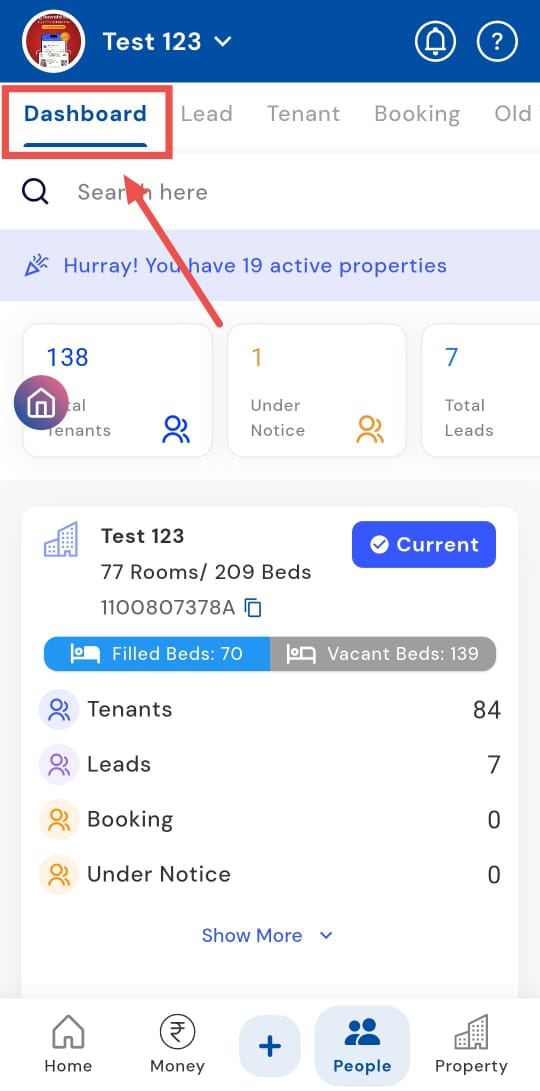
- Step 3: Scroll through the details Scroll down the page to view information for each property individually. The dashboard displays data month-by-month, allowing you to review all months at a glance.