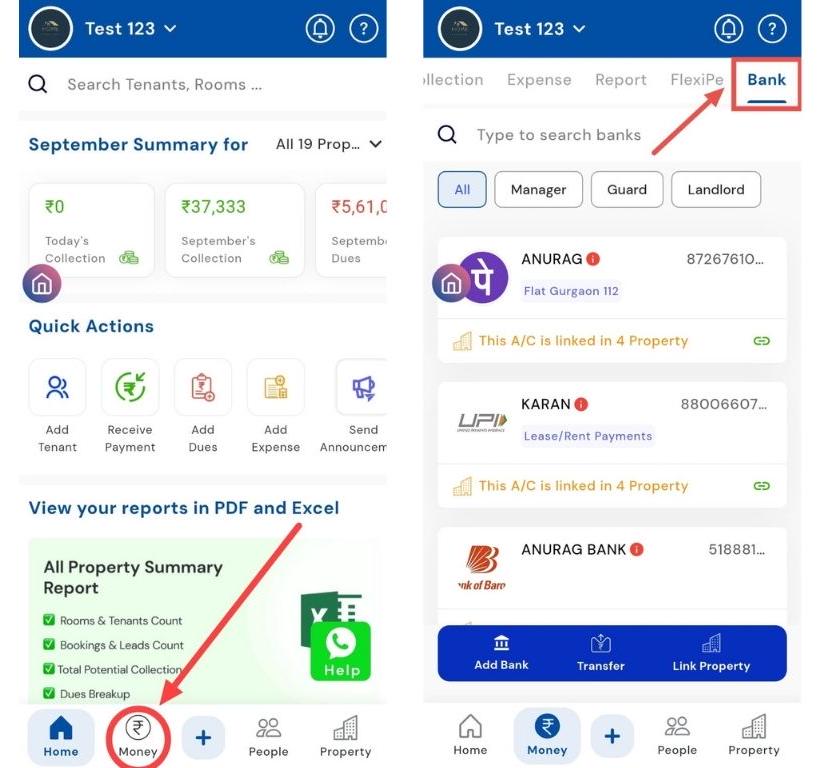
Money Bank
MONEY>BANK
- MONEY>BANK
How can I add a bank account?
Want to add a bank account for easy transactions? Follow these steps to set it up. You can link a new bank account or UPI to the app by entering your personal and account details. Once linked, it enables you to receive or make payments directly through the app securely and conveniently. This feature ensures all your financial transactions are streamlined, eliminating the need for manual entries or external reconciliations.
Note: This step can only be performed from Admin access.
Here’s how you can add your bank account in just a few simple steps:
- Step 1: Open Bank Section Tap the Money icon in the bottom navigation menu, then select Bank to access your bank accounts.