Additional Services
How do I access additional services?
RentOK also offers a few extra services that can help you manage your property better, such as legal, marketing, and accounting support. These services are available directly inside the app, so you don’t have to look for them separately. You can browse and explore them anytime from your profile.
To access additional services, follow these steps:
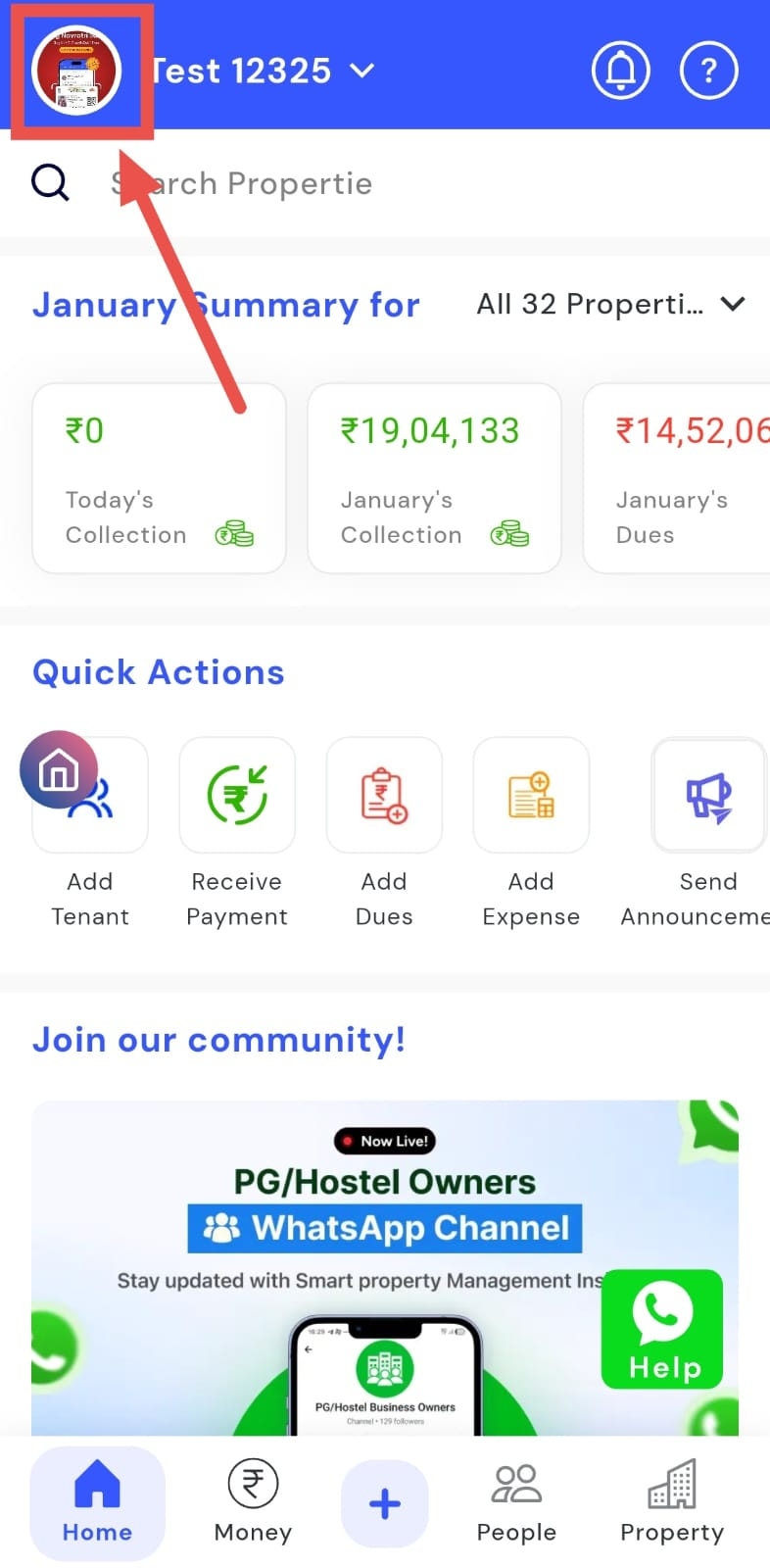
- Step 1: Open your profile Tap on your profile picture in the top-left corner of the screen to open your settings.
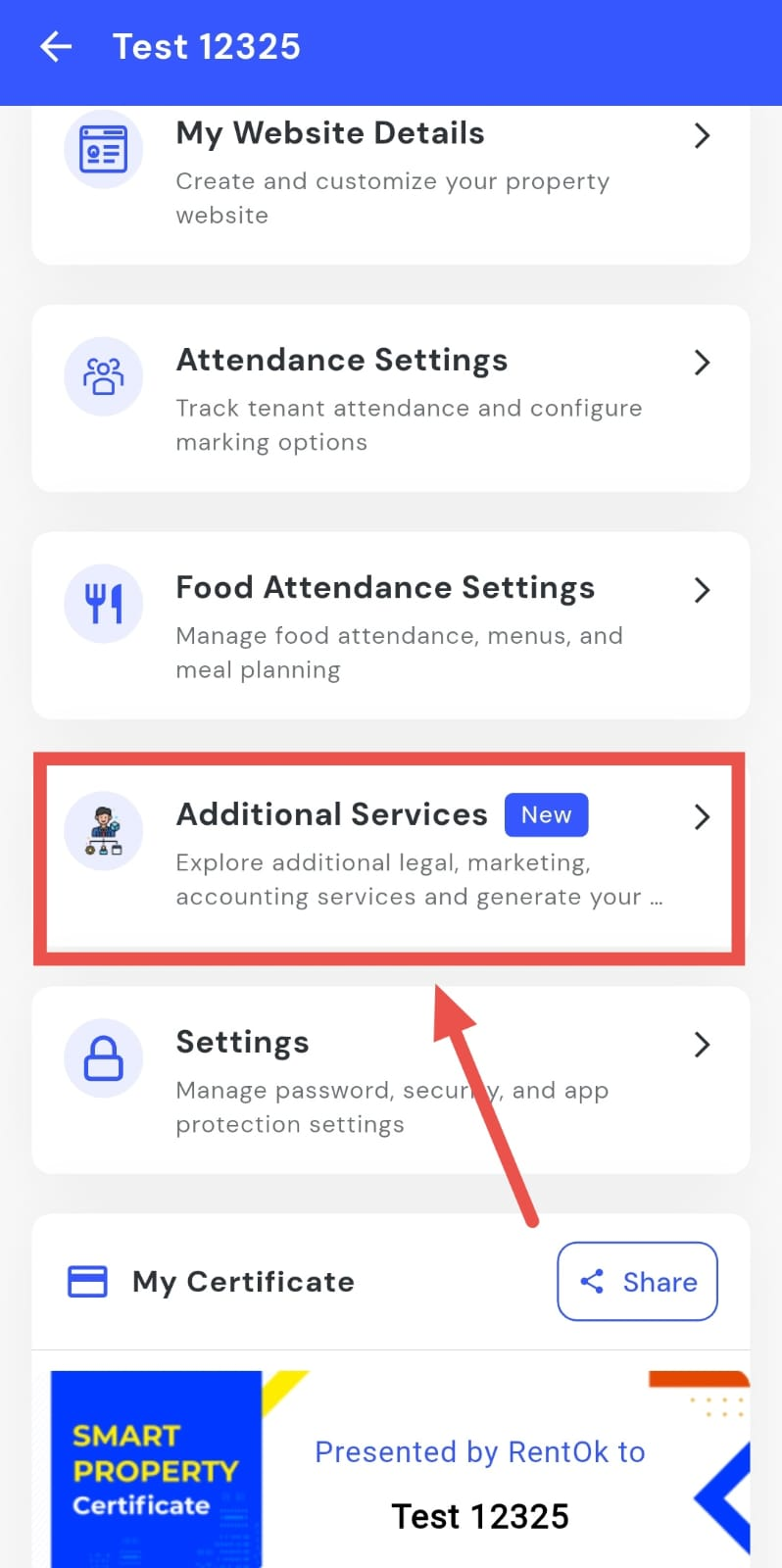
- Step 2: Open Additional Services Scroll down on this screen until you see the Additional Services option, then tap on it to open the section.
-
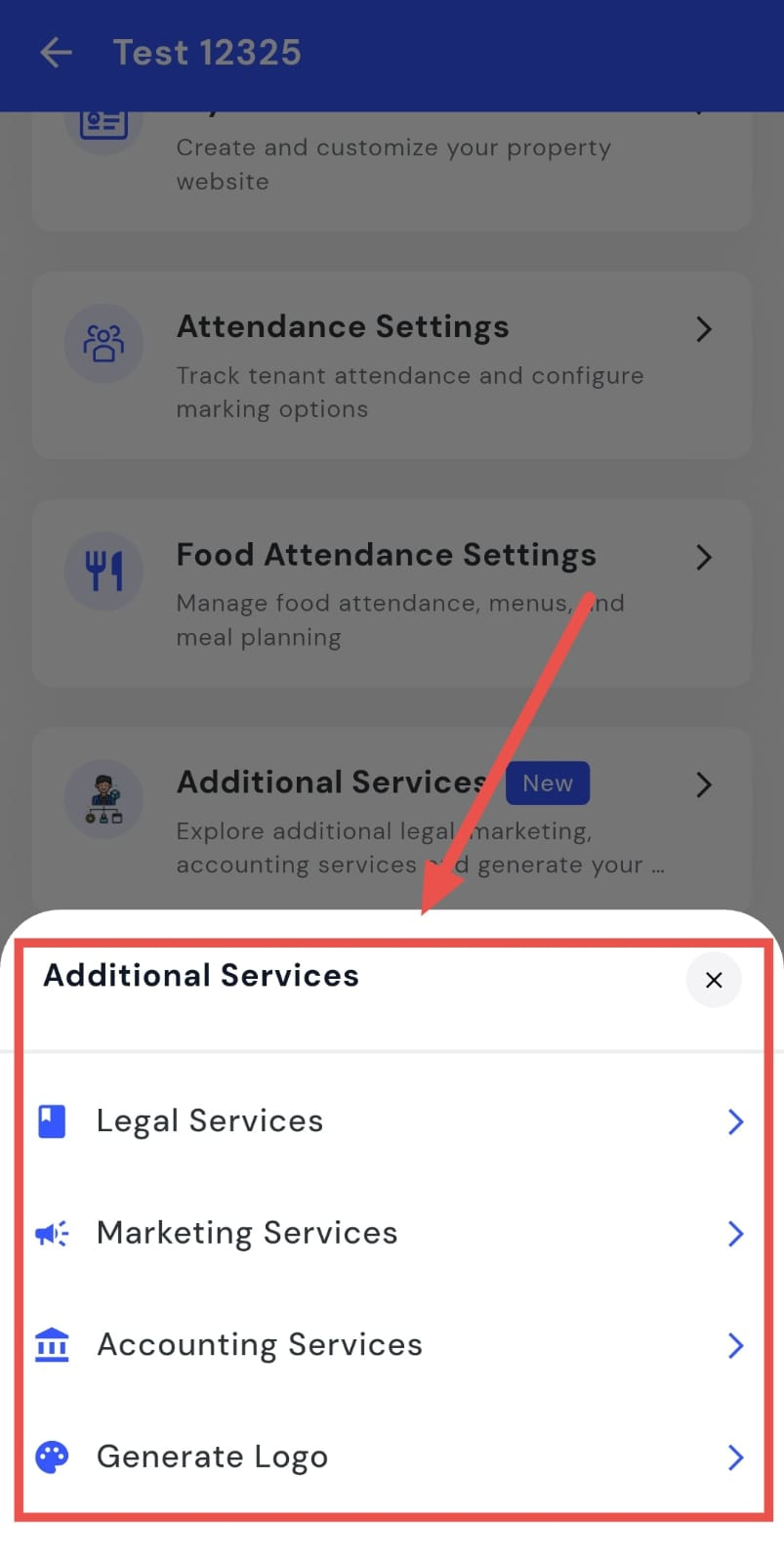
Step 3: View available services You will now see all the services offered, such as:
-
Legal Services
-
Marketing Services
-
Accounting Services
-
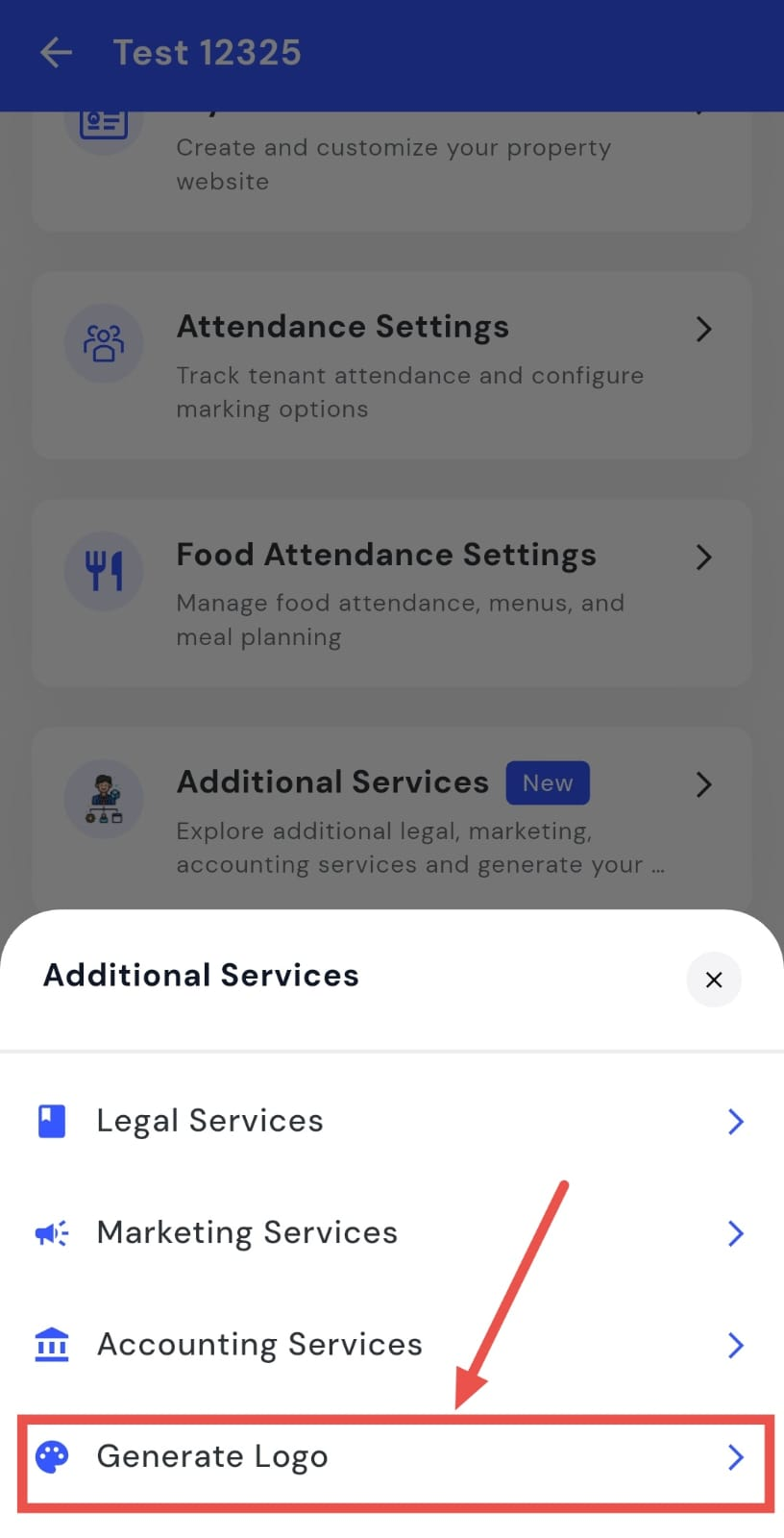
Logo Generation
-
How do I request legal services?
Sometimes you may need legal help related to your property, documents, or agreements. RentOK makes this easier by giving you access to legal services directly from the app. From there, you can see what help is available and take the next steps.
To request legal services, follow these steps:
- Step 1: Open your profile Tap on your profile picture in the top-left corner of the screen to open your settings.
- Step 2: Open Additional Services Scroll down on this screen until you see the Additional Services option, then tap on it to open the section.
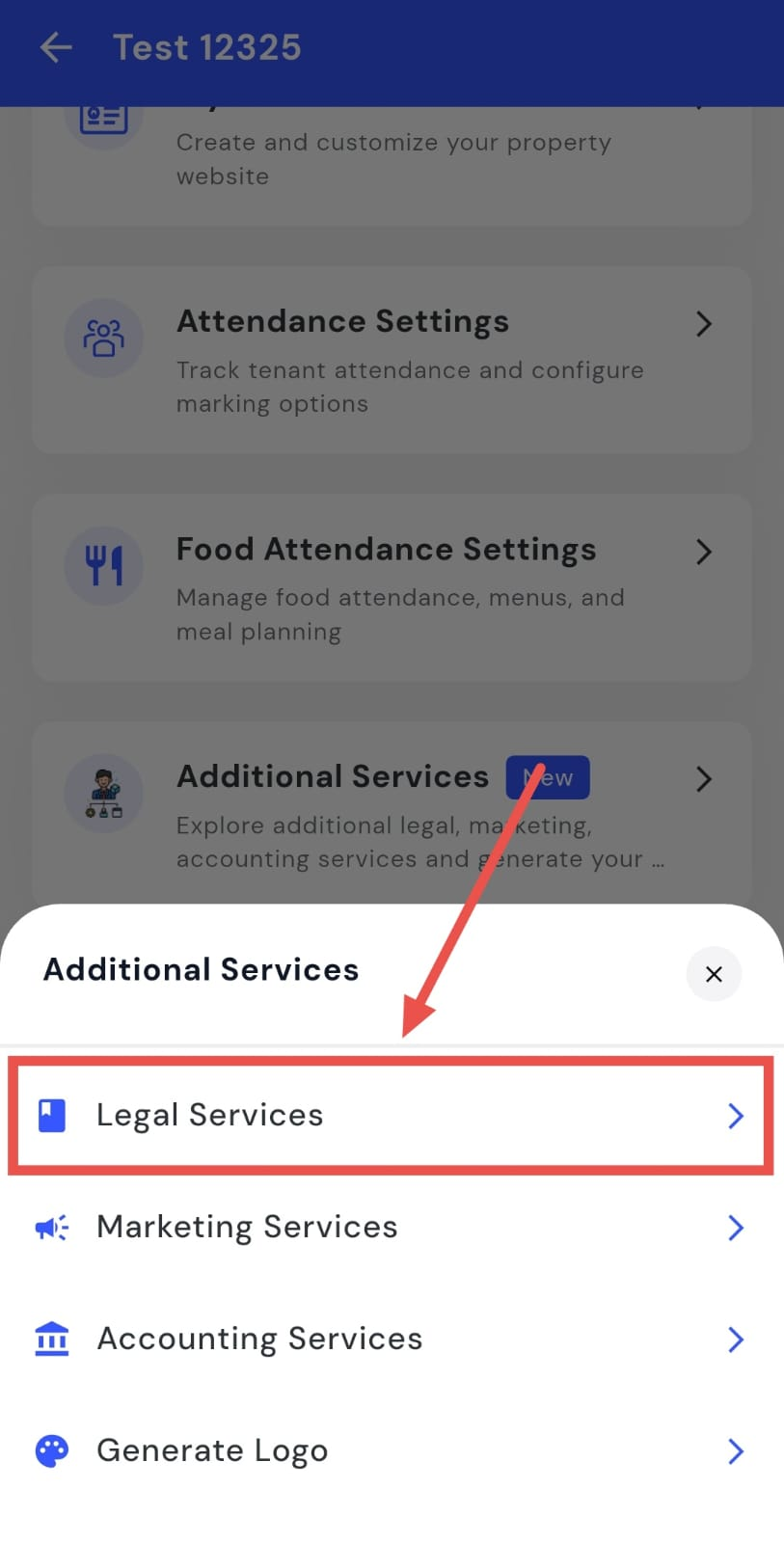
- Step 3: Open Legal Services Tap on Legal Services. You will be taken to a page where you can see all the details about the legal help RentOK provides.
How do I request marketing services?
Sometimes you may want help promoting your property or improving how it is presented to tenants. RentOK offers marketing services that can help you with visibility and outreach. You can explore these services directly from the app and see what options are available.
To request marketing services, follow these steps:
- Step 1: Open your profile Tap on your profile picture in the top-left corner of the screen to open your settings.
- Step 2: Open Additional Services Scroll down on this screen until you see the Additional Services option, then tap on it to open the section.
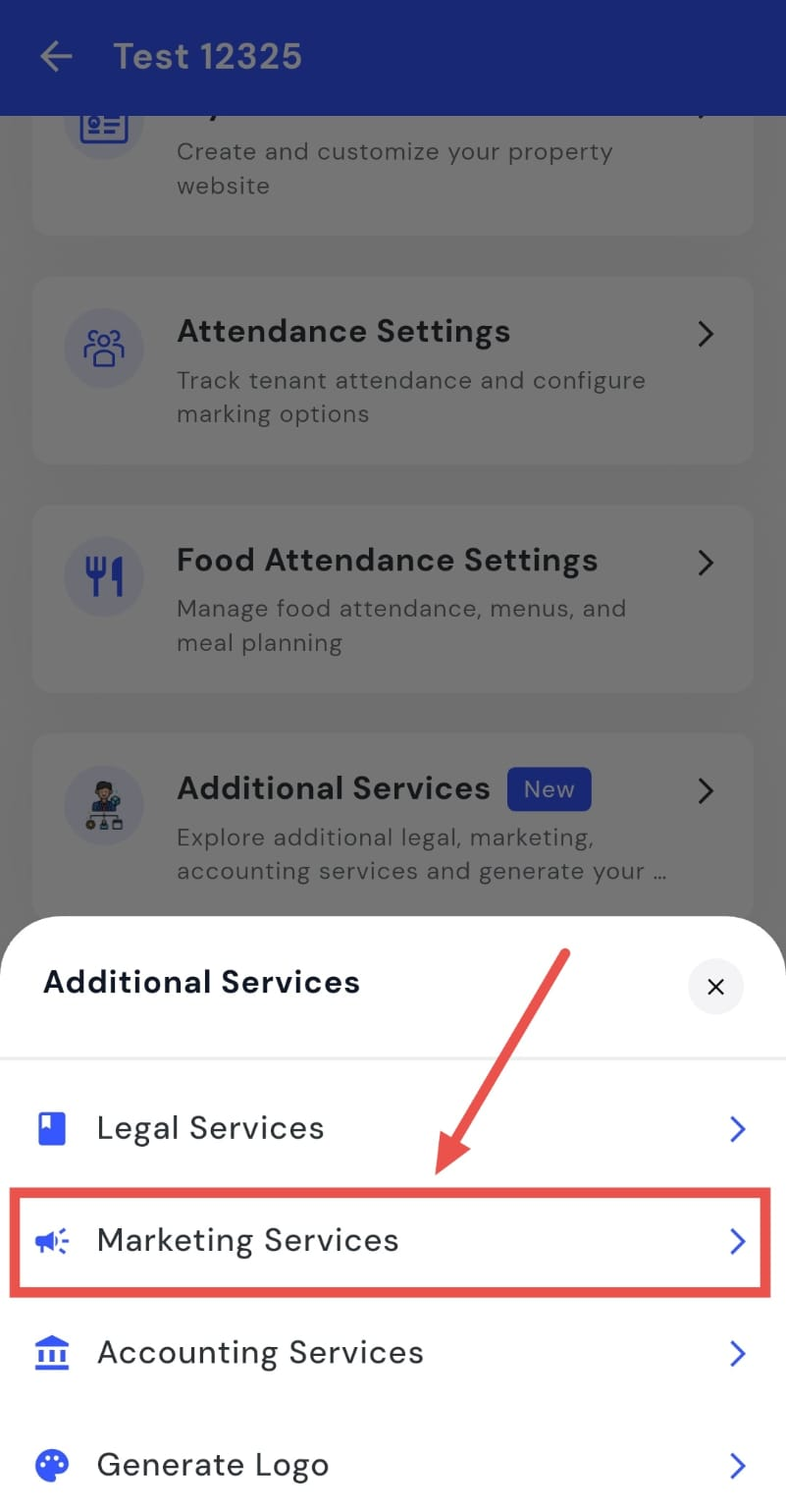
- Step 3: Open Marketing Services Tap on Marketing Services. You will be taken to a page where you can see all the details about the marketing support RentOK provides.
How do I request accounting services?
Managing accounts and finances for a property can take time and effort. RentOK offers accounting services to help you handle these things more smoothly. You can check what’s included and take the next steps directly from the app.
To request accounting services, follow these steps:
- Step 1: Open your profile Tap on your profile picture in the top-left corner of the screen to open your settings.
- Step 2: Open Additional Services Scroll down on this screen until you see the Additional Services option, then tap on it to open the section.
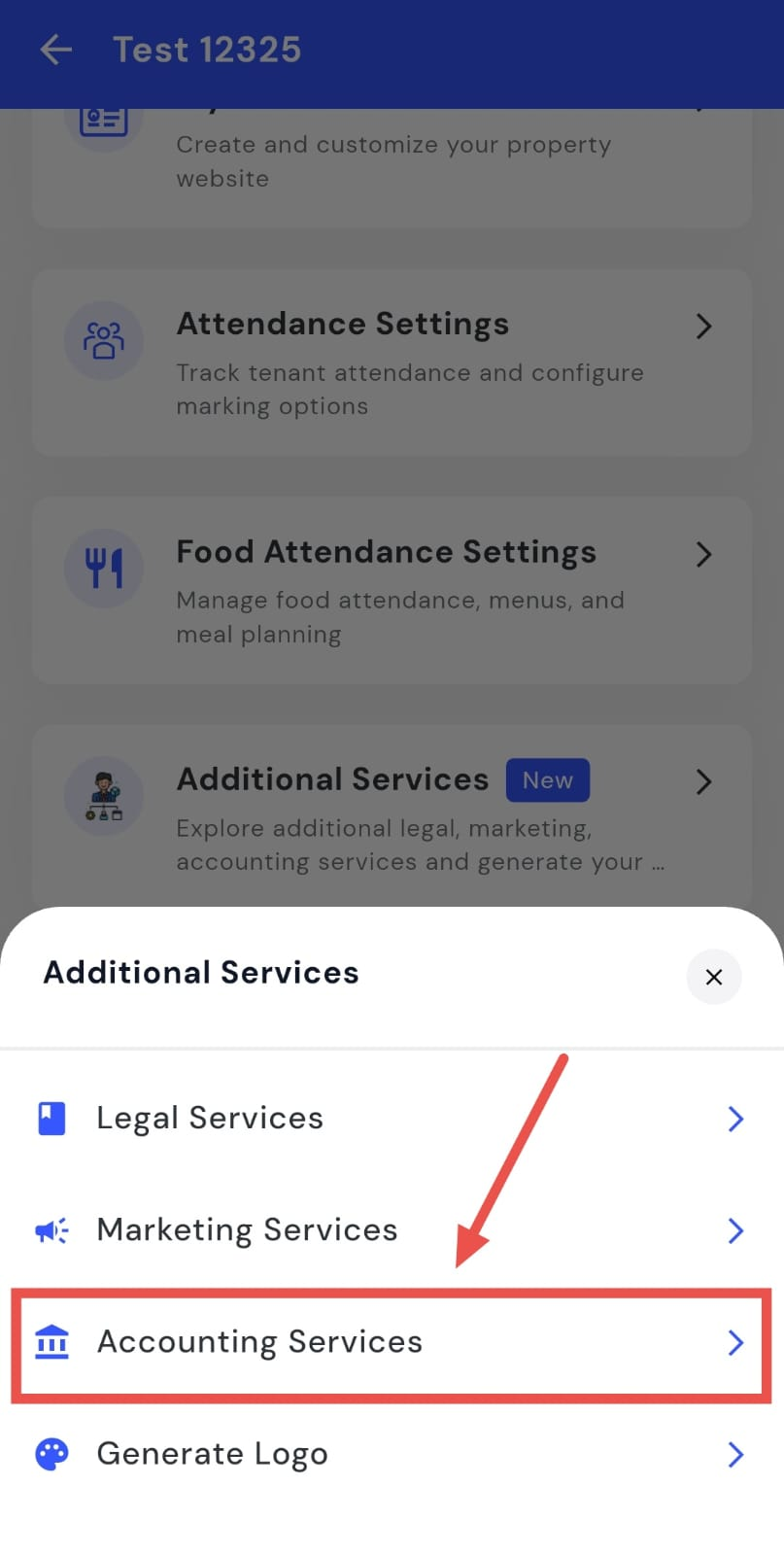
- Step 3: Open Accounting Services Tap on Accounting Services. You will be taken to a page where you can see all the details about the accounting help RentOK provides.
How do I generate my property logo?
If you want a simple logo for your property or business, you can generate one using the tools provided in the app. This helps you get a basic logo without needing to design it yourself or use any external tools.
To generate a logo, follow these steps:
- Step 1: Open your profile Tap on your profile picture in the top-left corner of the screen to open your settings.
- Step 2: Open Additional Services Scroll down on this screen until you see the Additional Services option, then tap on it to open the section.
- Step 3: Open Logo Generation Tap on Logo Generation. You will be redirected to a RentOk-designed website where you can easily generate your logo.