My Certificate
How do I view my smart property certificate?
Your smart property certificate is a quick way to show that your property is registered and verified on the platform. You can open and view this certificate anytime from your profile without needing to search for it elsewhere.
To view your smart property certificate, follow these steps:
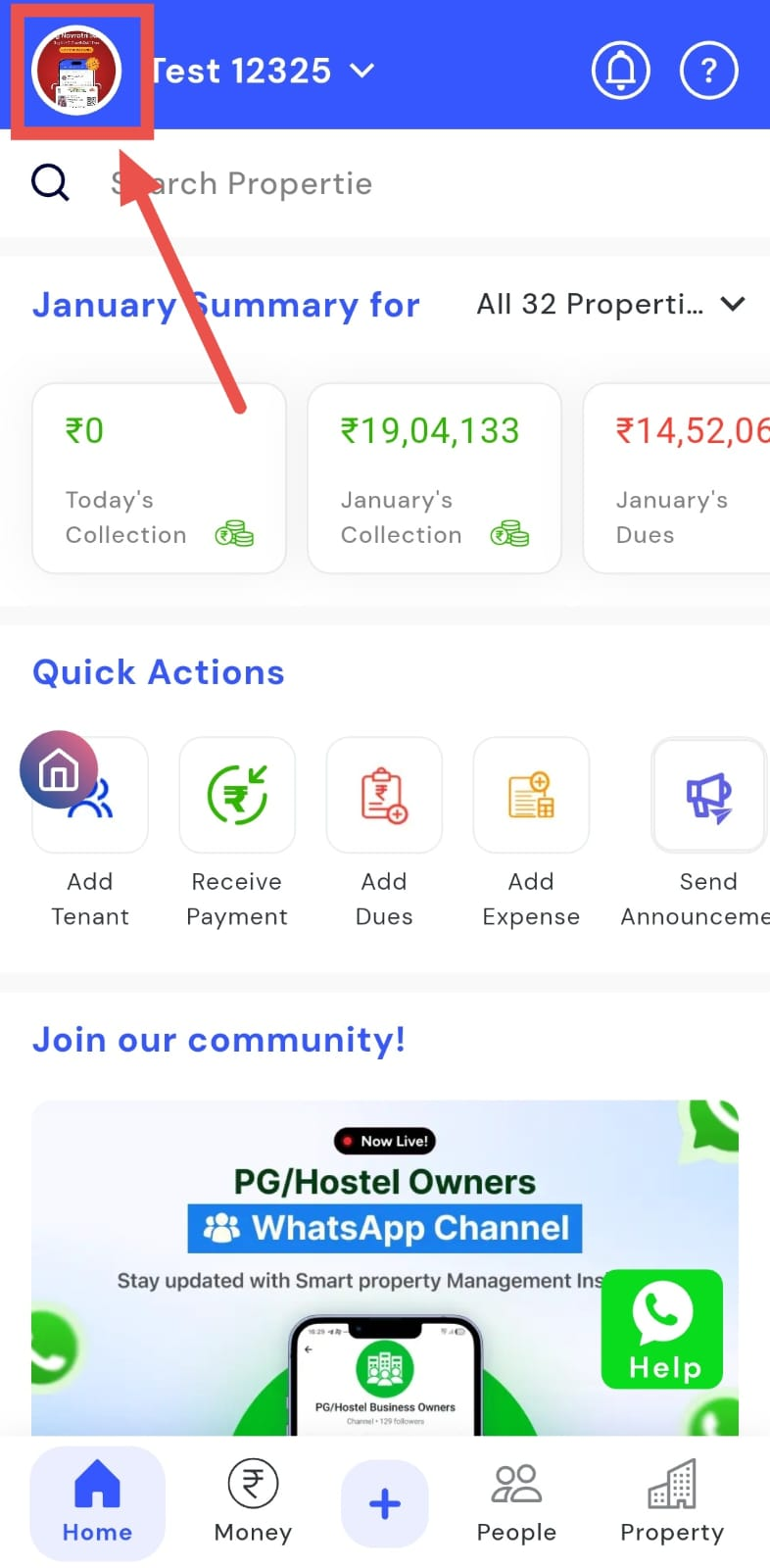
- Step 1: Open your profile Tap on your profile picture in the top-left corner of the screen to open your settings.
- Step 2: Find your certificate Scroll down on this screen until you see the My Certificate option listed.
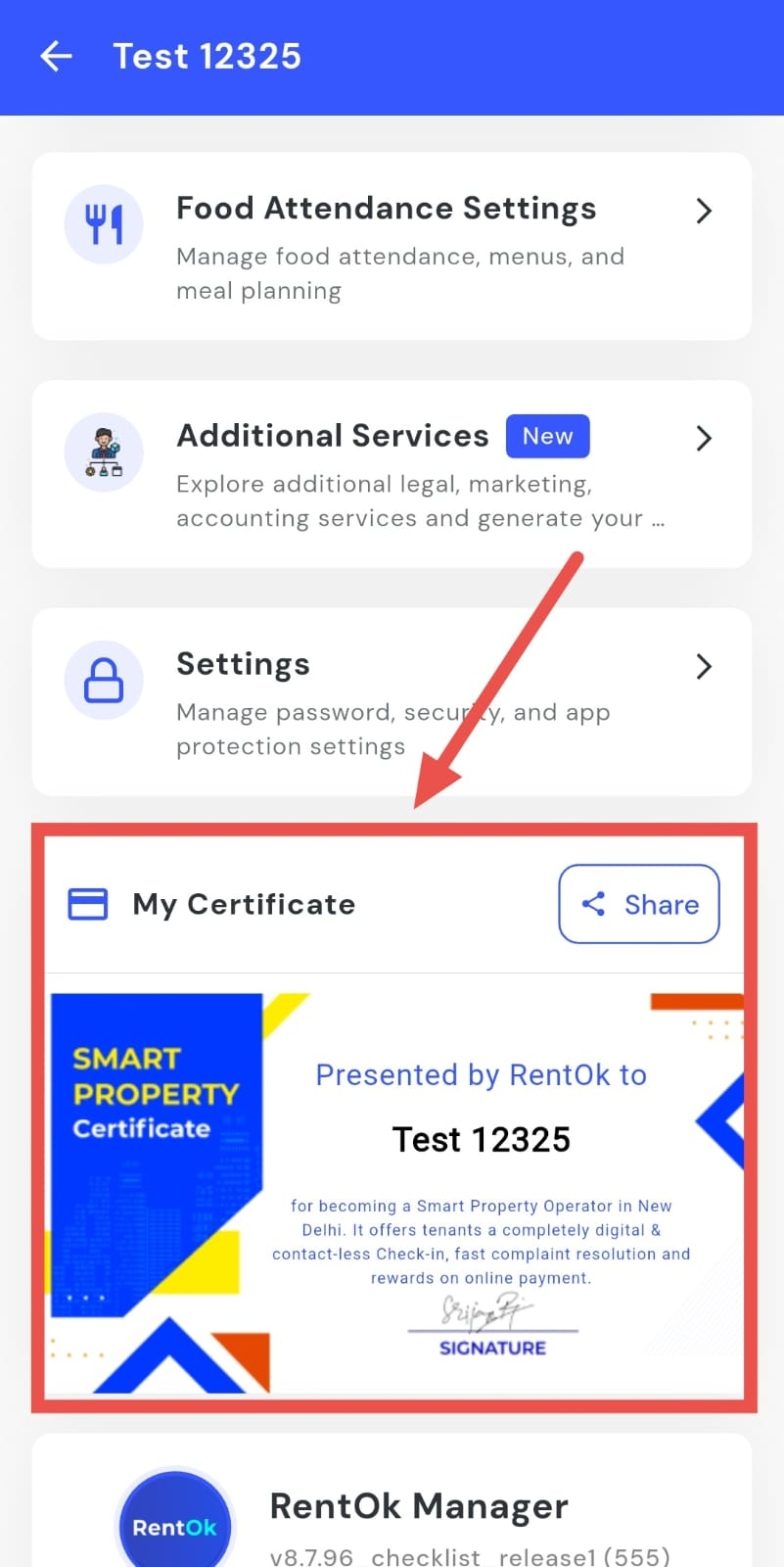
- Step 3: Open the certificate You can view your smart property certificate there.
How do I share my certificate?
If someone asks you for your smart property certificate, you don’t need to explain or send details separately. You can share the certificate directly from the app in just a few taps.
To share your certificate, follow these steps:
- Step 1: Open your profile Tap on your profile picture in the top-left corner of the screen to open your settings.
- Step 2: Find your certificate Scroll down on this screen until you see the My Certificate option in the list.
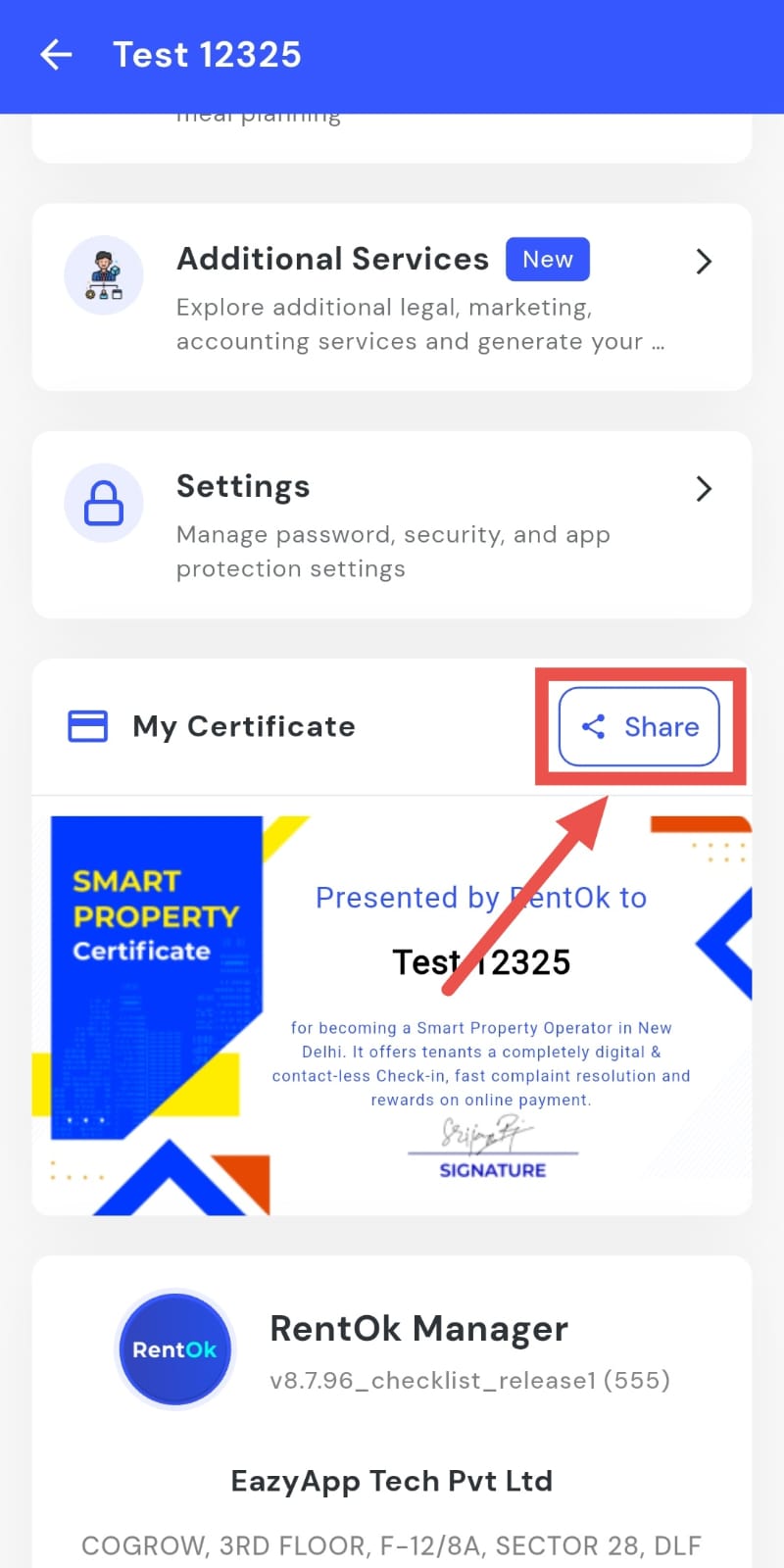
- Step 3: Share the certificate Tap on the Share option and select where you want to send the certificate.