Food Attendance Settings
How do I update food attendance?
Food attendance settings help you control how meals are managed in your property, including whether food is provided and how meal availability is handled. If your food arrangements change or you want to adjust how this works, you can update these settings anytime from the app.
To update food attendance, follow these steps:
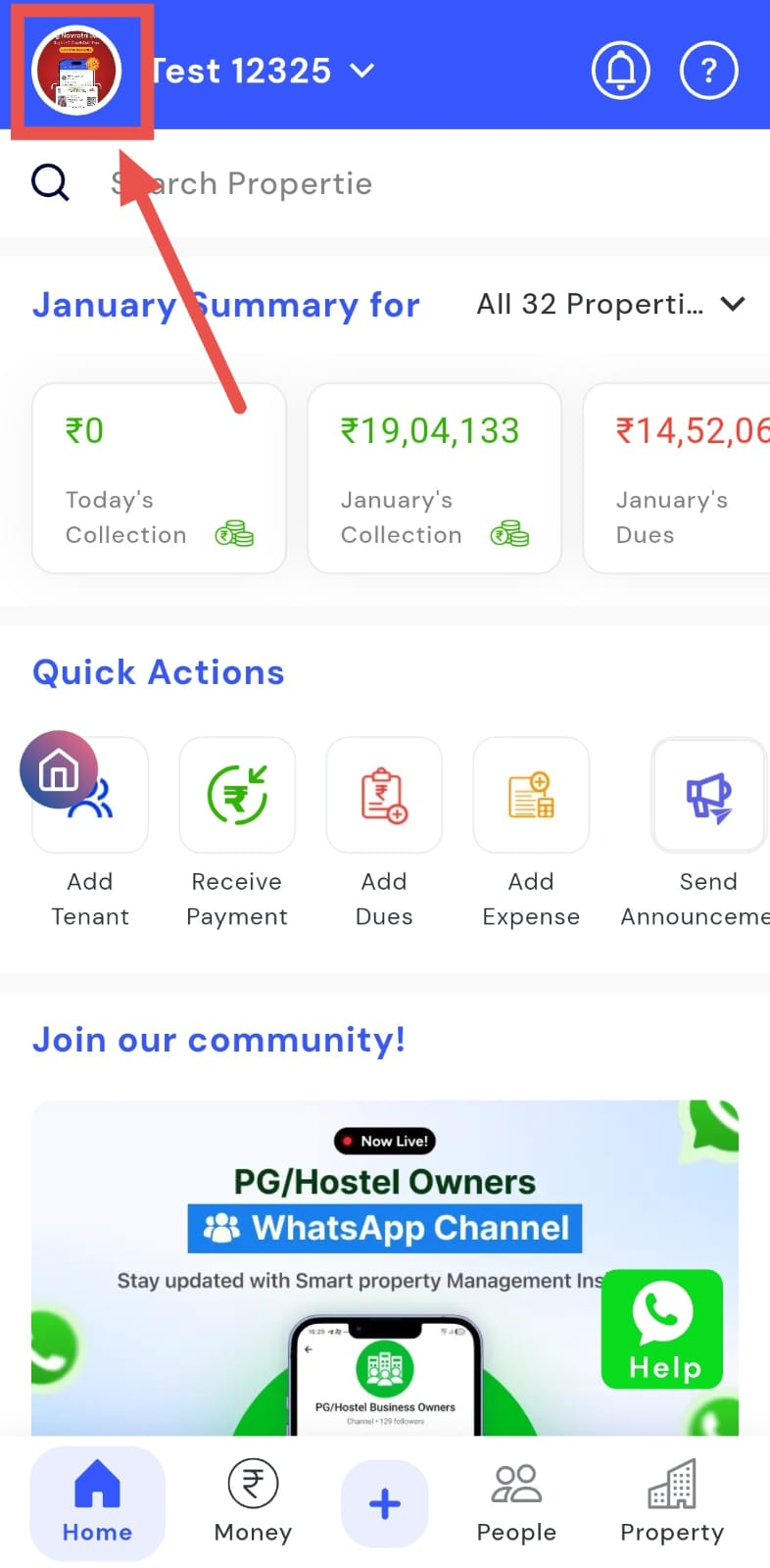
- Step 1: Open your profile Tap on your profile picture in the top-left corner of the screen to open your settings.
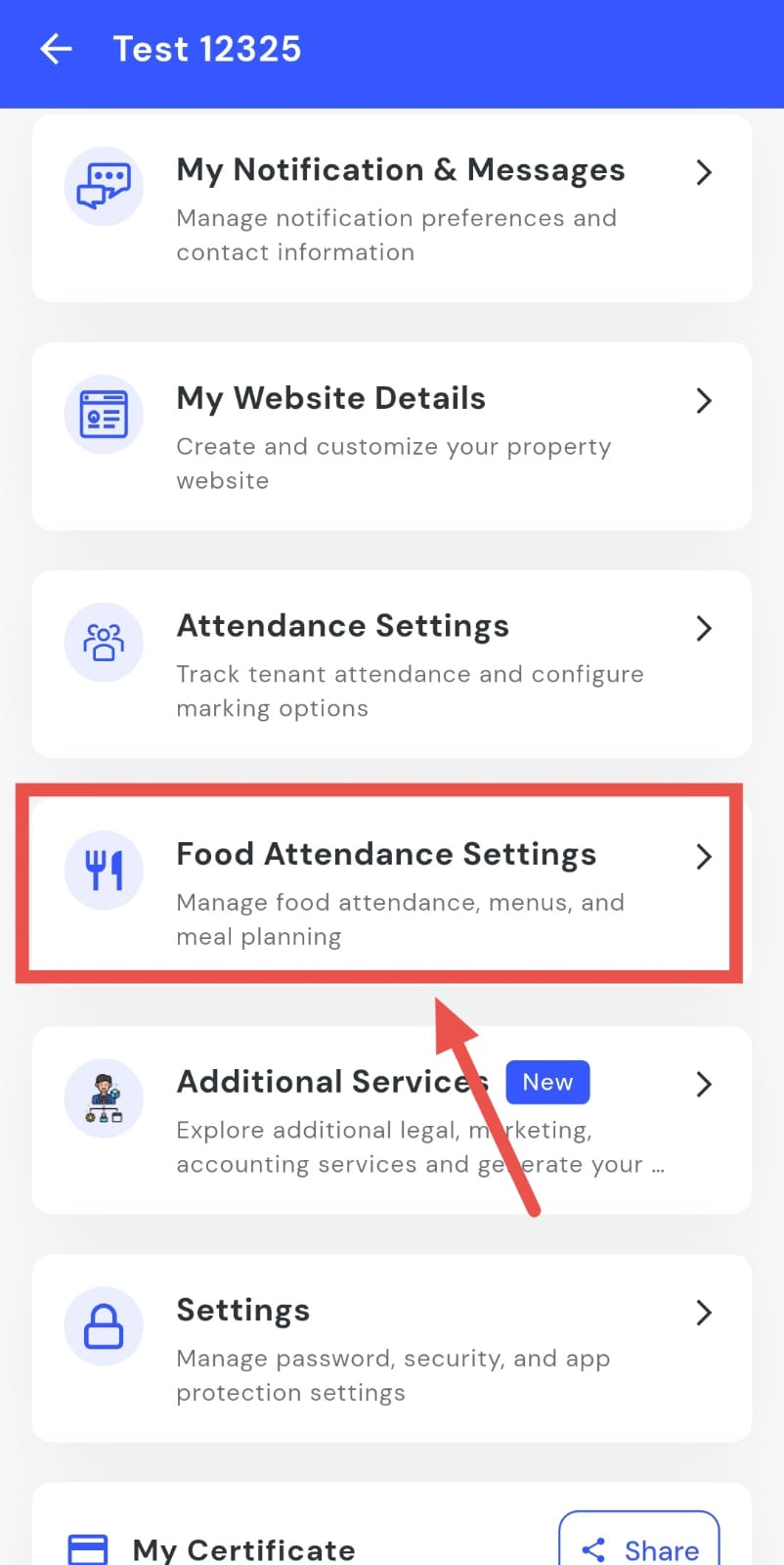
- Step 2: Open Meal Attendance Settings Scroll down on this screen until you find Meal Attendance Settings, then tap on it to open the settings page.
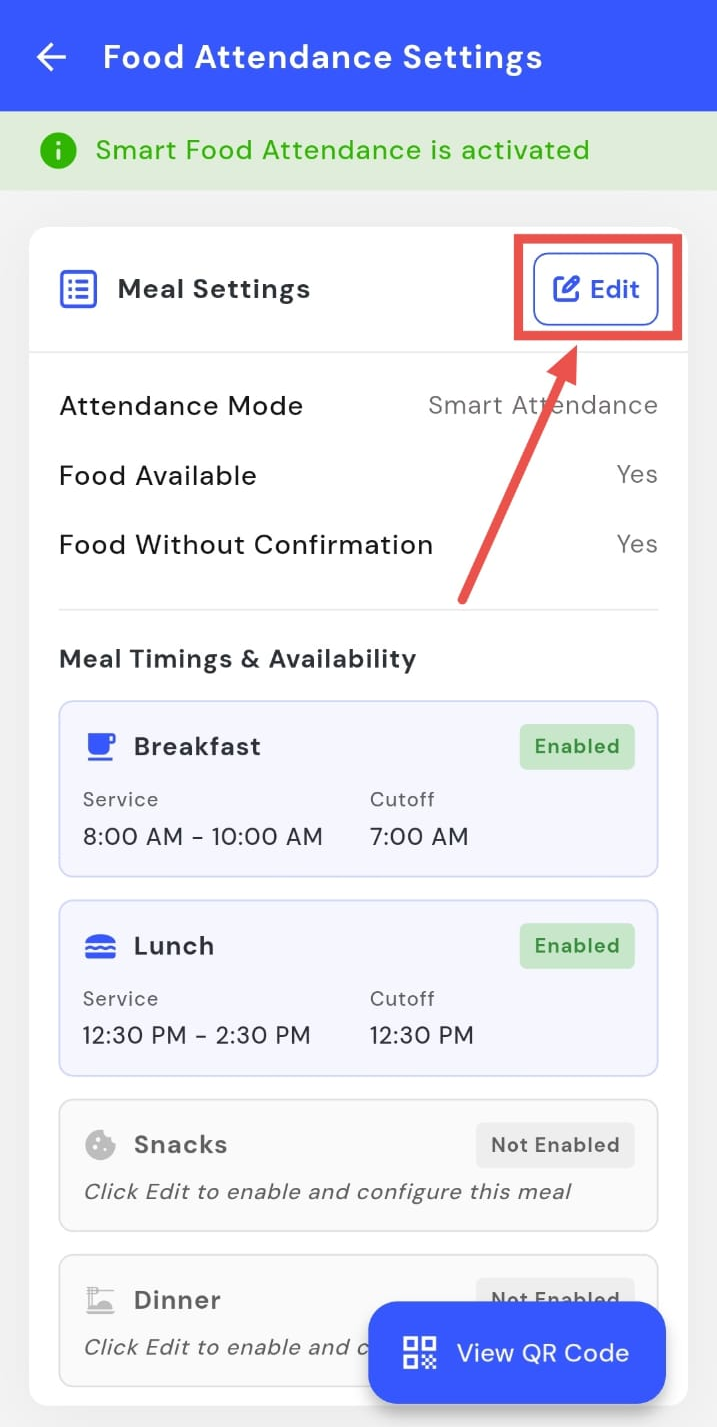
- Step 3: Open Meal Settings On this screen, you will see the Meal Settings option. Tap on Edit to proceed.
-
Step 4: Review and Update Settings From here, you can:
-
Review the attendance mode (this cannot be changed).
-
Update Food Available and Food Without Confirmation.
-
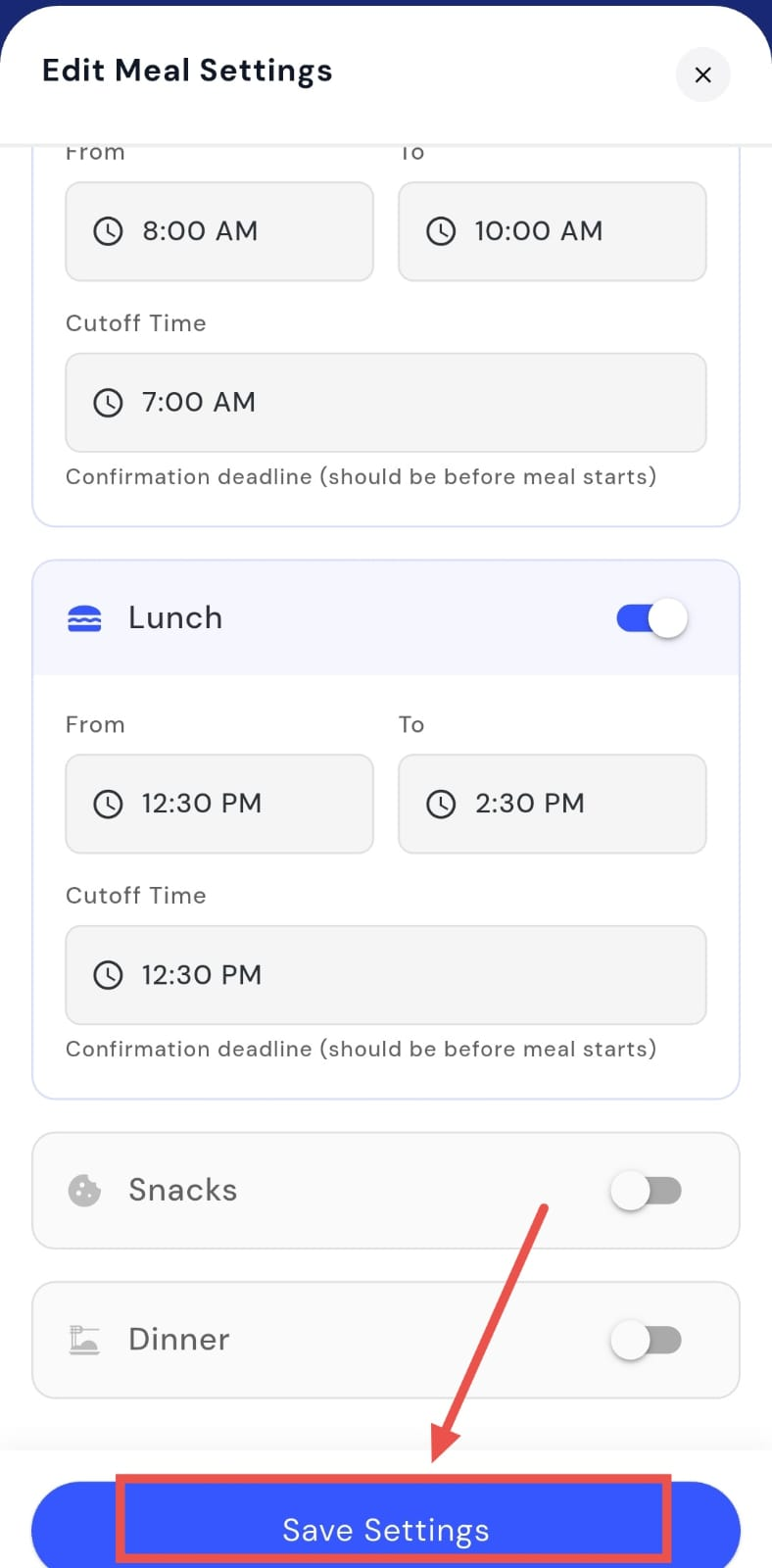
Set/ update the meal timings.
-
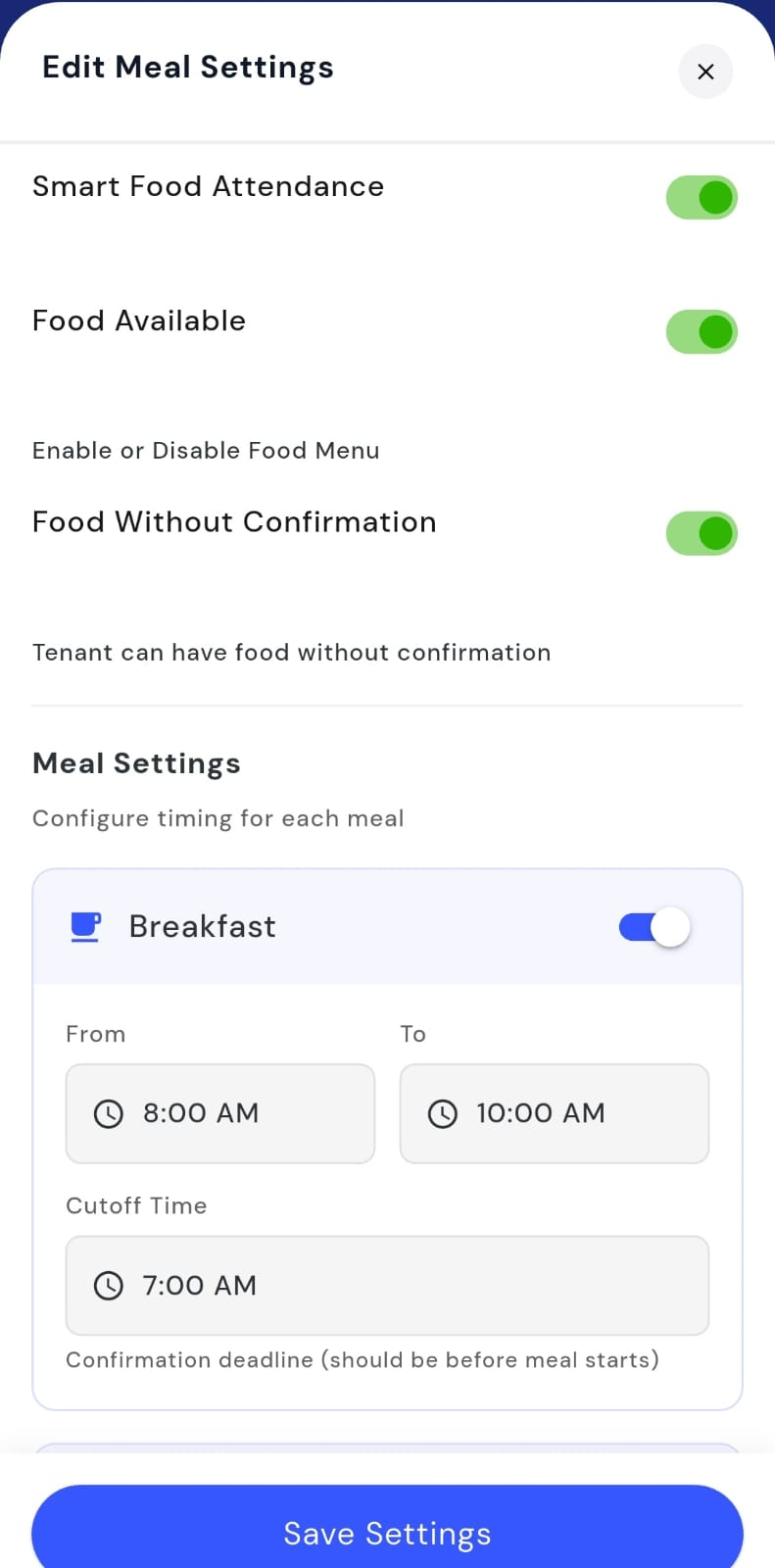
- Step 5: Save your changes After making the required updates, tap on Save Settings to apply the changes.
How do I update the meal timings/ availabilty (breakfast, lunch, dinner)?
Meal timings and availability help you control when food is served and on which days or time slots it is available. If your meal schedule changes or you want to adjust the availability, you can update this easily from the settings without changing anything else.
To update meal timings and availability, follow these steps:
- Step 1: Open your profile Tap on your profile picture in the top-left corner of the screen to open your settings.
- Step 2: Open Meal Attendance Settings Scroll down on this screen until you find Meal Attendance Settings, then tap on it to open the settings page.
- Step 3: Open Meal Settings On this screen, you will see the Meal Settings option. Tap on Edit to proceed.
- Step 4: Update timings and availability Here, you can change the meal timings and update the availability for each meal as needed.
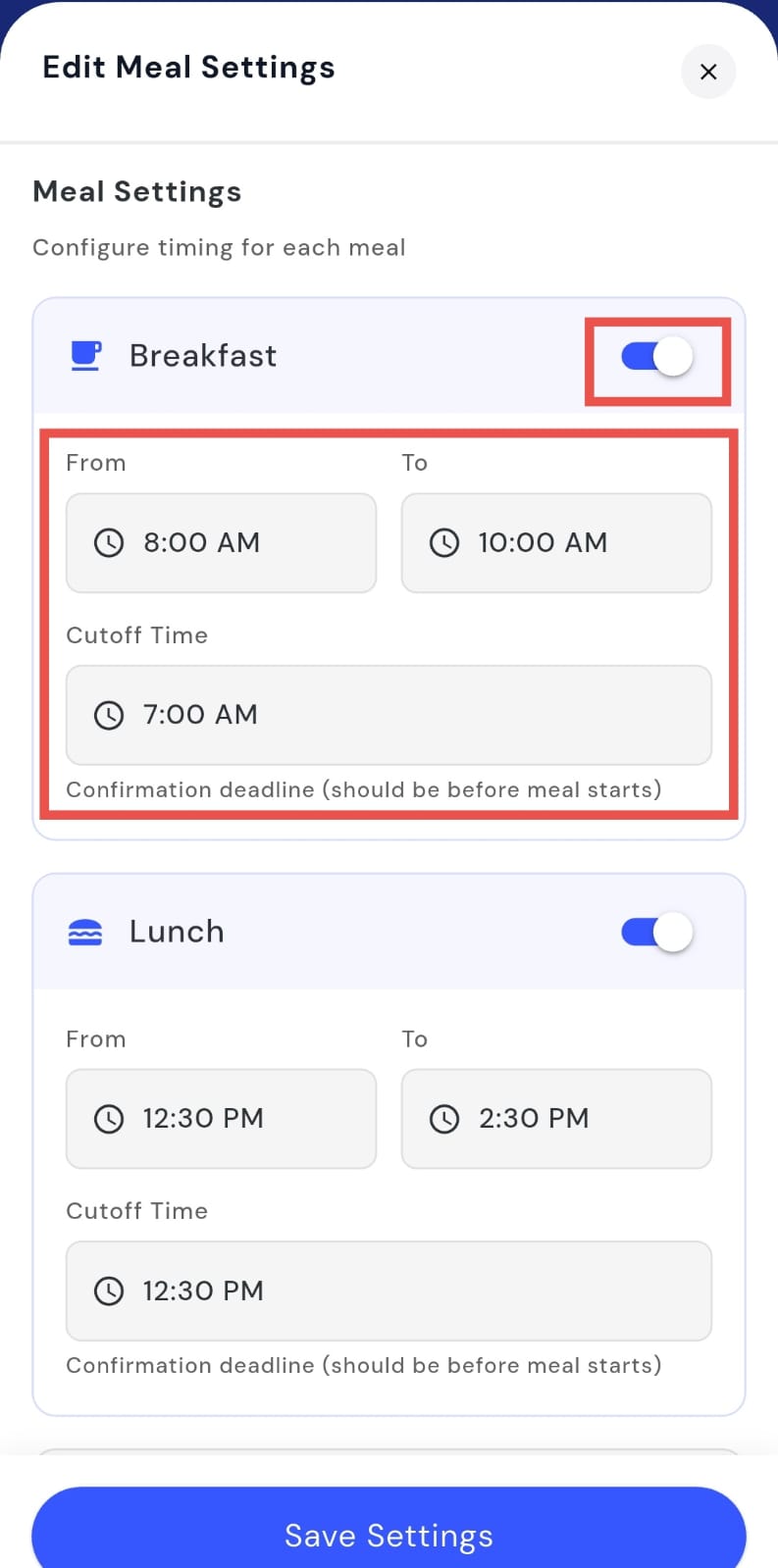
- Step 5: Save your changes After making the updates, tap on Save Settings to apply the new timings and availability.