Management Details
How do I add or update management/business details?
Your business details help keep your property records complete and verified. This includes information like your business name, status, and registration details, which may be needed for compliance or future use.
To add or update your management or business details, follow these steps:
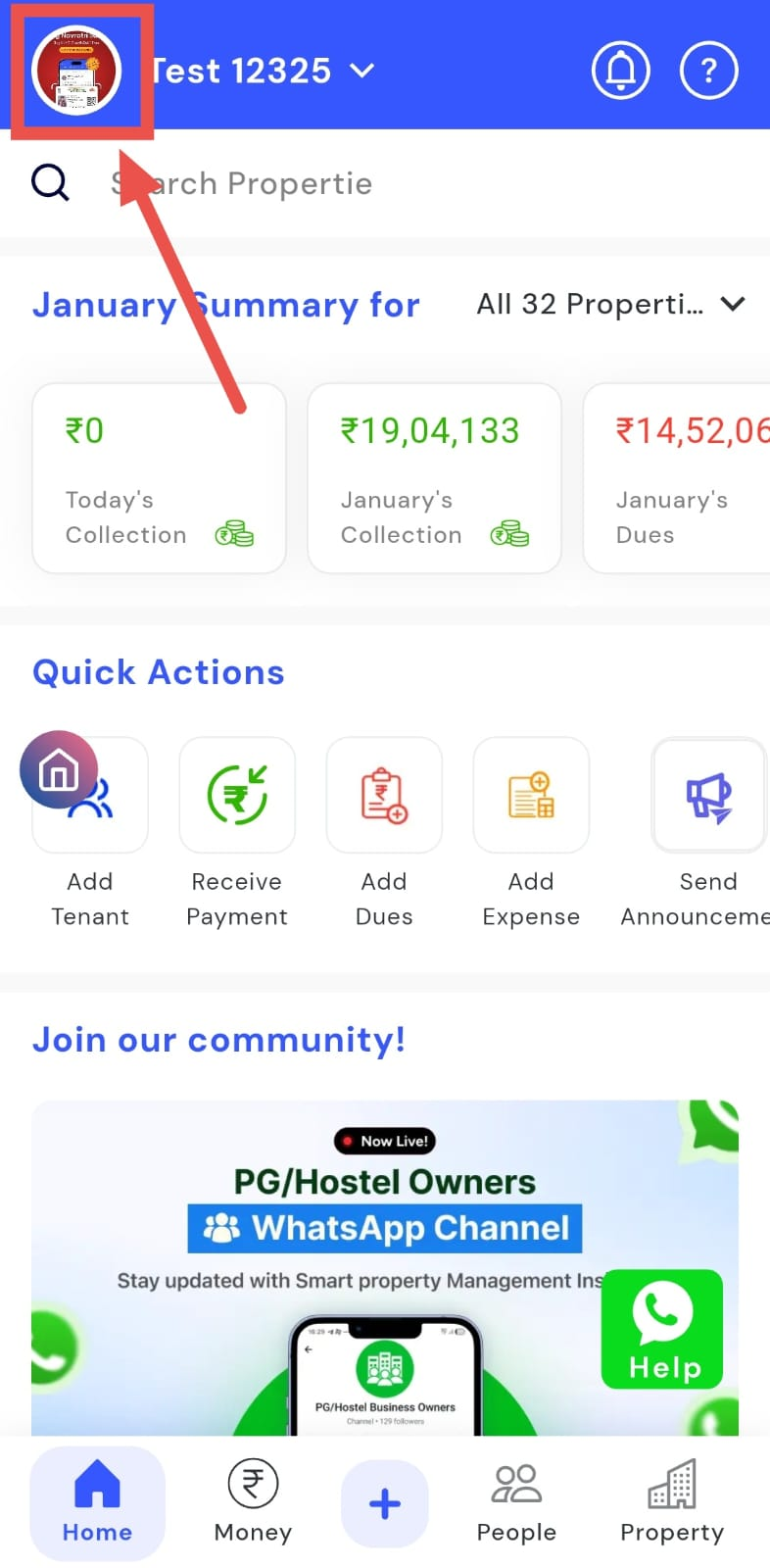
- Step 1: Open your profile Tap on your profile picture in the top-left corner of the screen to open your settings.
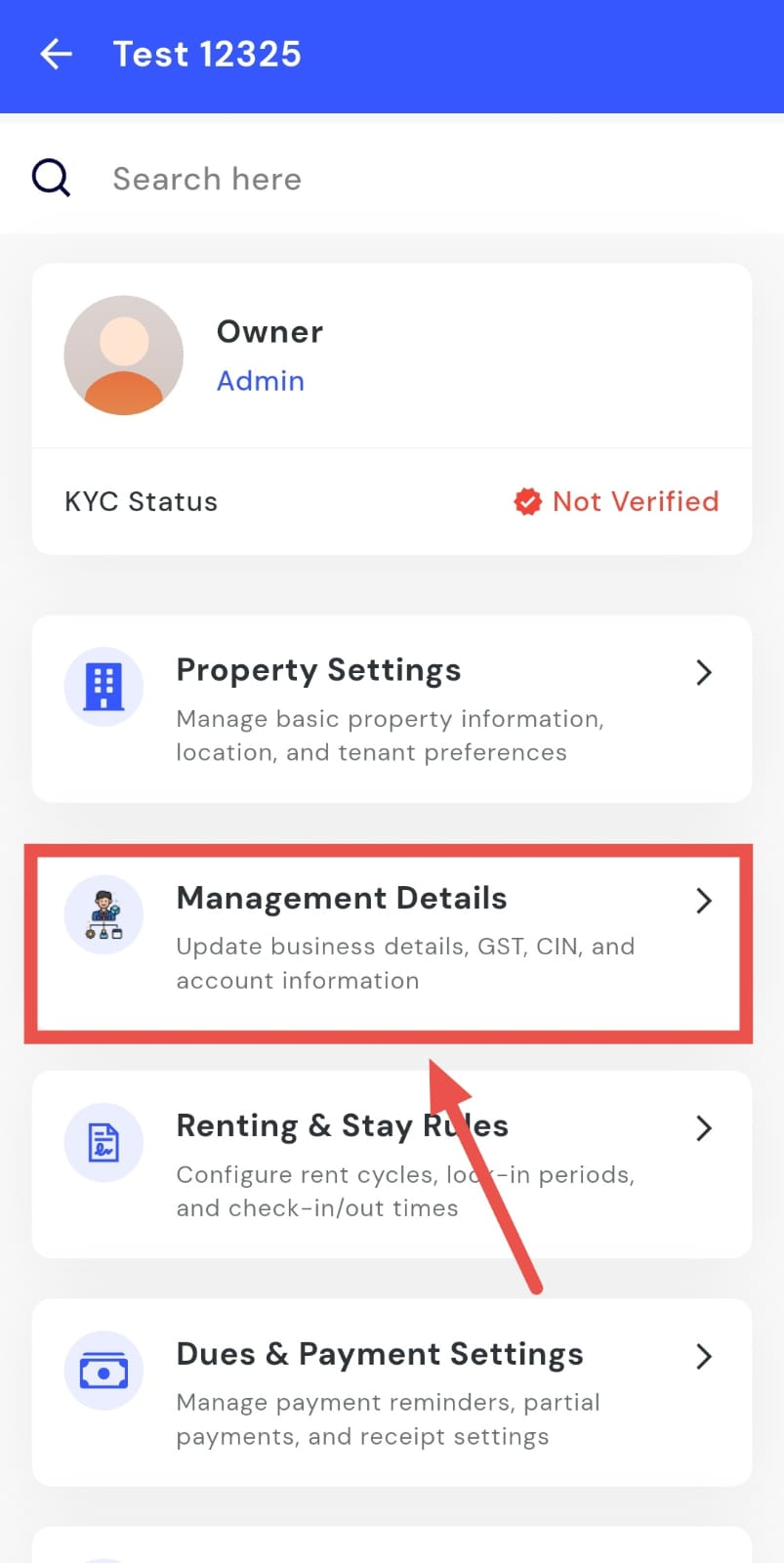
- Step 2: Open Management Details Tap on the Management Details section to open your business information.
-
Step 3: Edit business details Tap Edit to update the following:
-
Business status
-
Business type
-
Business name
-
GST number and CIN
-
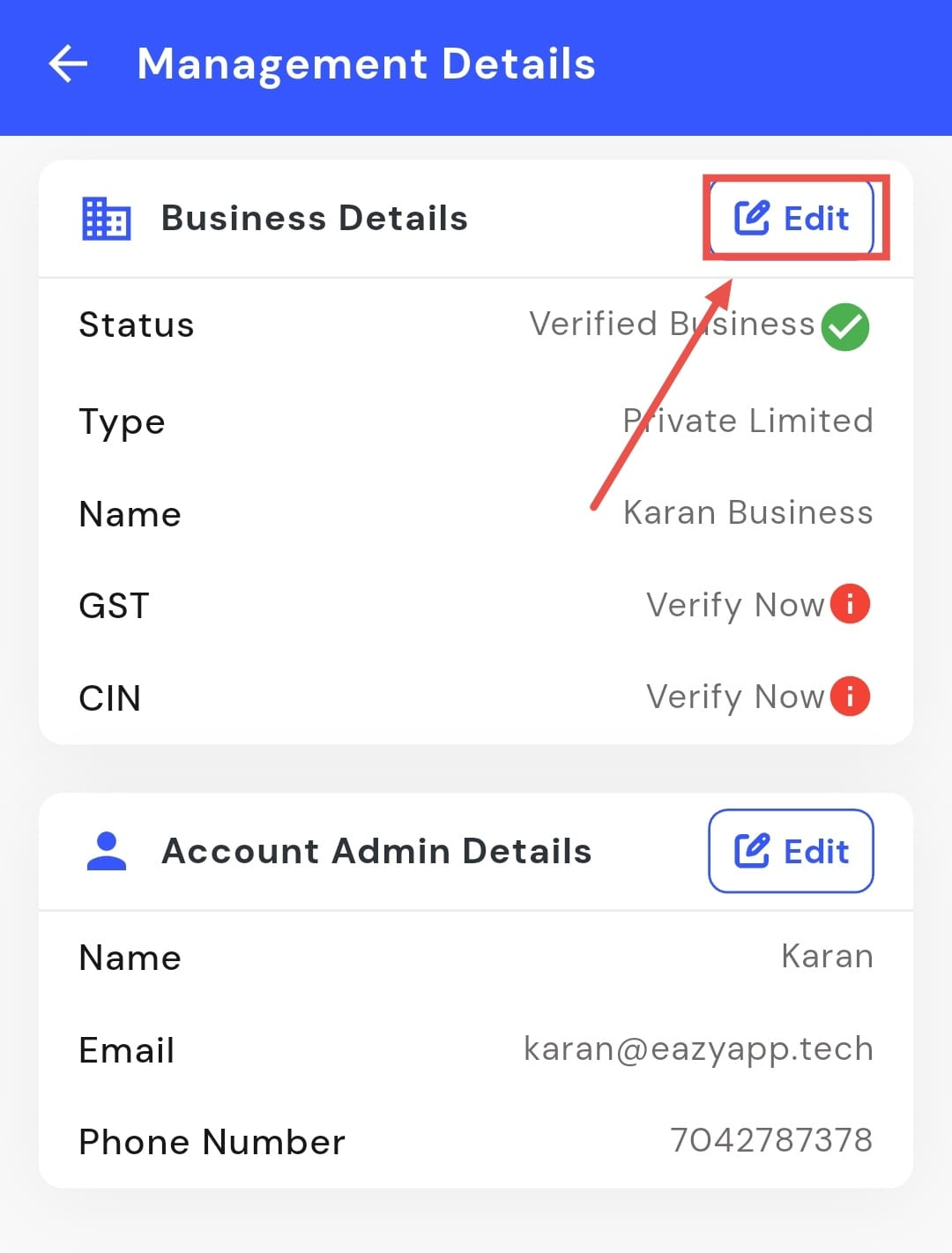
- Step 4: Check verification status Here you can also see whether your GST, CIN, and business status are verified.
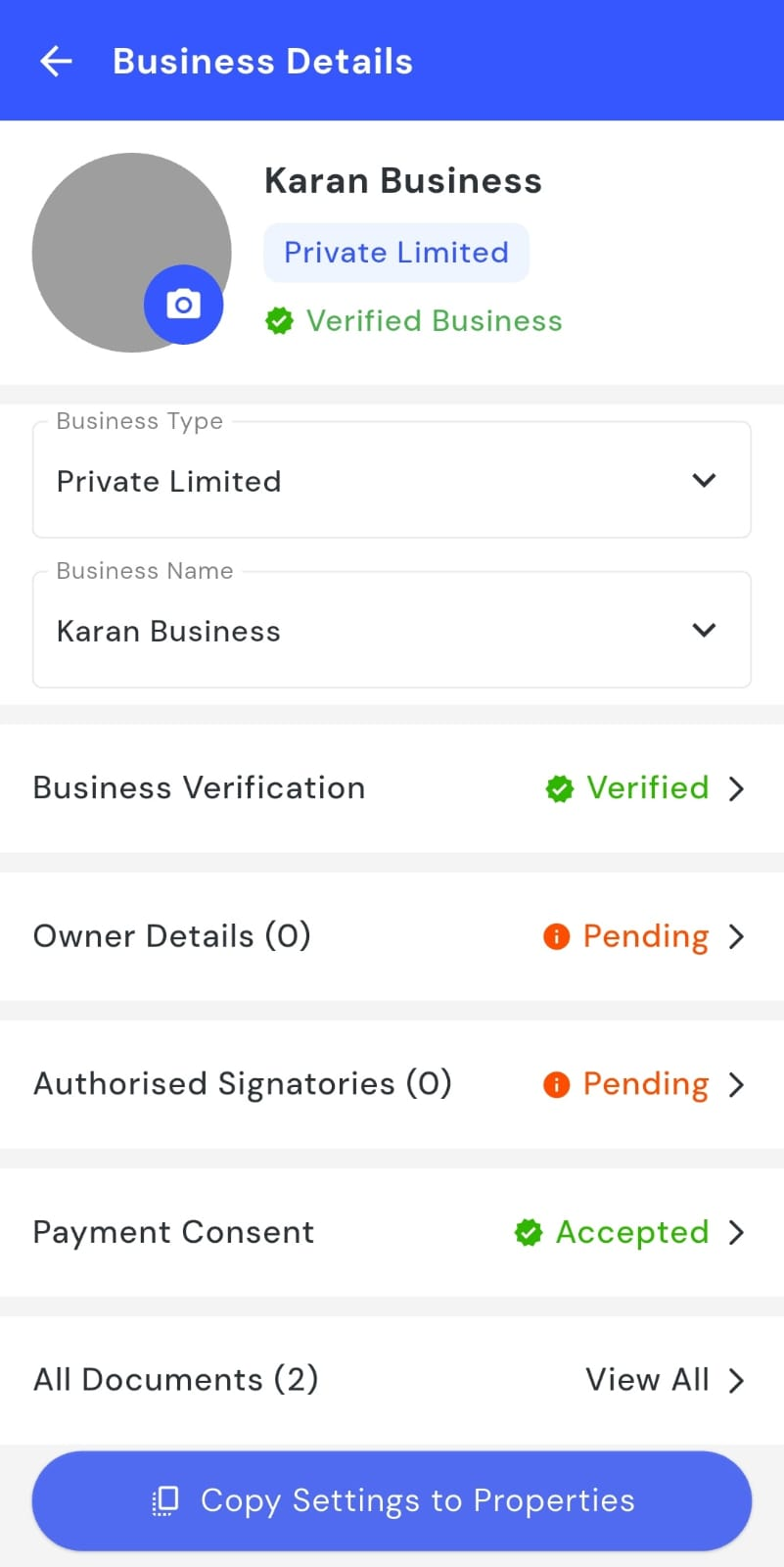
- Step 5: Verify your business (if needed) If your business is not verified, you will be asked to upload the required documents to complete the verification process.
How do I edit the account's admin details?
The admin details are used for important communication and account-related updates. If the person handling the account changes, or if any contact information needs to be corrected, you can update these details anytime from your settings.
To edit the account’s admin details, follow these steps:
- Step 1: Open your profile Tap on your profile picture in the top-left corner of the screen to open your settings.
- Step 2: Open Management Details From here, tap on the Management Details section to open your business information.
- Step 3: Open Account Admin Details Find and tap on Account Admin Details to view the current information.
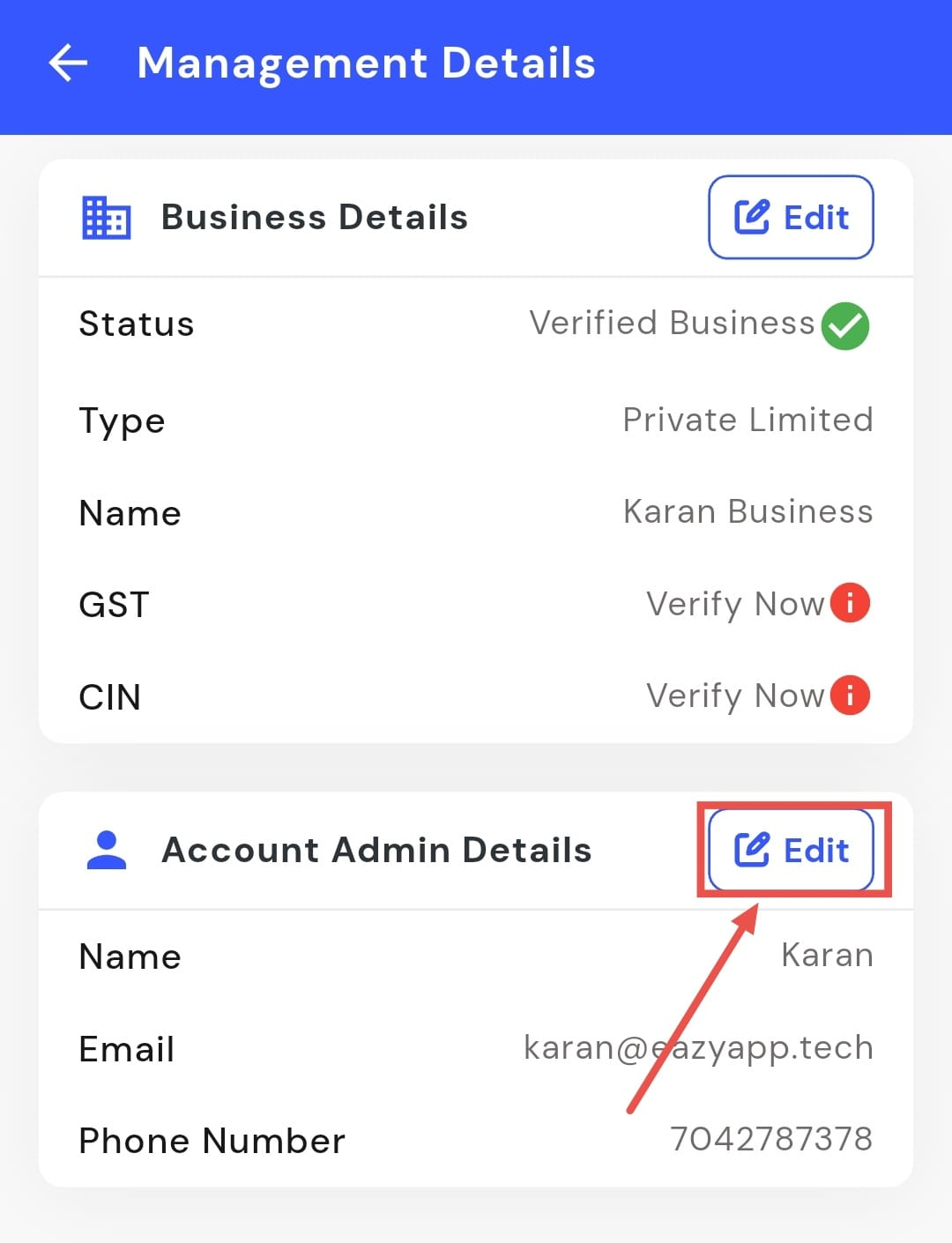
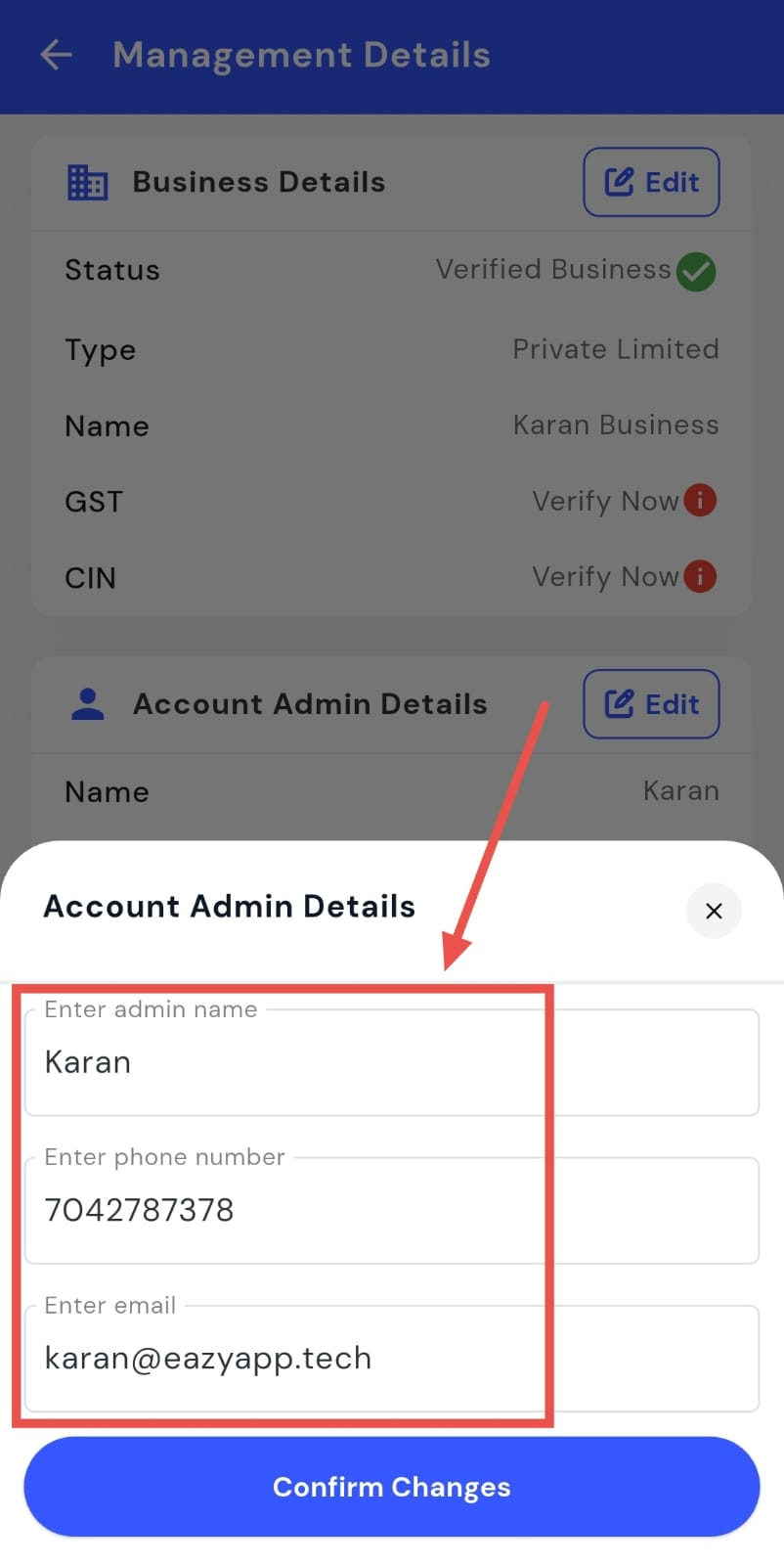
- Step 4: Edit the details Tap on Edit and update the admin’s name, phone number, and email address.