Notifications & Messages
How do I add or update my contact phone number?
Your contact phone number is what people use to reach you regarding your property. If this number changes or needs to be updated, you can edit it directly from the app so your contact details always stay correct and up to date.
To add or update your contact phone number, follow these steps:
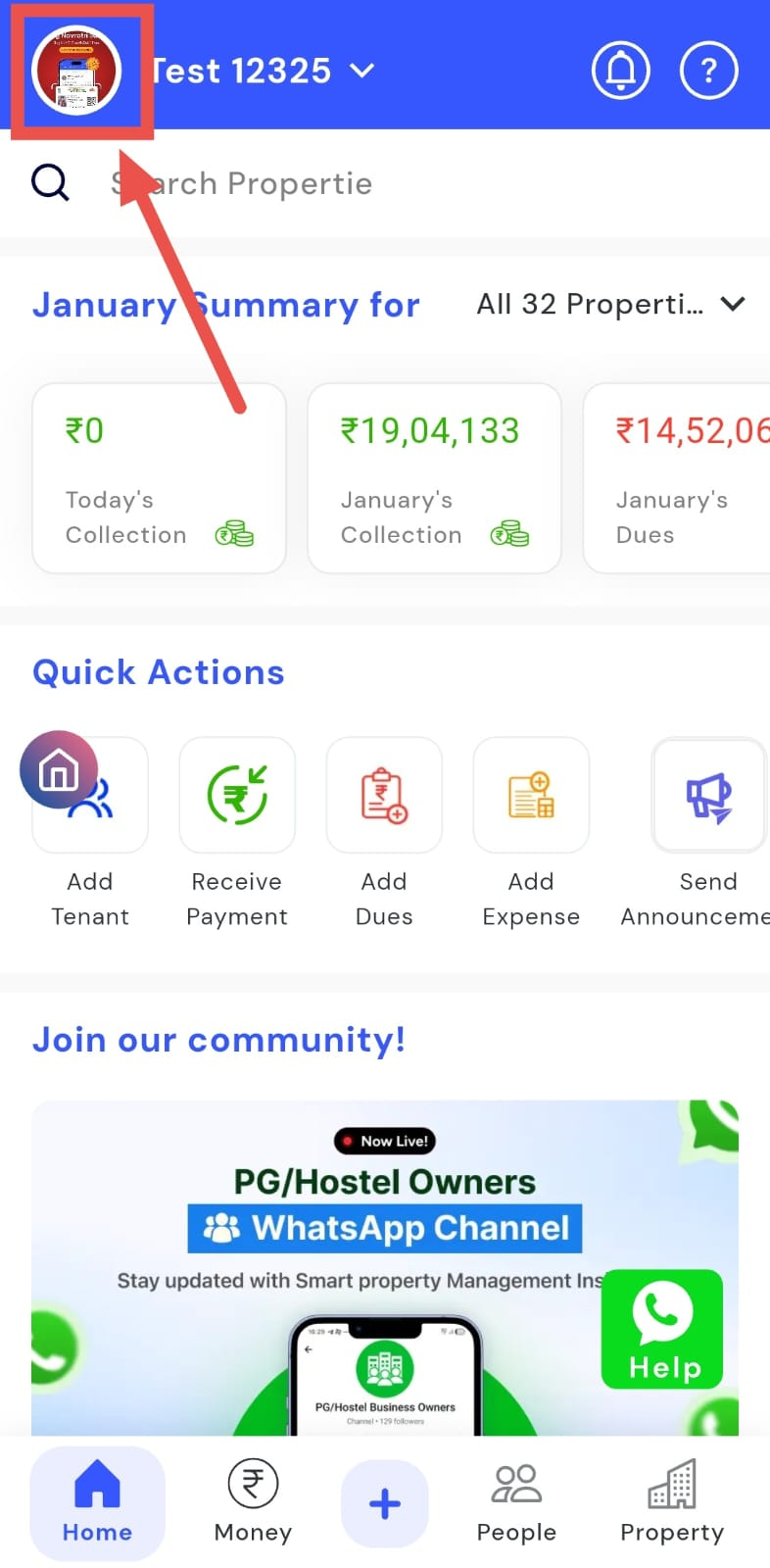
- Step 1: Open your profile Tap on your profile picture in the top-left corner of the screen to open the app.
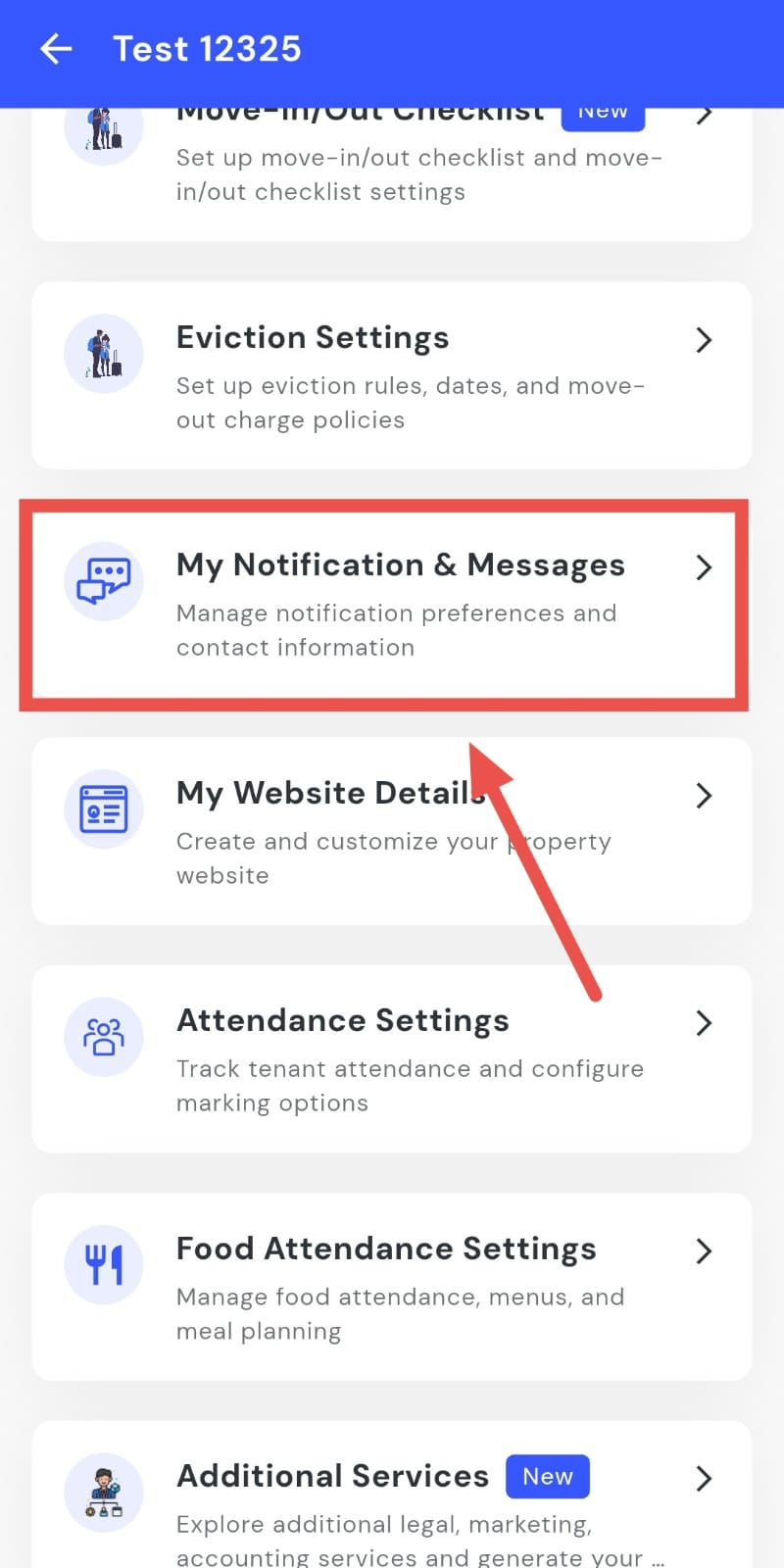
- Step 2: Open Notifications and Messages Scroll down until you see My Notifications and Messages, then tap on it to continue.
-
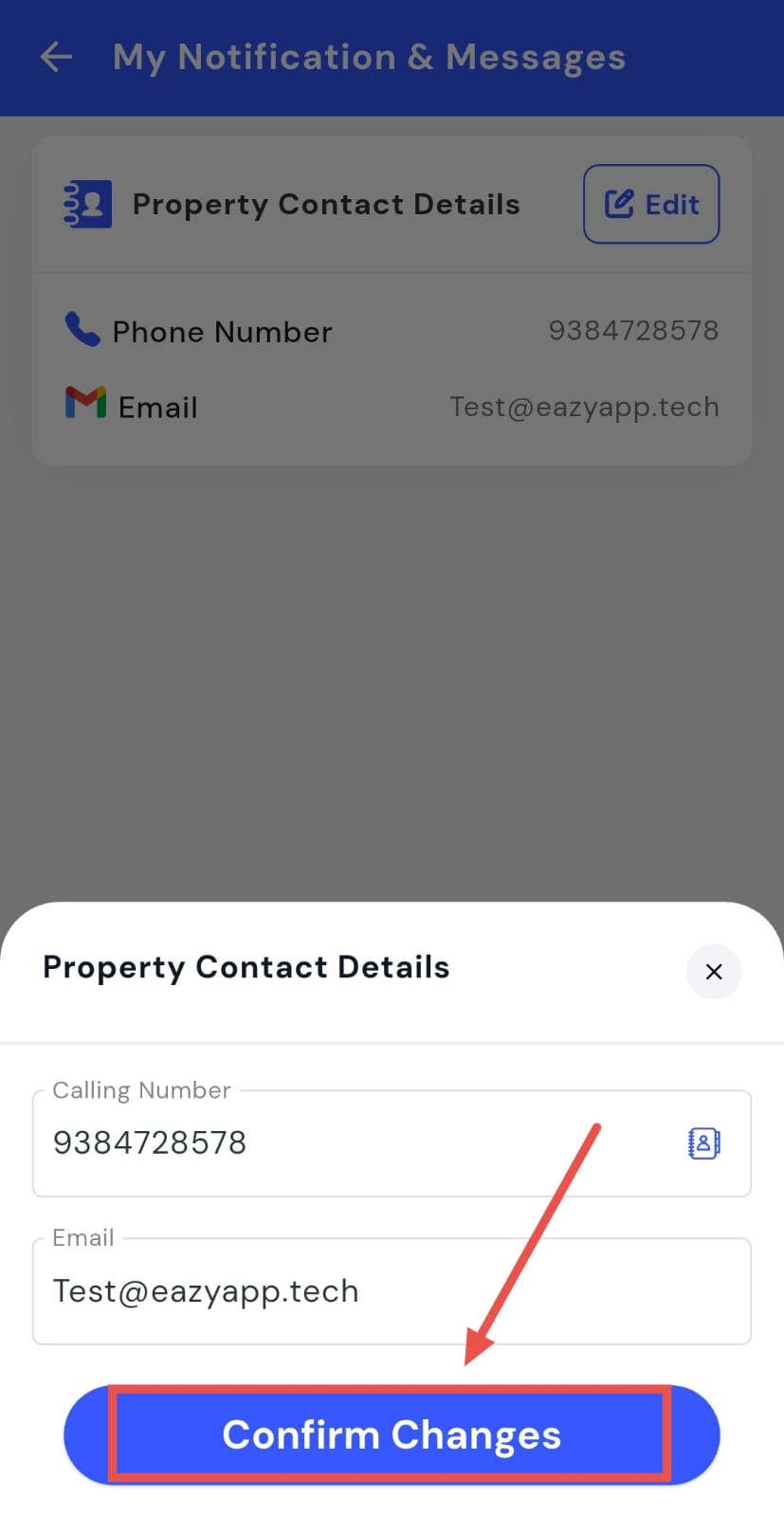
Step 3: Edit Property Contact Details On this screen, you will see Property Contact Details. Tap on Edit to update the contact phone number.
-
Step 4: Confirm and save After making the changes, tap on Confirm Changes to save and update your contact details.
How do I add or update my contact email?
Your contact email address is used for communication related to your property, such as enquiries or updates. If you want to change this email or add a new one, you can update it directly from the app so your contact information stays accurate.
To add or update your contact email address, follow these steps:
- Step 1: Open your profile Tap on your profile picture in the top-left corner of the screen to open the app.
- Step 2: Open Notifications and Messages Scroll down until you see My Notifications and Messages, then tap on it to continue.
-
Step 3: Edit Property Contact Details On this screen, you will see Property Contact Details. Tap on Edit to update the email address.
-
Step 4: Confirm and save After making the changes, tap on Confirm Changes to save and update your contact email address.