RentOk Release Note - 11th Oct,2025
This week, we are excited to release powerful new tools to our web platform to help you save time, and introduce a much smarter way to handle billing for services on your property.
Room Occupancy Calendar (Web · Beta) - See your property's availability at a glance
We've added a new timeline view to the Manager Web, giving you a clear, calendar-style look at all your room and bed bookings.
See what’s new →
Highlights
- Visually track your current and upcoming bookings.
- Switch easily between month, week, day, and year views.
- Quickly filter your view for short-term or long-term tenants.
- Click any booking to instantly see tenant and room details.
How to try
Step 1: Log in to the web version Open the web version of the app and enter your credentials to log in
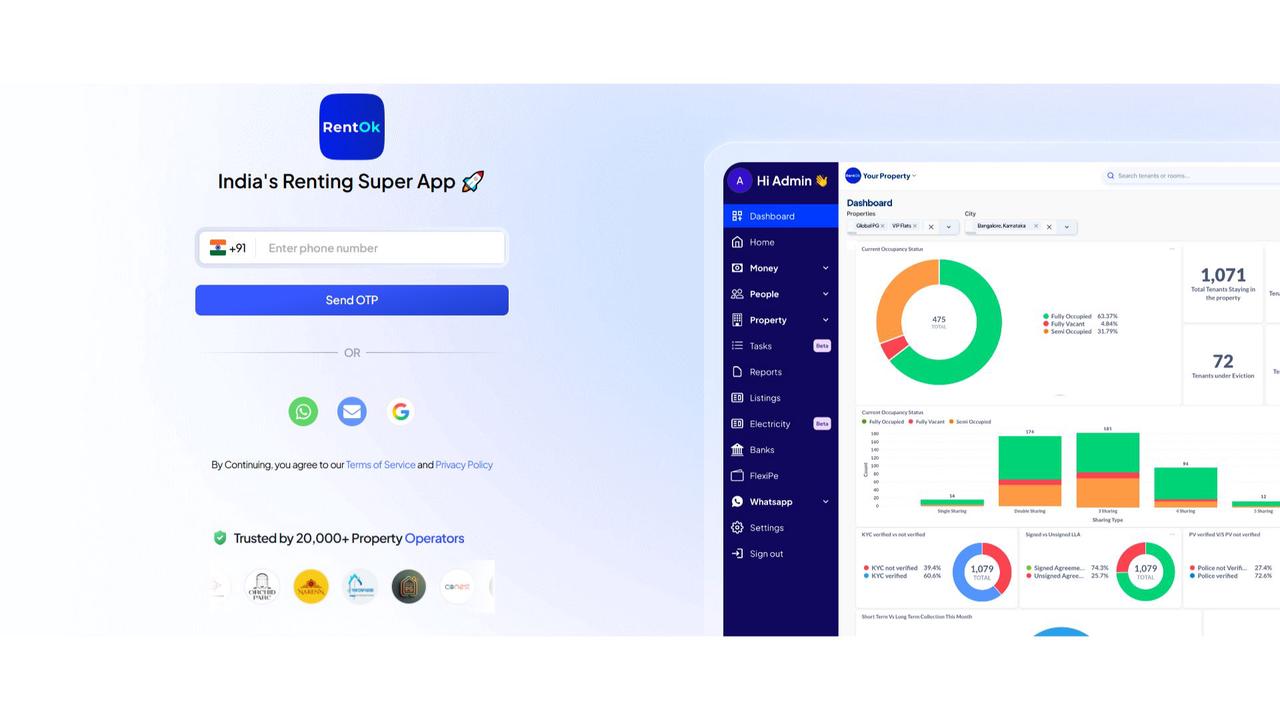
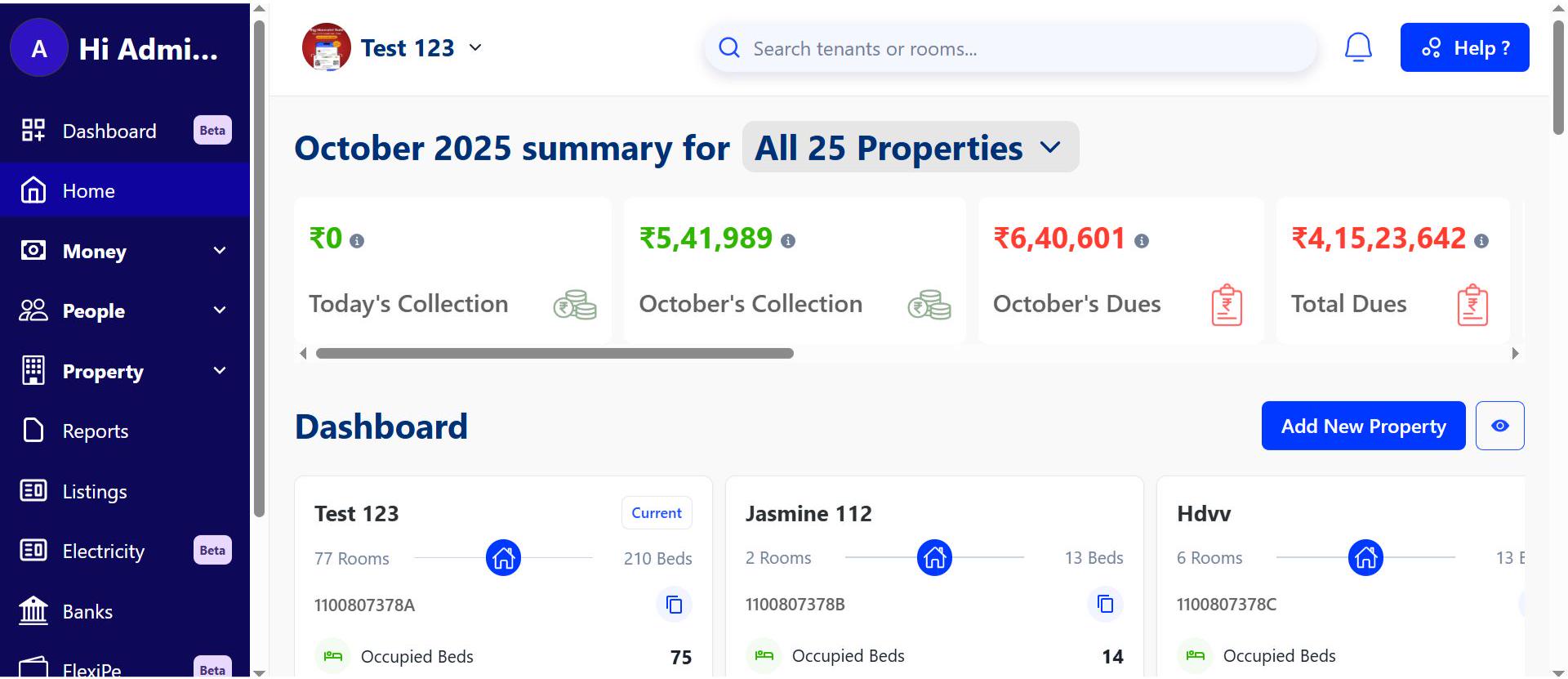
Step 2: Go to the Home page After logging in, the home page gives you an overview of your account.
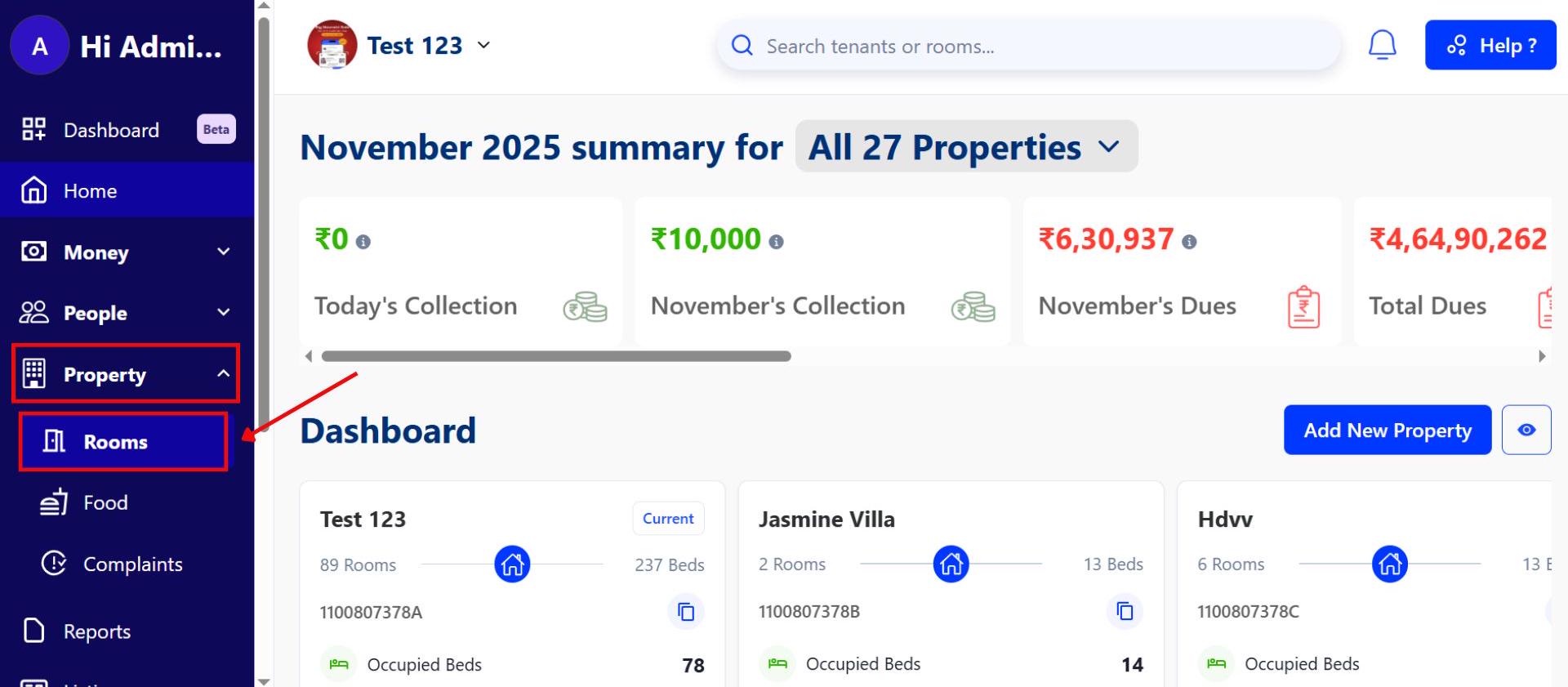
Step 3 Navigate to Property → Room Click on Property, then select Room to see all available reports.
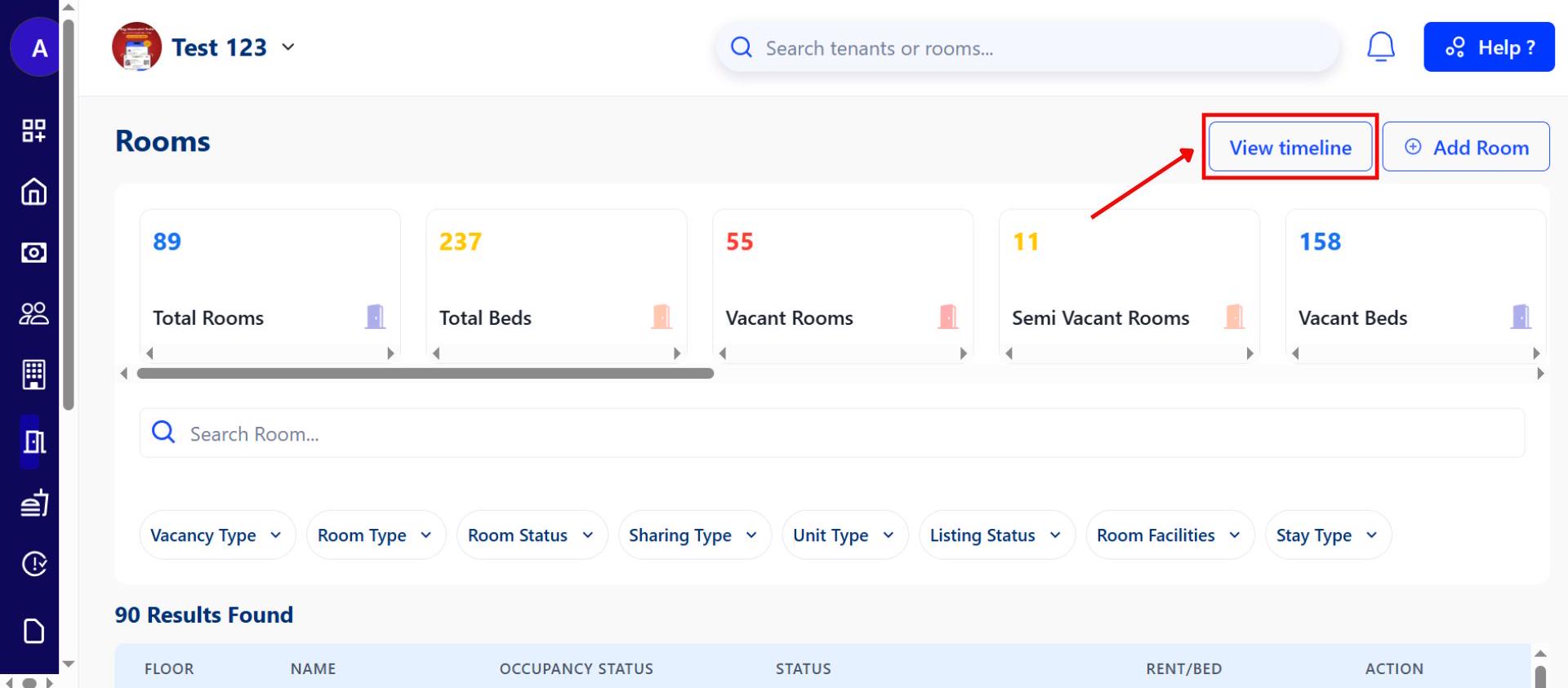
Step 4 View Timelines On the Room page, click View Timelines to check detailed activity for each room.
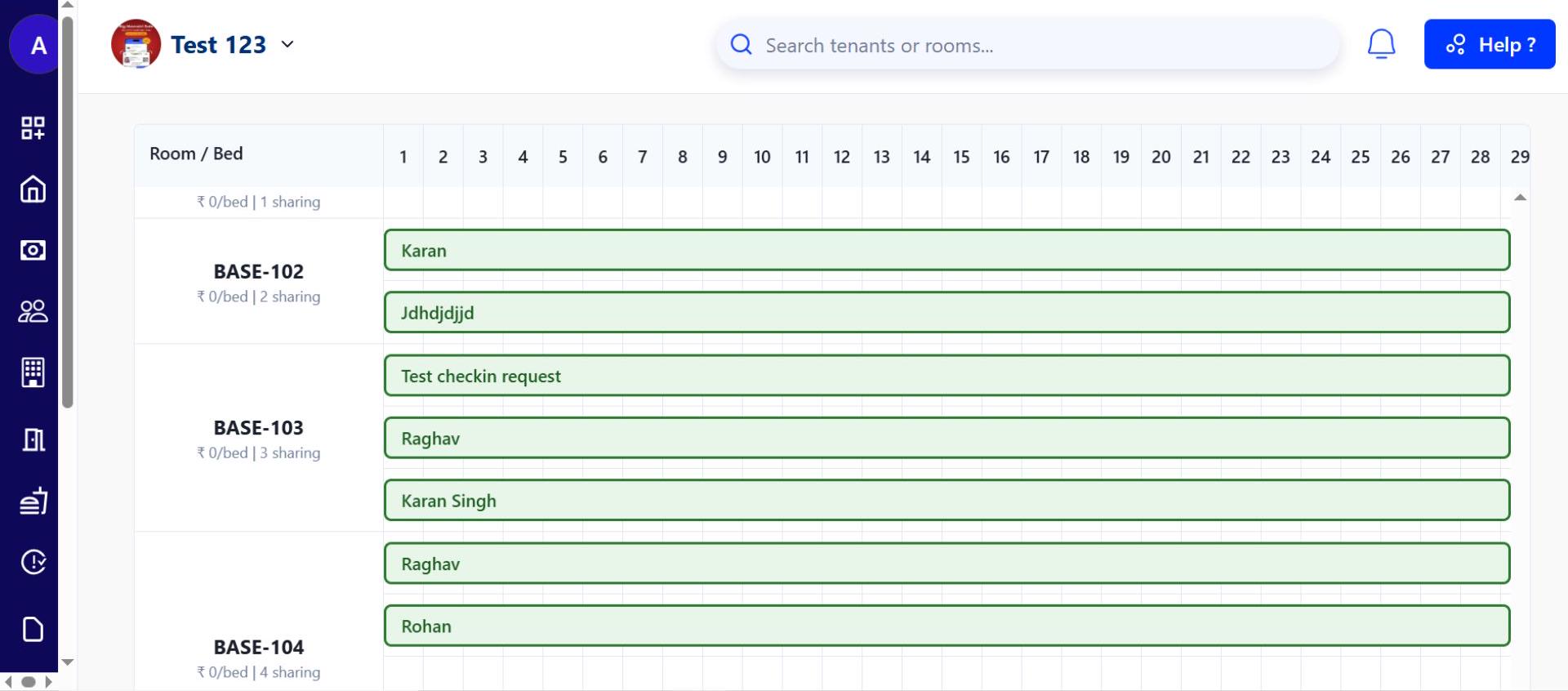
This feature is currently available on the web platform.
One example
- “See that Bed-A in Room 201 is booked by Rohan until October 30, 2025, helping you instantly answer availability questions.”
💡 Why it matters: This helps property managers and owners quickly visualize occupancy, plan for future bookings, and avoid double-booking without needing manual spreadsheets.
Ab property ki booking calendar pe dekhna aur bhi aasan.
Bulk Tenant Upload - Add multiple tenants in minutes
Save hours of manual work with our new tool to onboard dozens of tenants at once using a simple Excel or Google Sheet.
See what’s new →
Highlights
- Add all your new tenants from a single Excel file upload.
- Download our pre-made template to get started quickly.
- The system checks for errors and lets you fix them on the spot.
- Onboard tenants to different properties in the same file.
How to try
Step 1: Log in to the web version Open the web version of the app and enter your credentials to log in.
Step 2: Go to the Home page After logging in, the home page gives you an overview of your account.
Step 3: Navigate to People → Tenants Click on People, then select Tenants to manage tenant records.
Step 4: Upload Bulk Tenants Use the bulk upload option to add multiple tenants at once by uploading a file with their details.
Needs owner/manager access.
One example
- “During admission season, you upload a sheet with 25 new tenants for your hostel. The system validates it and adds them all to RentOk in under 2 minutes.”
💡 Why it matters: A huge time-saver for managers and accountants who handle large volumes of new admissions, reducing manual data entry and errors.
Ek saath saare naye tenants ko upload karein. This will save a lot of time.
Unit-Based Billing for Services - Automate bills for laundry, electricity, and mess
You can now create billing packages that charge tenants based on consumption, like per kg for laundry or per unit for electricity.
See what’s new →
Highlights
- Create packages for services like laundry, mess, or electricity.
- Set a price per unit (e.g., ₹25 per laundry load, ₹10 per kWh).
- When invoicing, simply enter the number of units consumed.
- RentOk automatically calculates the total and adds it to the bill.
How to try
Step 1: Open Dues Package Section Tap the Money icon in the bottom navigation menu, then select Dues Package to access package settings.
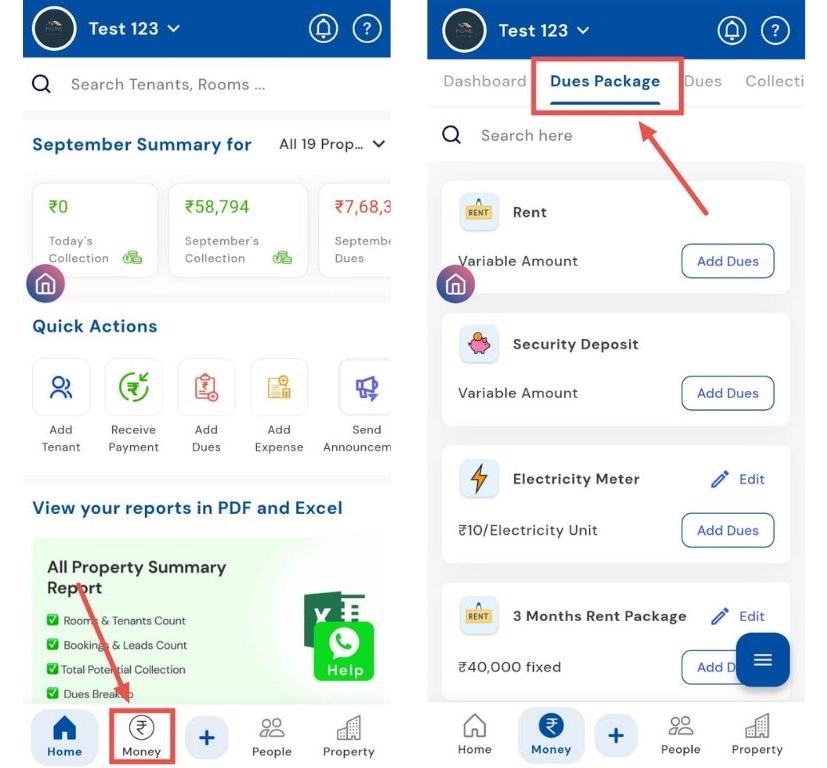
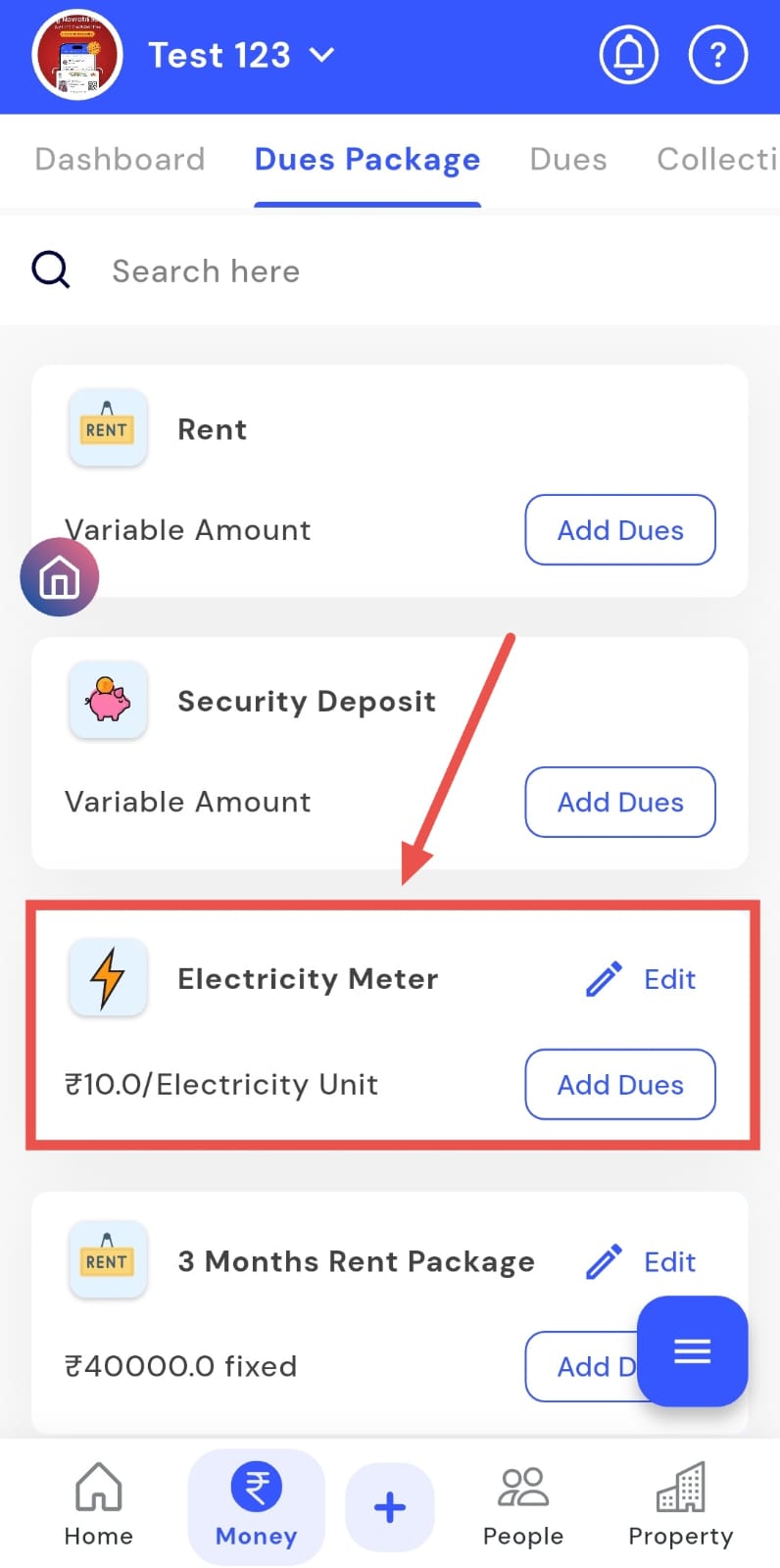
Step 2: Choose the Package Type Click on the relevant package such as Electricity Meter, Laundry, Mess, or any other available category. Example: If you’re editing the Electricity Meter package, click on it and select Edit Dues.
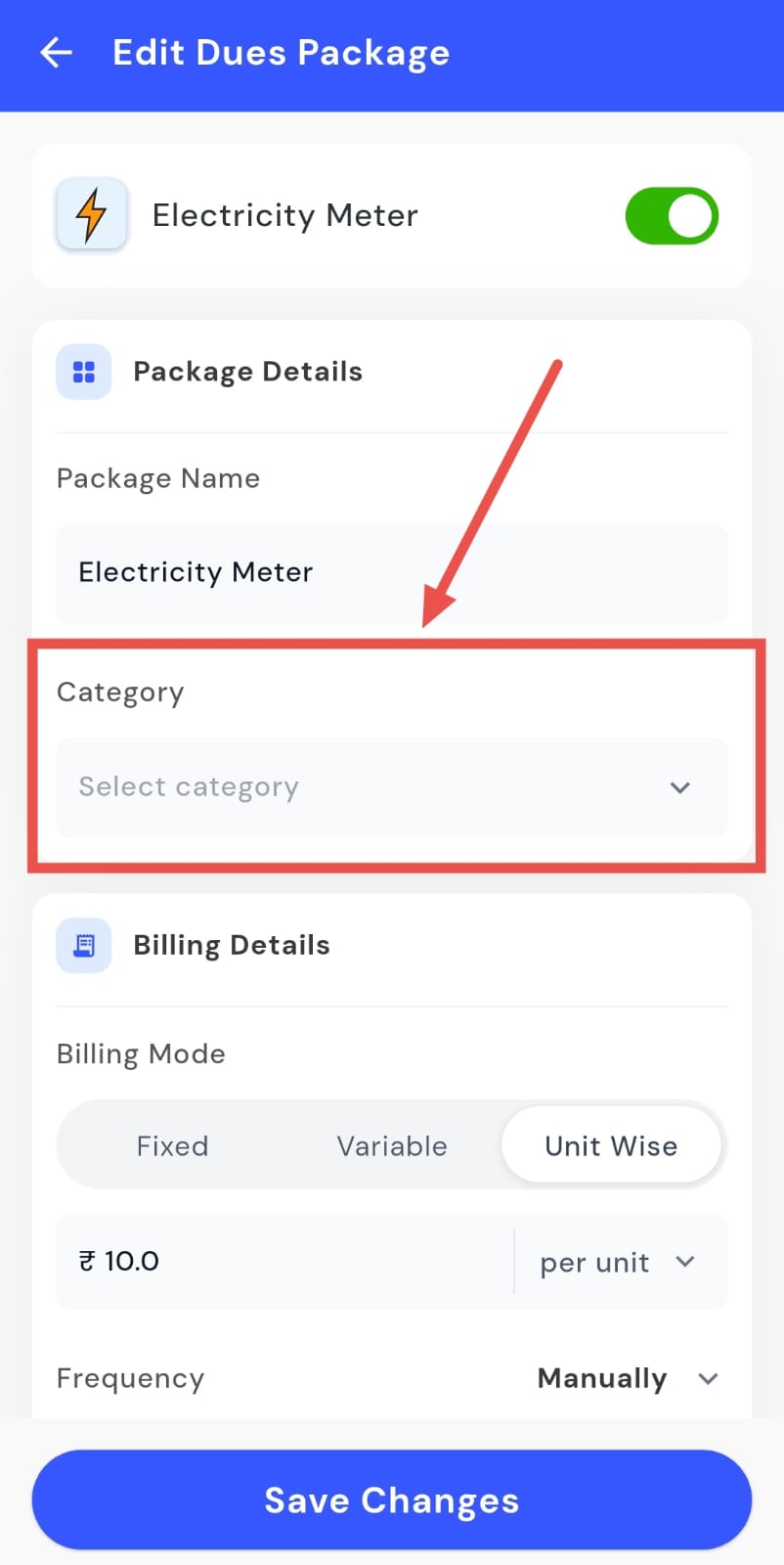
Step 3: Enter or Update Package Details
-
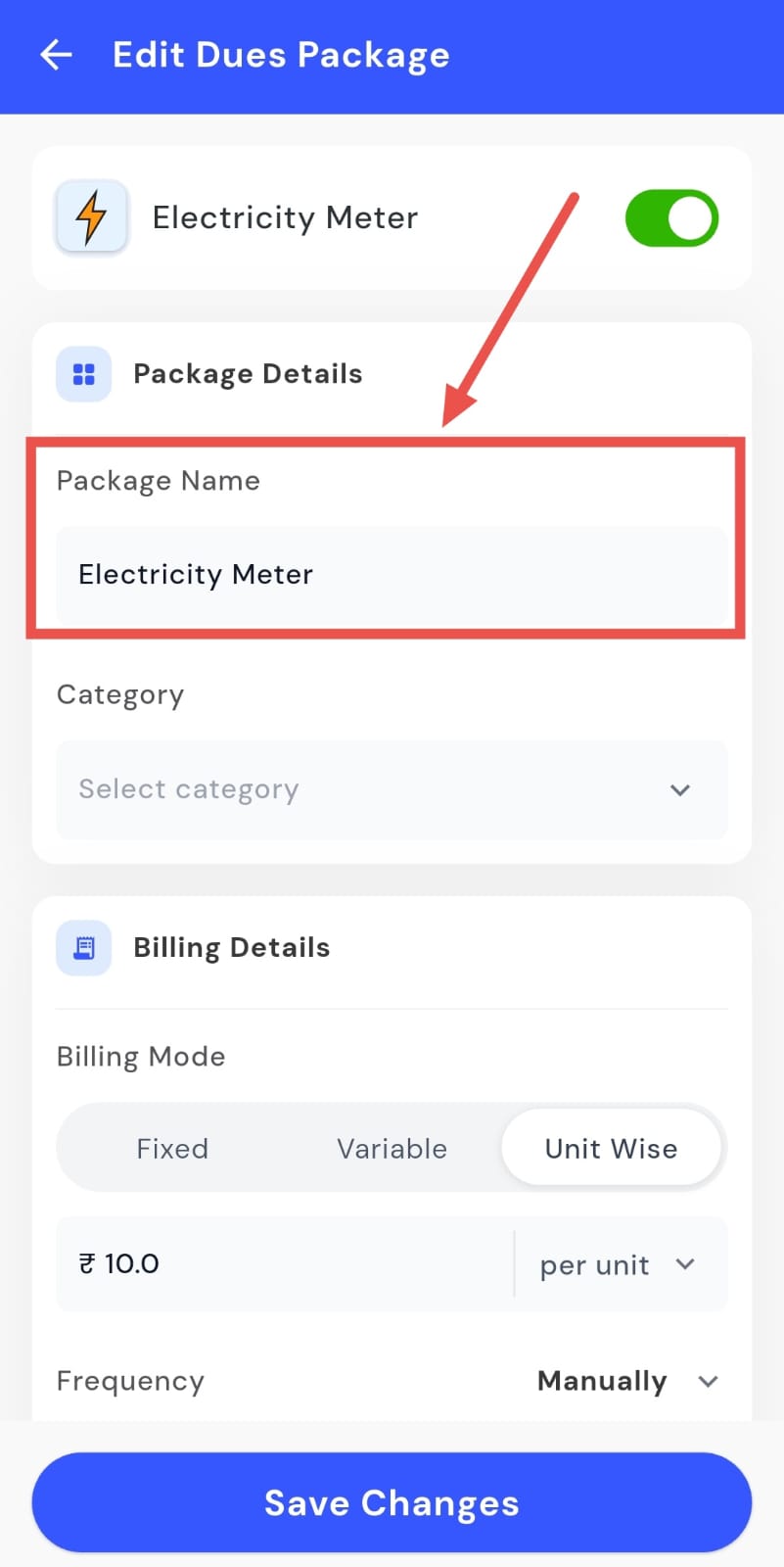
Package Name: Specify the name of the dues package.
-
Category: Select the relevant category (for example, Electricity).
-
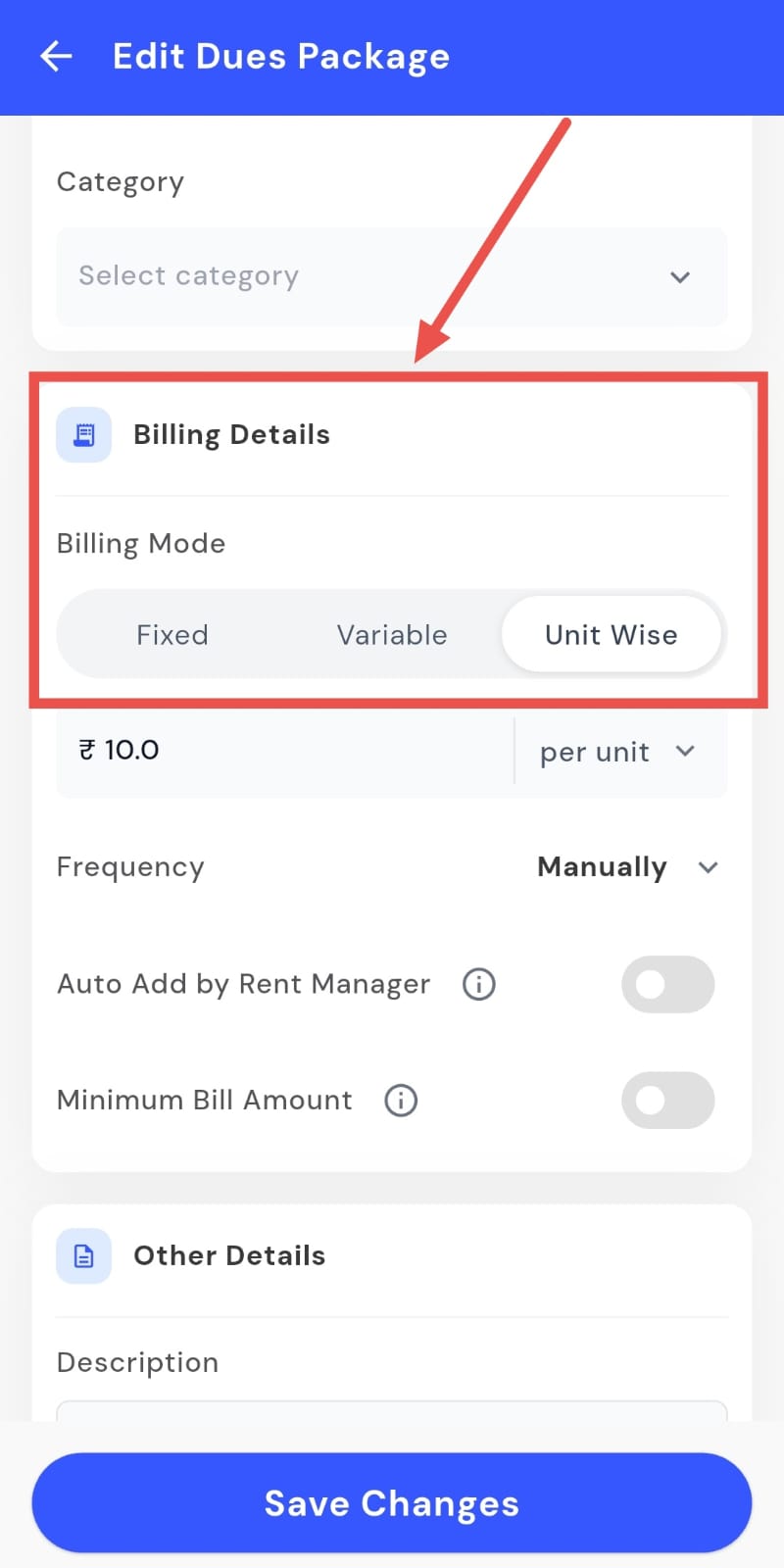
Billing Mode: Choose how you want the billing to work:
-
Fixed: A constant amount will be charged regardless of the bill amount.
-
Variable: Charges depend on usage, and you can still set frequency, auto-add options, and a minimum bill amount.
-
Unit Wise: Charges are calculated per unit (e.g., per plate, per kg, per unit, or per month).
-
-
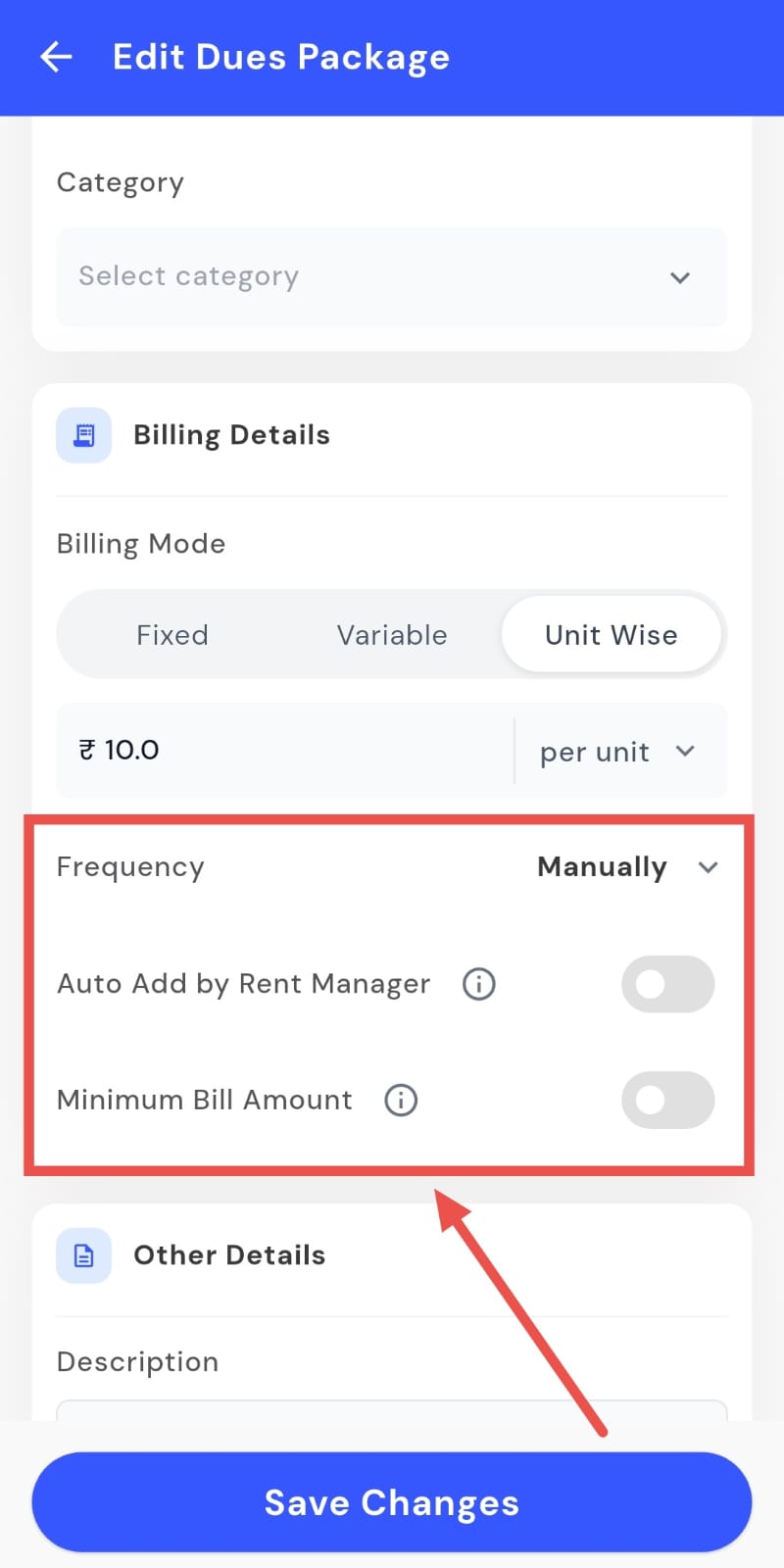
Configure Billing Settings
-
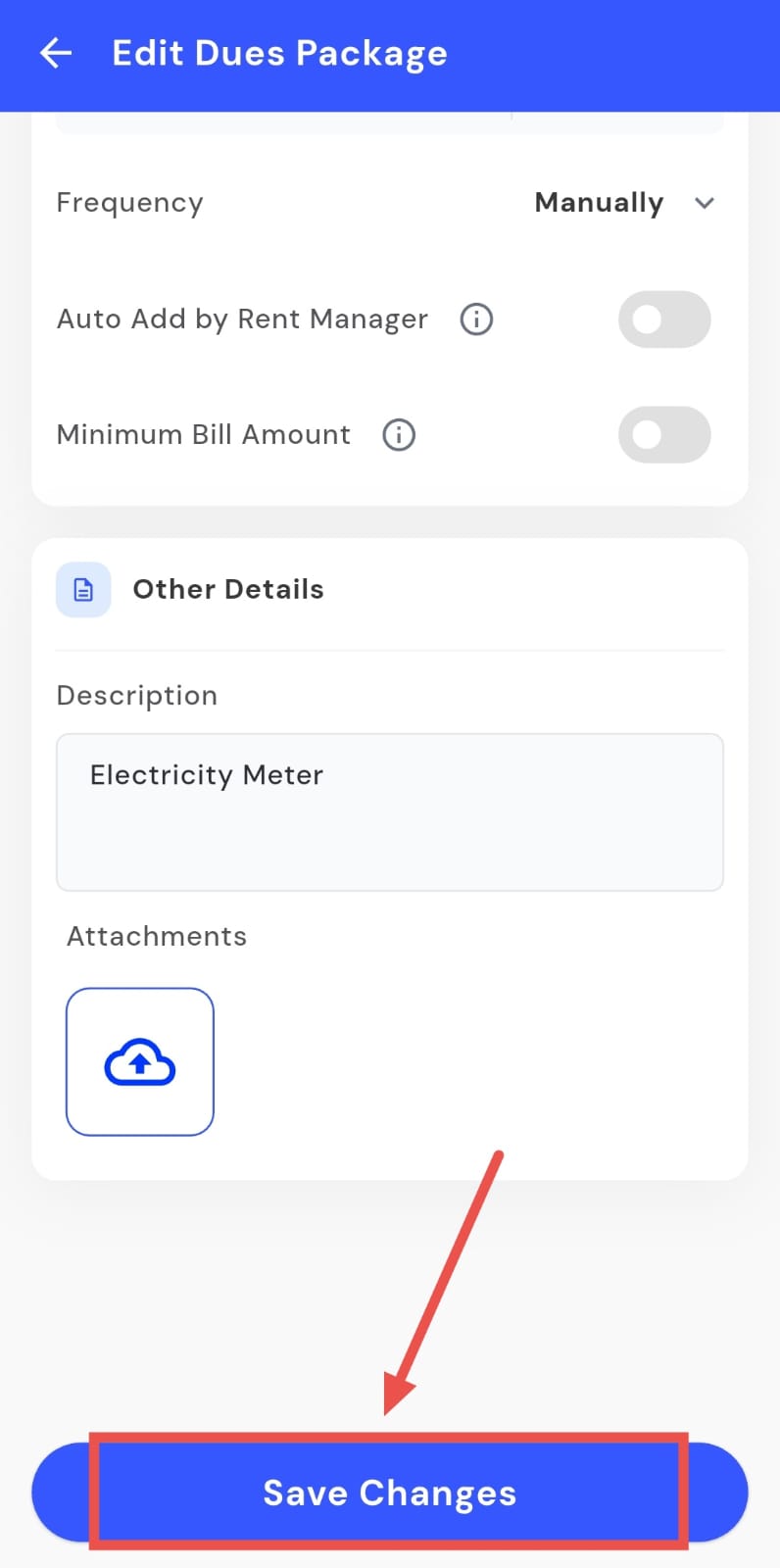
Frequency: Set how often the bill should be generated (weekly, monthly, etc.).
-
Auto-Add by Rent Manager: Turn this on if you want the system to automatically add dues based on the selected frequency. This helps save time and ensures consistent billing
-
Minimum Bill Amount: Define the lowest amount to be charged. If the bill falls below this value, the system will still charge the minimum; if it exceeds, the actual bill will apply.
-
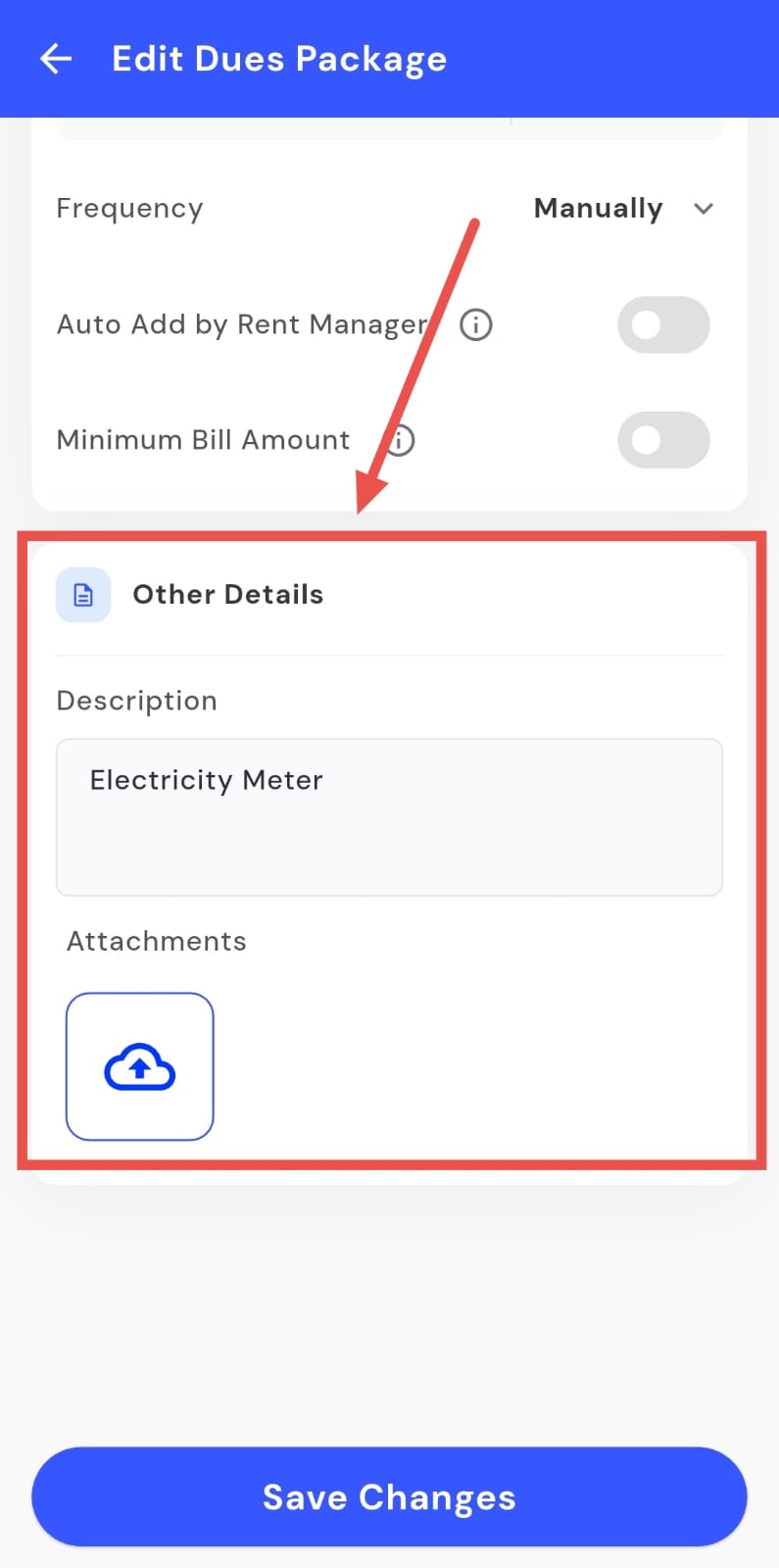
Step 5: Add Additional Details In the Other Details section, you can add a short description and attach any supporting files or documents, if needed.
Step 6: Save Changes Once you’ve filled in or updated all the details, click Save Changes. The system will update the dues package instantly and apply the new settings going forward.
💡 Why it matters: This finally automates complex, variable billing for hostel and PG managers, ensuring accurate charges, reducing disputes, and saving precious time.
Fixes & Polish
- Fixed an issue where the sidebar on the web app would not scroll correctly.
- Improved the check-in process by making document uploads more reliable and faster.
- You can now upload videos and PDFs to complaint tickets on the web, not just images.
- The sign-out process on the web is now smoother and correctly redirects you to the login page.
- Contacts on the mobile Manager App now load almost instantly.
- The address for our South India office has been updated on the website.
Coming Up Next
Future updates will include event-based triggers for billing (e.g., automatically adding a fee for tenant eviction).
Thank You
Have doubts or any feedback? Chat with us in-app (Help → send us message). We’re building for you, and every suggestion counts!