RentOk Release Note - 3rd Dec, 2025
RentOk Release Note - 3rd Dec
Hello! This update introduces a powerful new way to manage your team's daily activities with our Task module. We've also brought the entire Property Settings section to the web, giving you full control from your desktop.
Task Management - Create, assign, and track your staff's daily work
Introducing the new Task module, a powerful tool for creating recurring checklists and ensuring your team completes their work on time, every time.
See what’s new →
Highlights
-
Create Custom Templates: Build checklists for any recurring job, like "Daily Washroom Cleaning" or "Room Vacate Inspection."
-
Multiple Question Types: Add questions with Yes/No, text, photo upload, or rating formats to get the exact information you need.
-
Assign to Staff: Assign specific tasks to one or more team members.
-
Schedule with Ease: Set tasks to trigger on a recurring basis – daily, weekly, or monthly at a specific time.
-
Track Everything: Get a complete history of all completed and pending tasks on a simple web dashboard.
How to try
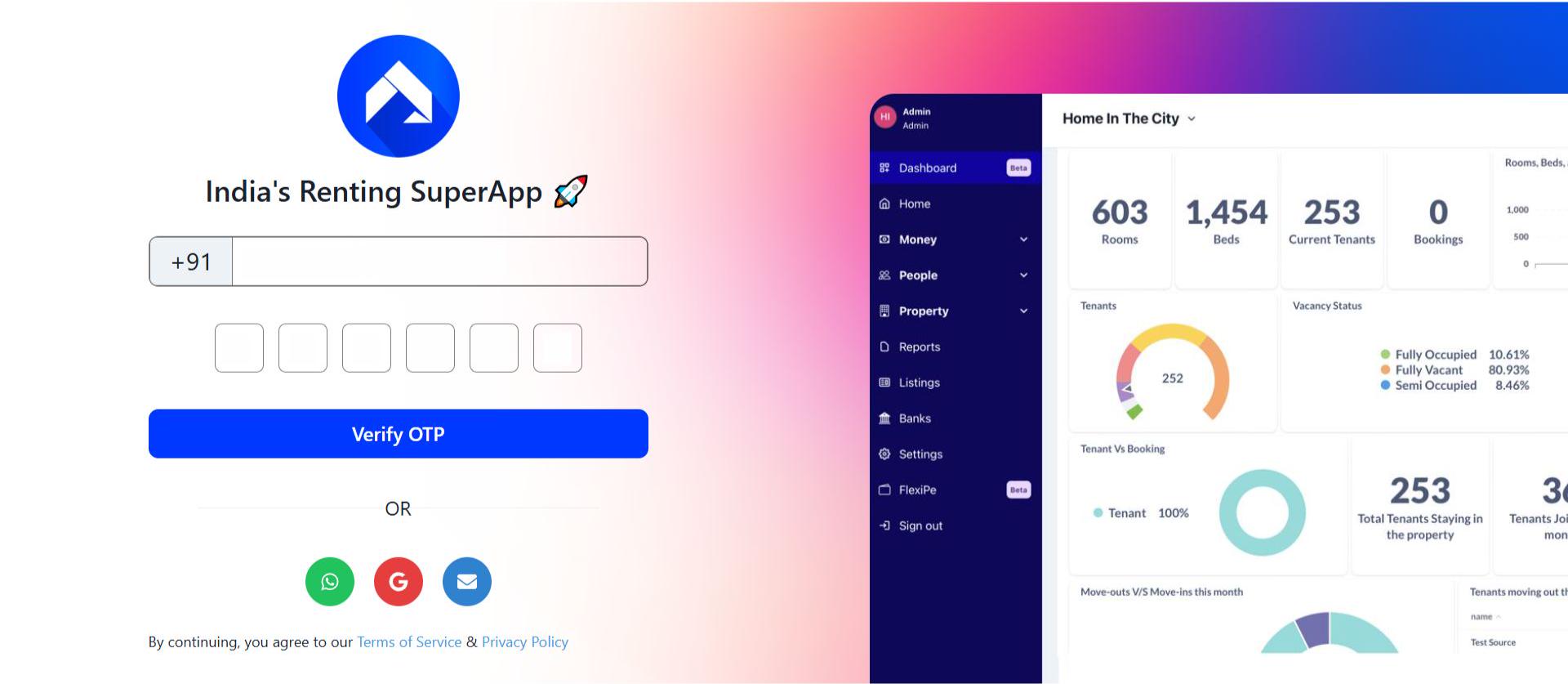
- Step 1: Log in to the web version Open the web version of the app and enter your credentials to log in.
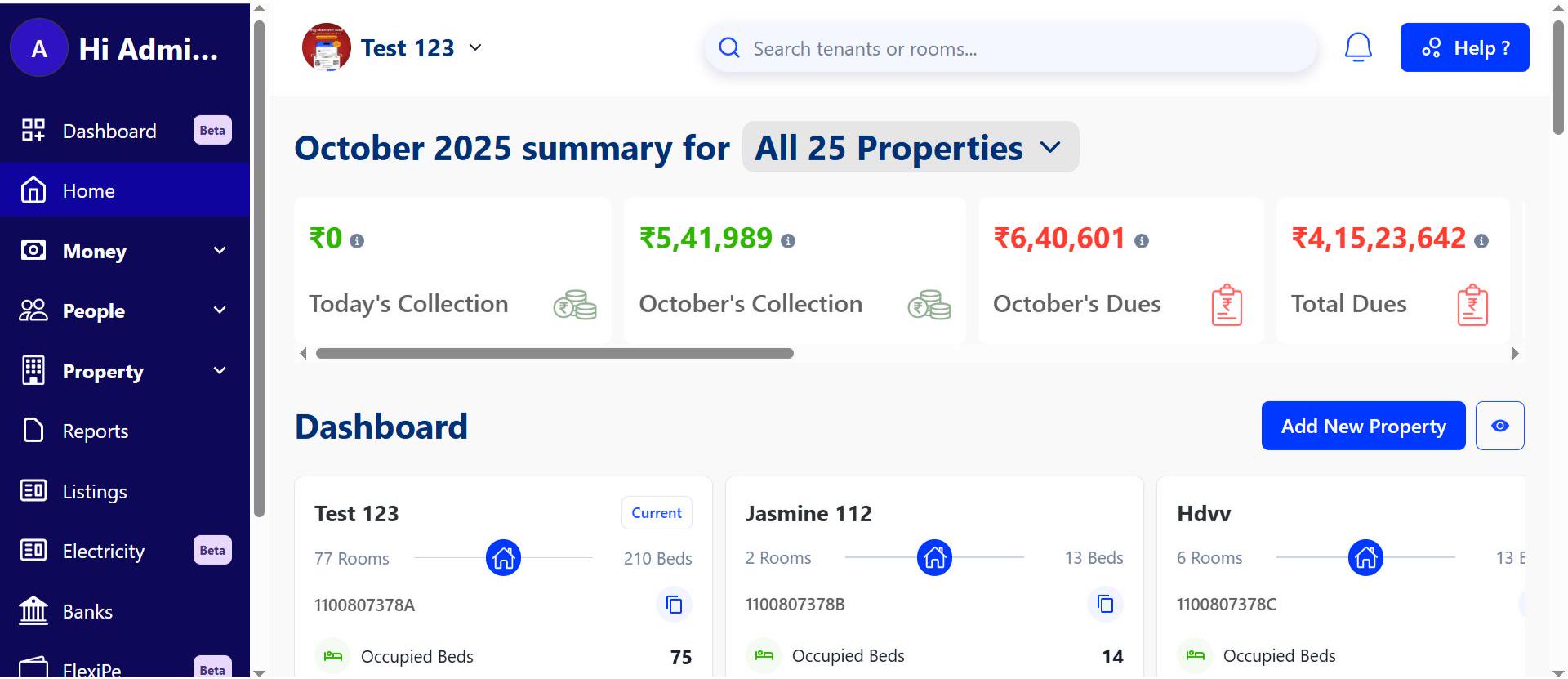
- Step 2: Go to the Home page After logging in, the home page gives you an overview of your account.
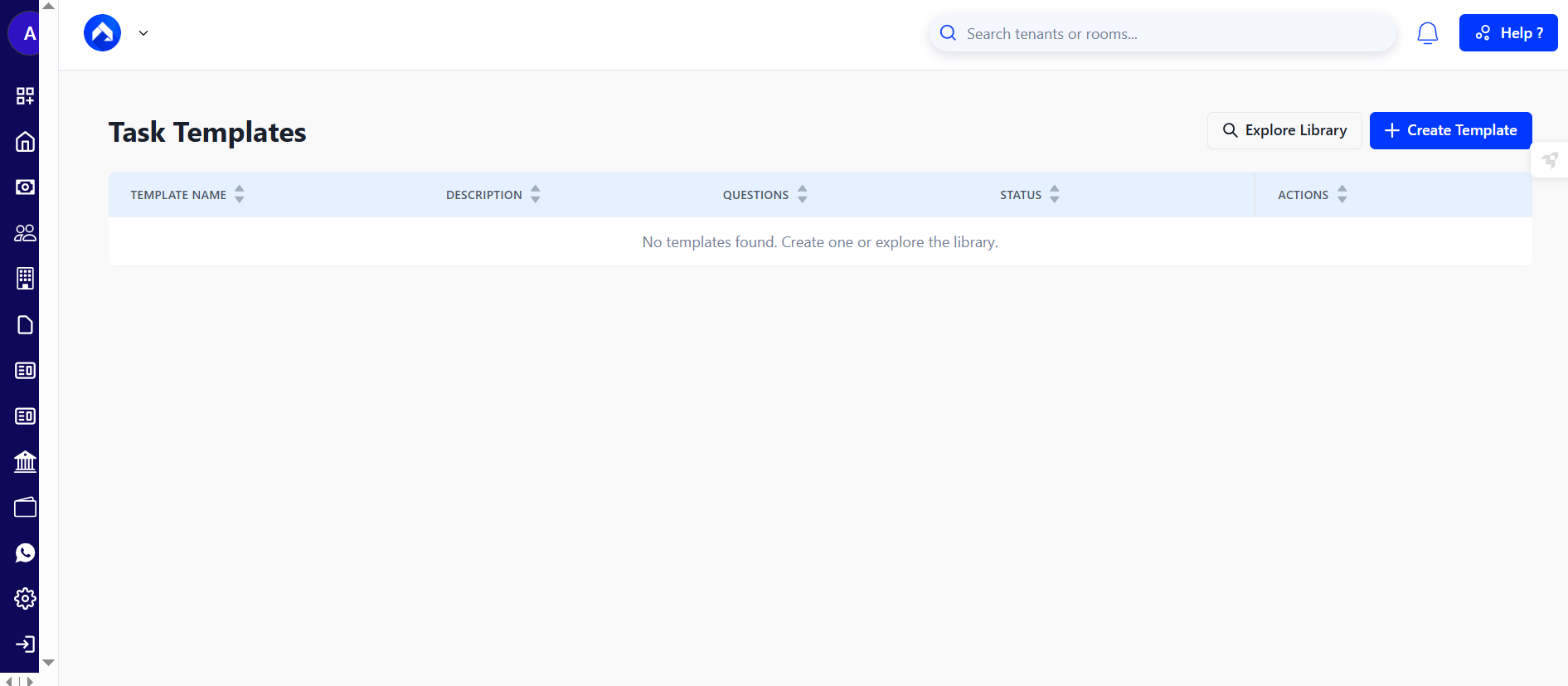
- Step 3: Open the Task Templates Page In the search bar, enter https://manager.rentok.com/tasks/templates This will take you to the section where task templates can be created and managed.
-
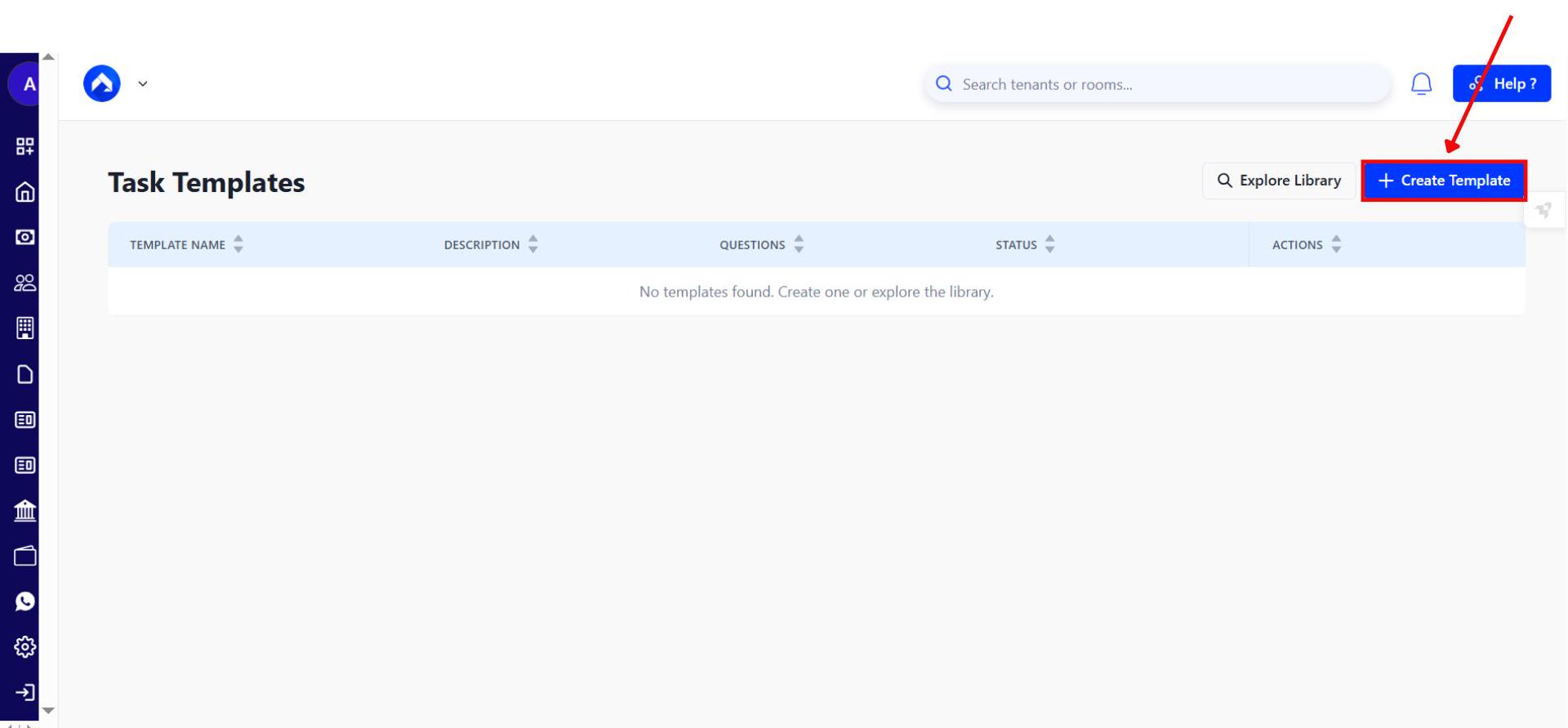
Step 4: Create a New Task Template
- Click Create Template.
- Enter the task name, a brief description, and add at least one question. Additional questions can be added if required.
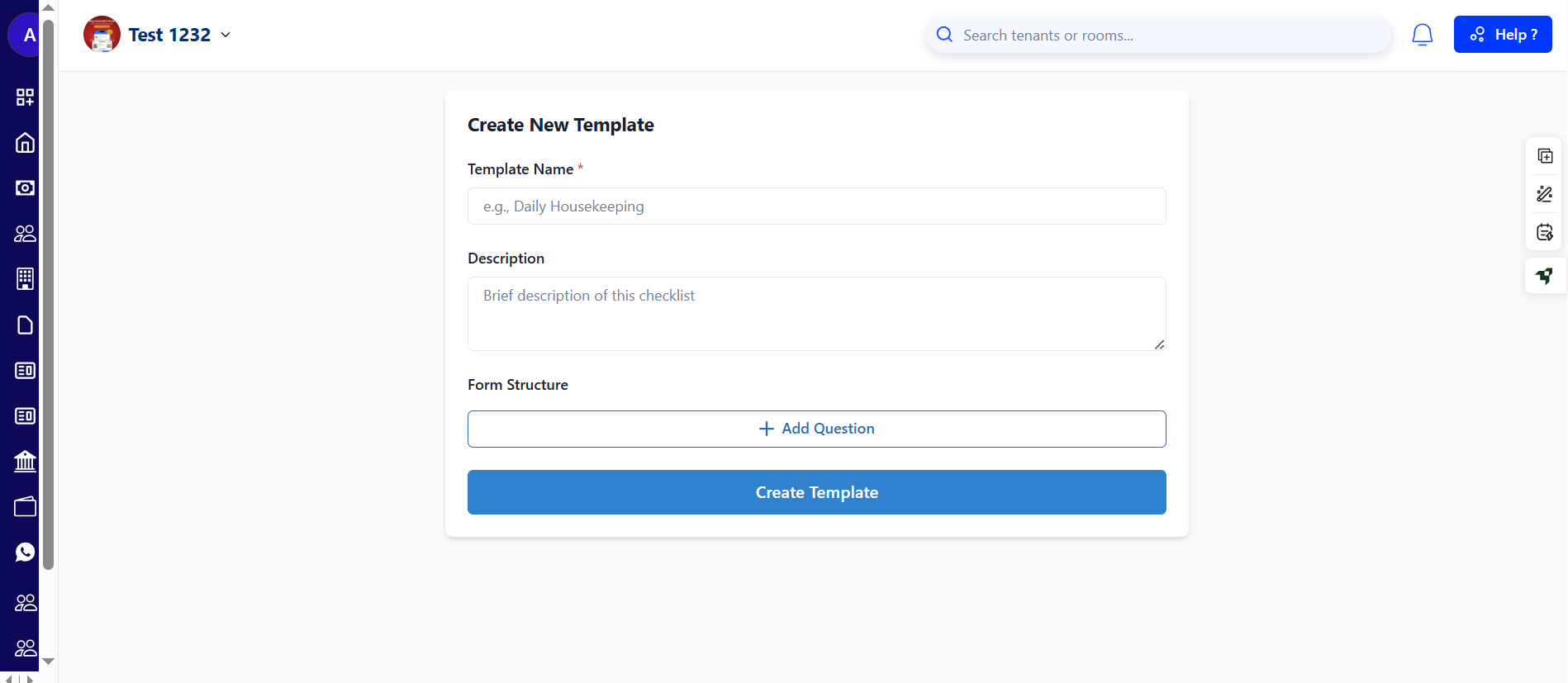
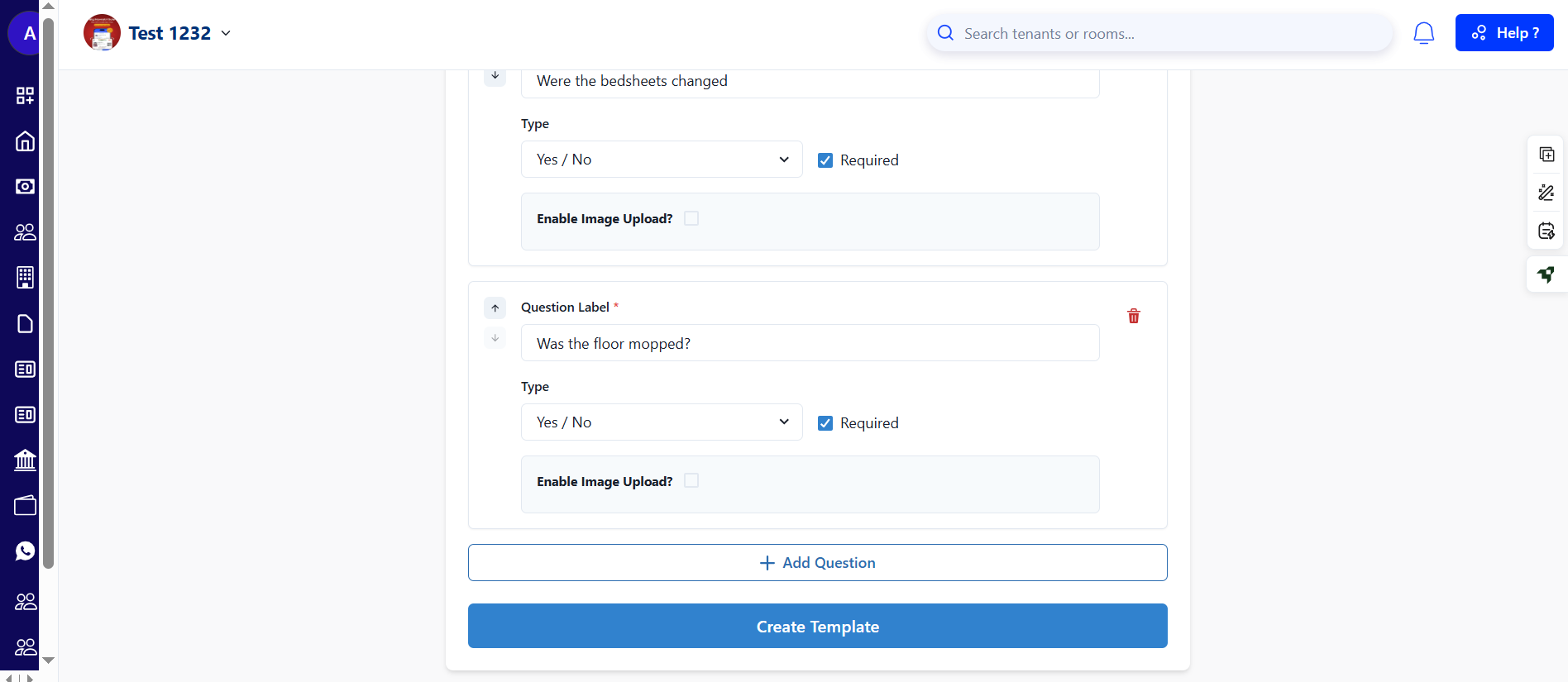
- Step 5: Save the Template Once all details are filled in, click Create Template to save it.
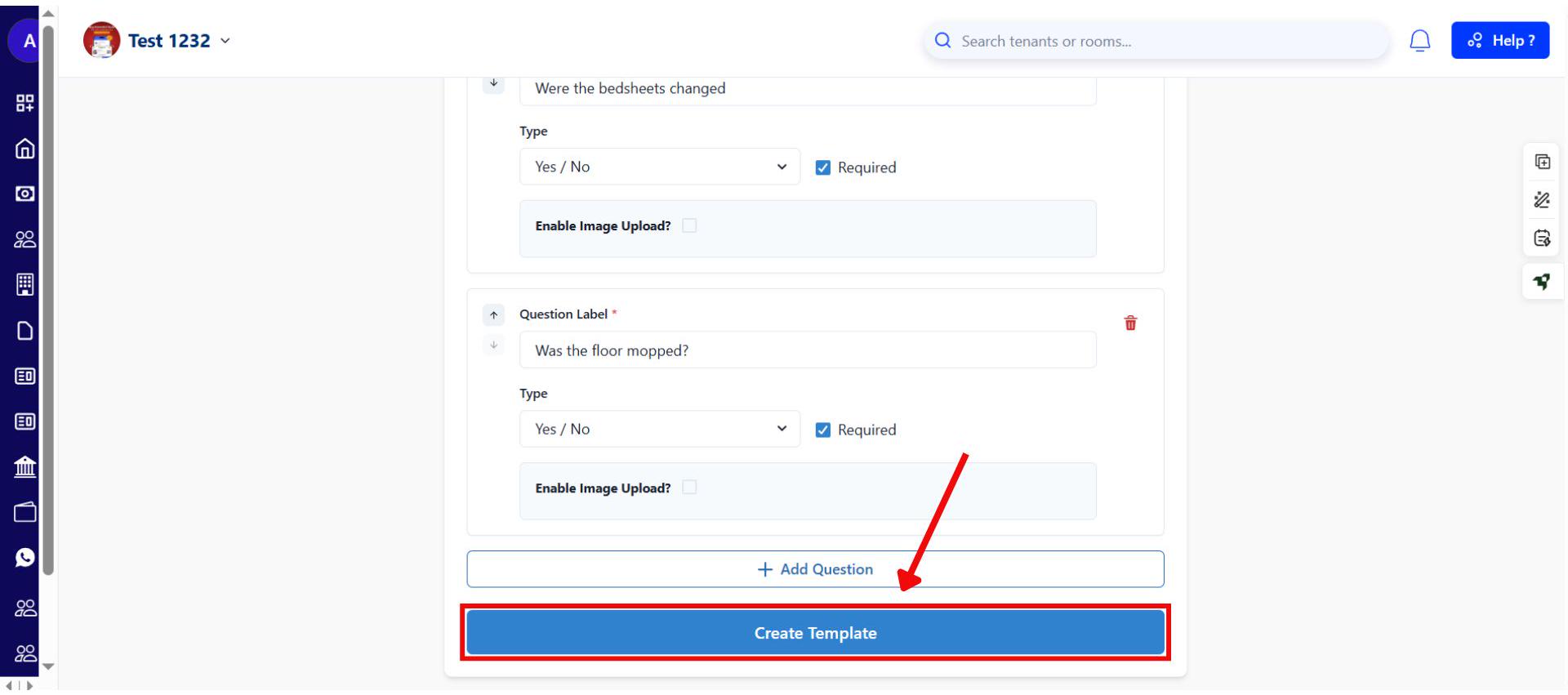
-
Step 6: Edit and Assign the Template
- After the template is created, open the Edit section to make any updates.
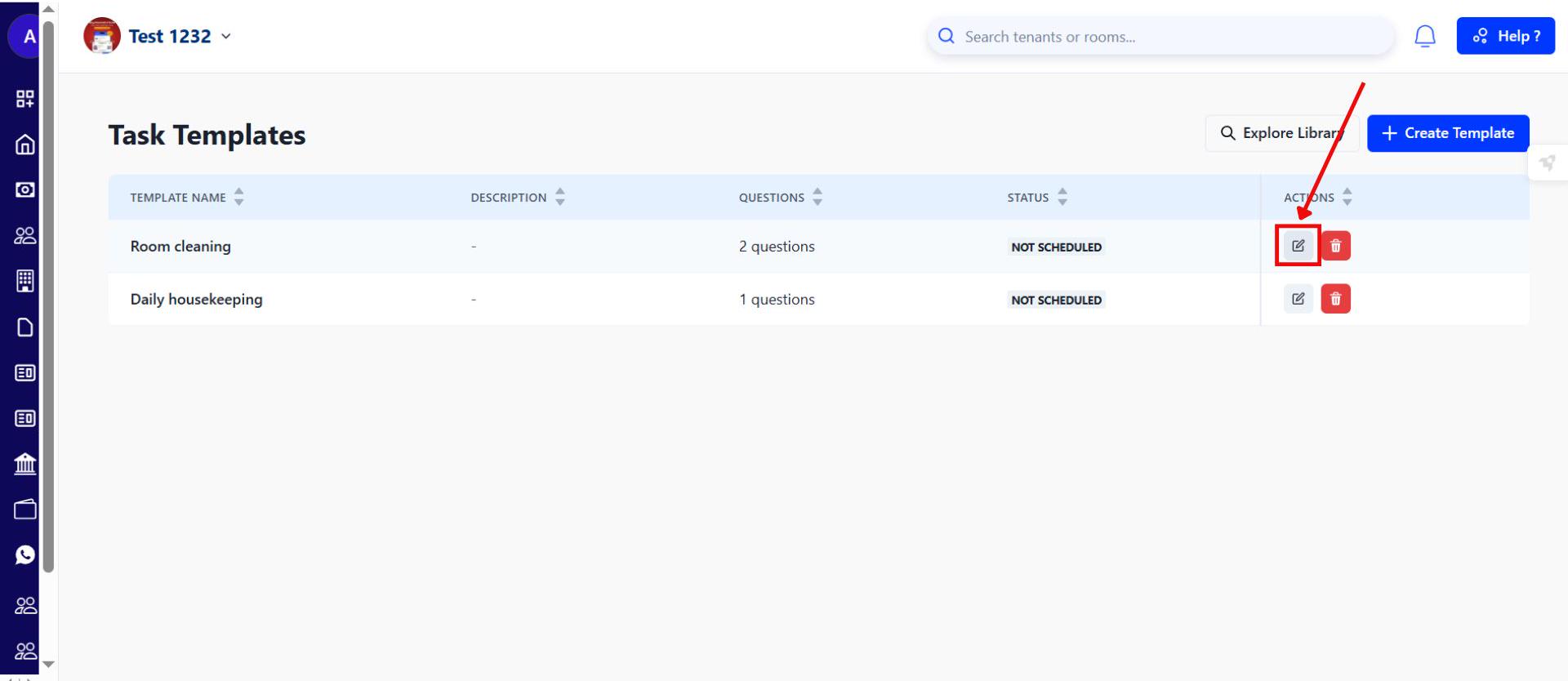
- In the Assignment section, click New Assignment to set the task timing and assign the template to a specific team member.
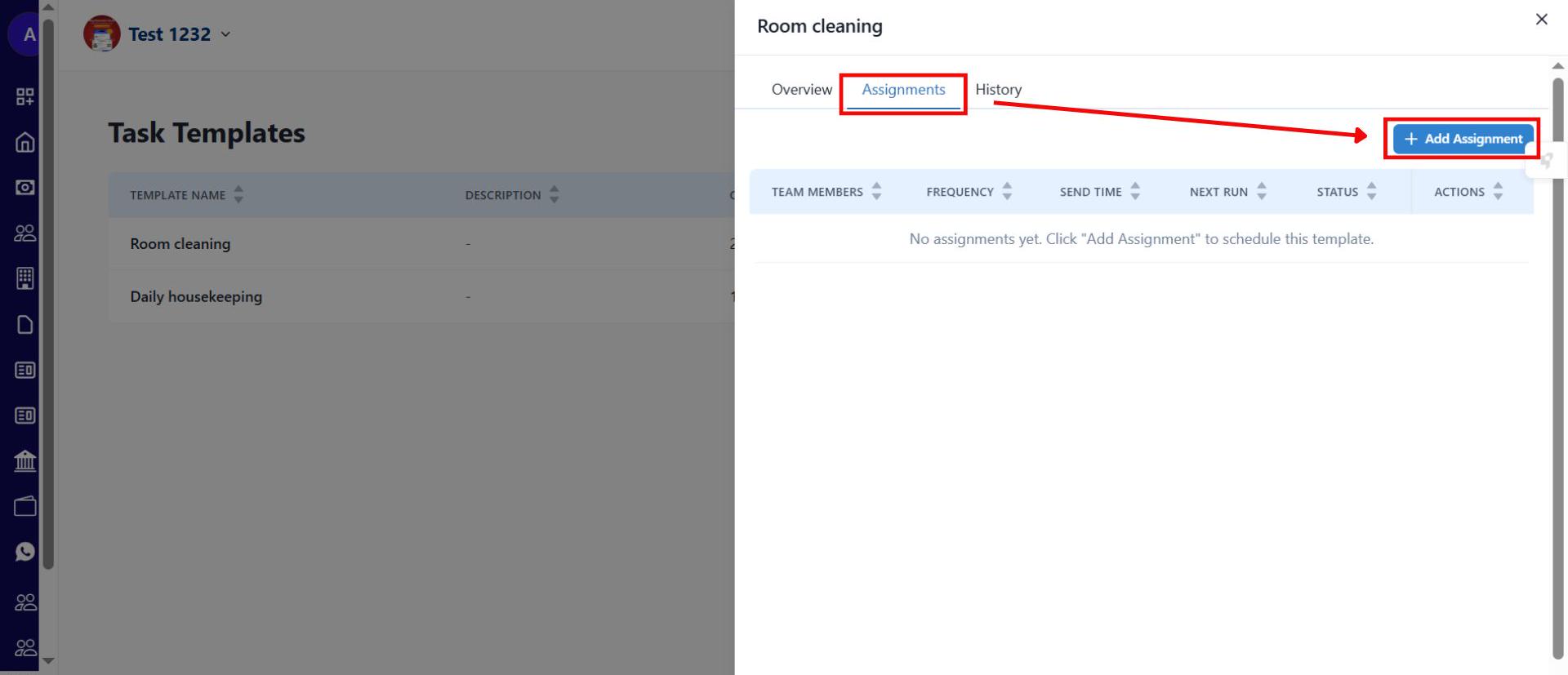
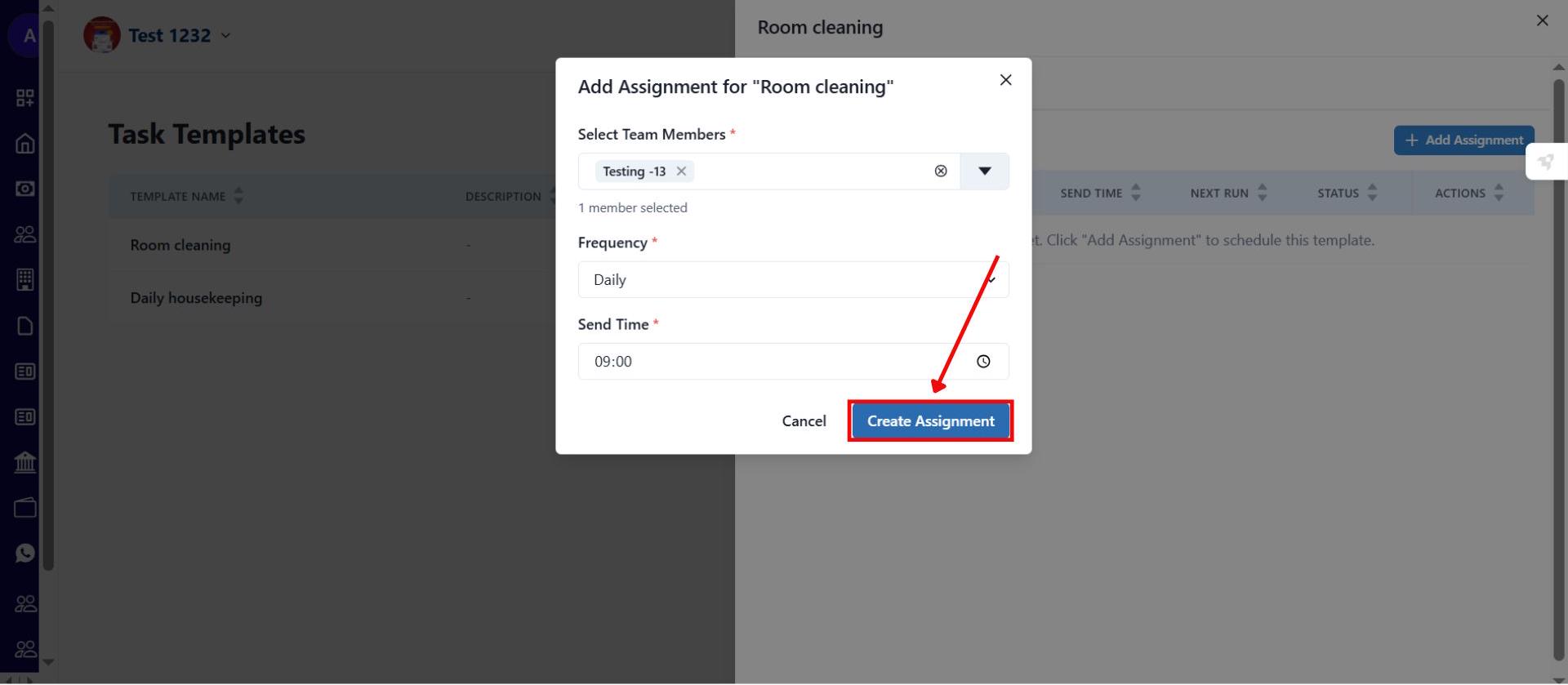
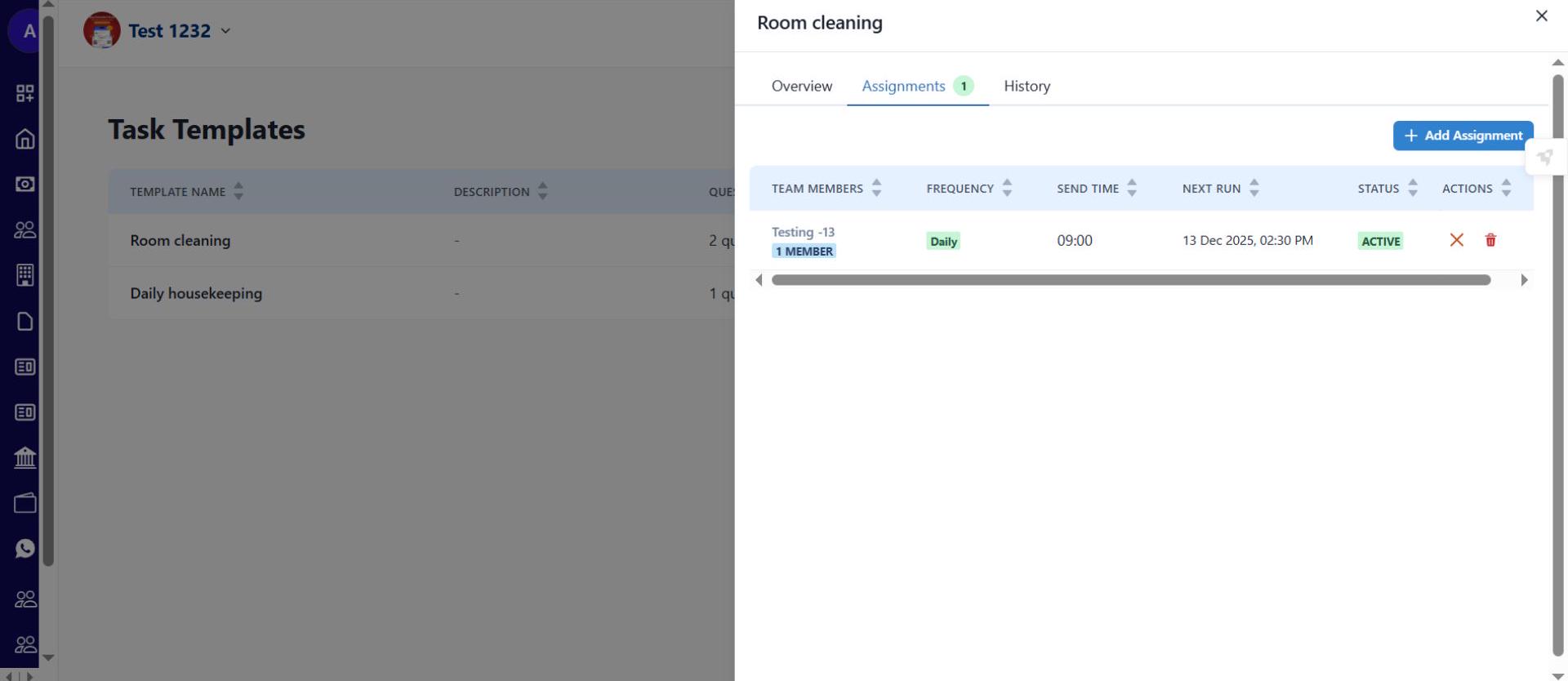
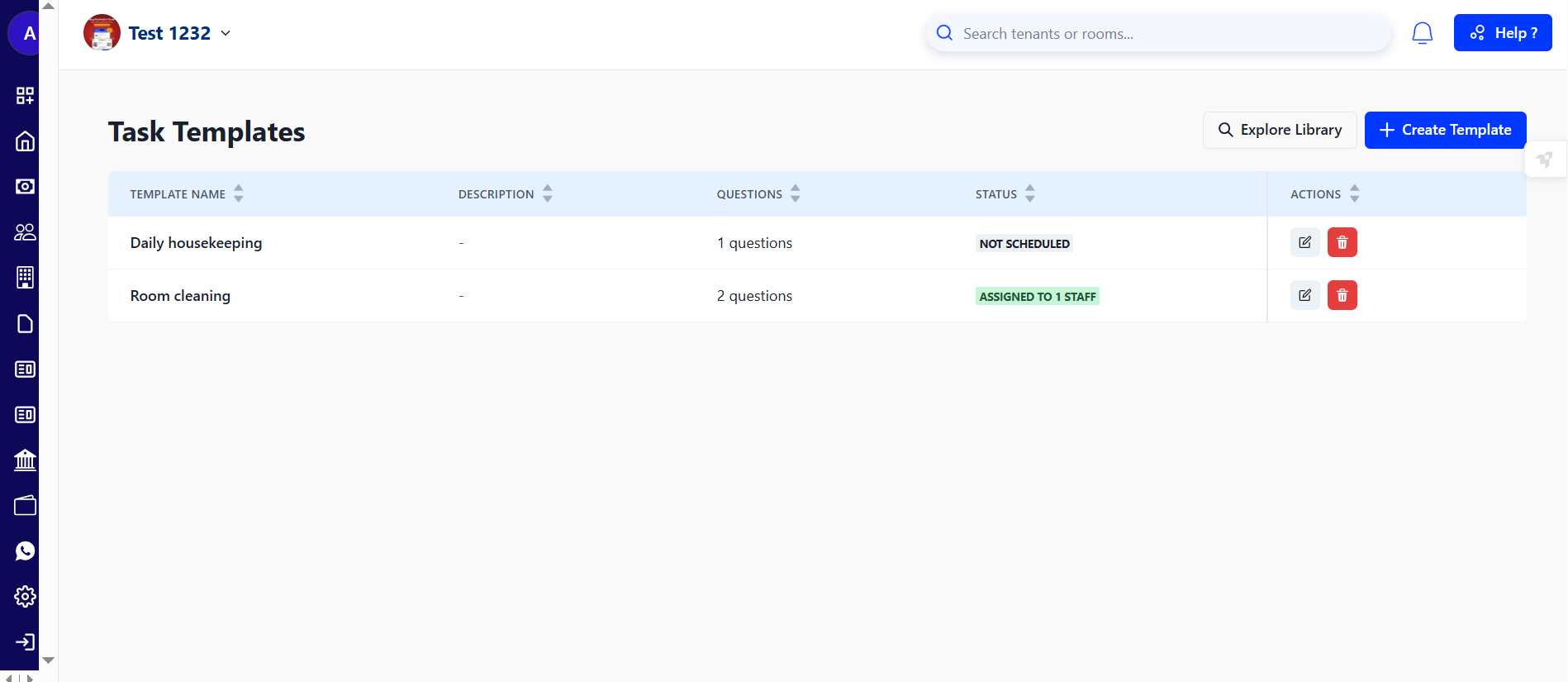
- Step 7: Verify Assignment Once assigned, the system will display the updated status confirming that the task has been successfully allocated.
-
Your team members will receive a WhatsApp message with a link when a task is assigned to them. They can complete the task directly from the link, without needing the app.
-
Admins can create and manage templates from the web dashboard. (A new menu item will be added to the sidebar soon).
| 💡 Why it matters: This brings discipline and accountability to your property operations. It helps owners ensure that all essential activities are being completed correctly and on schedule, with a full digital record. |
|---|
Ab staff ke roz ke kaam ko track karna is much easier now.
Full Property Settings on Web - Manage everything from your desktop
The entire Property Settings section is now live on the web! You can now configure every detail of your property, from business verification to security settings, without needing the mobile app.
See what’s new →
Highlights
-
Complete Business Verification: Upload all necessary documents for business verification directly from the web.
-
Update Security Details: Change your admin number or property contact number easily from the new Security Settings section.
-
Copy Settings: Save time by copying your settings from one property to another.
-
Full Feature Parity: The web experience now matches the mobile app, giving you the flexibility to manage your property from any device.
How to try
- Step 1: Log in to the web version Open the web version of the app and enter your credentials to log in.
- Step 2: Go to the Home page After logging in, the home page gives you an overview of your account.
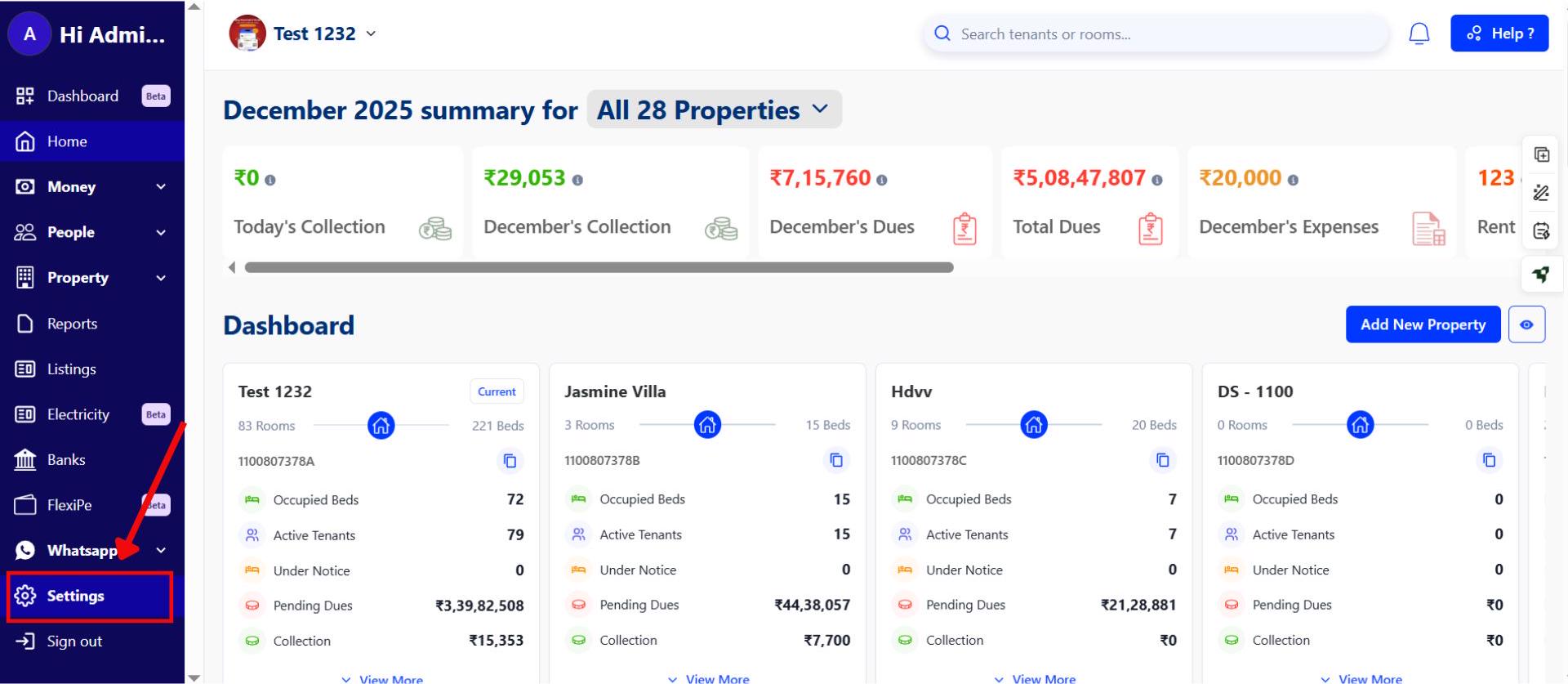
- Step 3: Open Settings From the homepage, click on Settings to access your account controls.
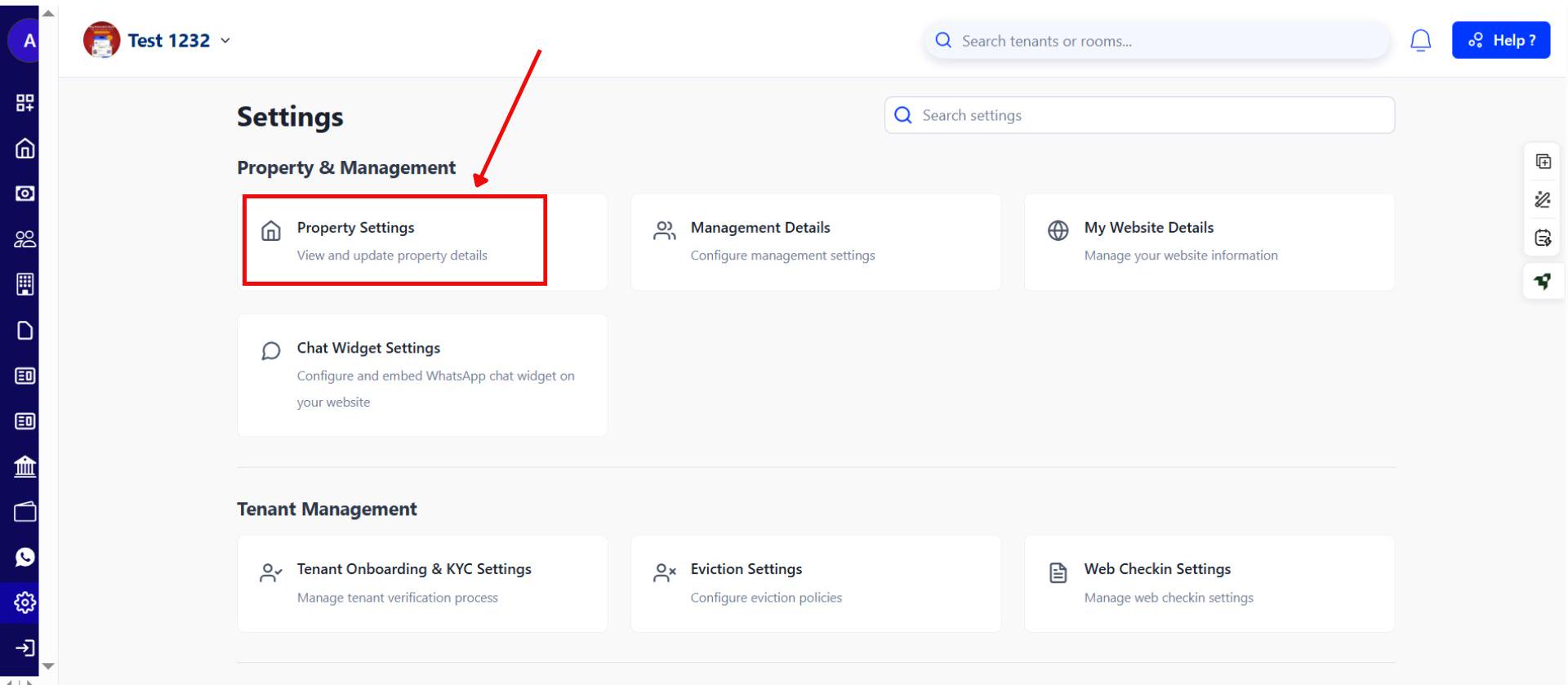
- Step 4: Go to Property Settings Inside the Settings menu, select Property Settings. Here, you’ll find all the options related to your property and account setup.
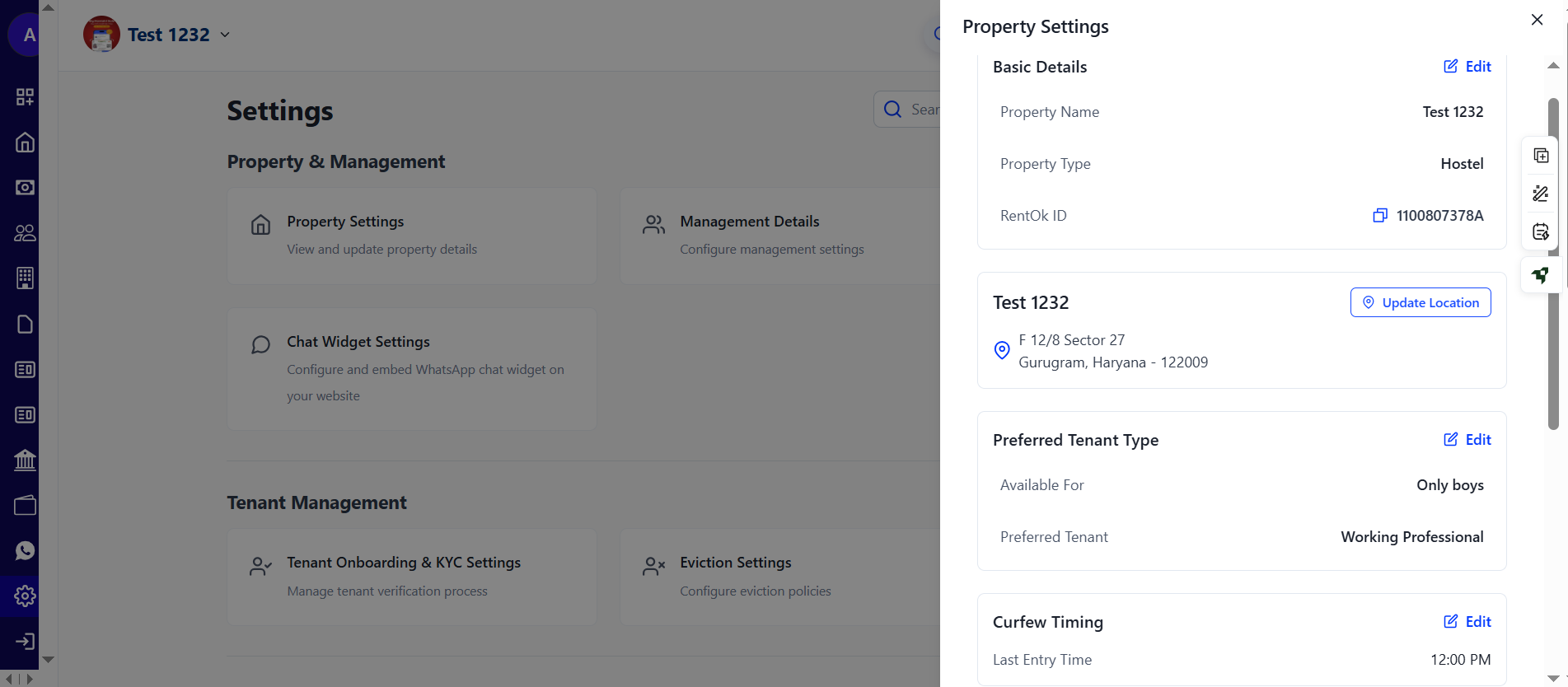
- Step 5: Make Your Updates In Property Settings, you can manage your business verification, update security details, use full feature parity, copy settings, and make other changes as needed.
| 💡 Why it matters: This is a huge quality-of-life improvement for property managers and accountants who work primarily on a desktop. It makes initial property setup and ongoing management much faster and more convenient. |
|---|
Fixes & Polish
-
Revamped Blog Design: Our public blog has a new, modern, and more readable design with better navigation and related articles.
-
New Documentation Live: A large number of new tutorials and FAQs are now live on our documentation site to help you find answers faster.
-
Move-in Checklist Live for Beta Users: The new Move-in Checklist feature is now live and being used by our first set of properties, helping them track inventory seamlessly.
-
Website Editor Fixes: Resolved bugs where property website details were not saving correctly.
👀 Coming Up Next
-
Instagram Lead Integration: Soon, you'll be able to connect your Instagram page to automatically capture leads from comments and DMs directly into RentOk.
-
Move-out Checklist: The second phase of our checklist feature, which will track the condition of inventory when a tenant is leaving, will be released next.
Thank You
Have doubts or any feedback? Chat with us in-app (Help → send us message). We’re building for you, and every suggestion counts!